
Best Canva alternatives in 2026
13 direct alternatives to Canva, compared on pricing, features, and best-for use cases. Pick the right replacement without the marketing fluff.
 Curated by Louis Corneloup · Updated
 Cite this list: Toolradar, best Canva alternatives 2026, toolradar.com/alternatives/canva
Why people consider alternatives to Canva
Canva is a graphic design platform that makes design accessible to everyone. Create social posts, presentations, videos, and print materials. Millions of templates and photos included. Brand kit maintains visual consistency.
Here are the real cost and limitation gotchas that push teams to look elsewhere:
- AI credits cap: Pro includes 500 credits/month shared across ALL Magic Studio features (image generation, video, Magic Design, Canva Code). Each generation attempt costs credits, iterating on a single prompt (3-5 tries) burns 15-25 credits. Heavy users exhaust their monthly allotment in 1-2 weeks.
- Free plan AI is permanent, not monthly: You get 50 lifetime image generations and 5 lifetime video generations. Once spent, they never reset. This is effectively a one-time trial, not an ongoing feature.
- Brand Kit on Free is crippled: 1 Brand Kit with only 3 brand colors, no custom fonts, no brand templates. Upgrading to Pro is near-mandatory for any business use.
- Premium template bait-and-switch: Many templates in search results contain premium elements that show a watermark or crown icon only after you start editing. You must upgrade to export them.
The 13 alternatives below cover the same core job (graphic design) with different trade-offs.
13 alternatives to Canva
Ranked by G2 and Capterra ratings, media mentions, and editor review, plus how directly they replace Canva.
- 1

Figma
Free plan Battle-tested at scaleThe collaborative design platform
4.2 /5 across Trustpilot, TrustRadius, PeerSpot and more · 3,131 ratings, Sep 2026
- 2

Sketch
Paid Battle-tested at scaleMac UI/UX design with real-time collaboration
4.3 /5 across G2, Capterra and Trustpilot · 2,044 ratings, Sep 2026
- 3

Adobe Express
Free planQuick creative content creation
4.5 /5 on G2 · 848 ratings, Sep 2026
- 4

AdCreative.ai
Paid Battle-tested at scaleGenerate high-converting ad creatives, videos, and product photos with AI.
3.9 /5 across Trustpilot and G2 · 3,955 ratings, Sep 2026
- 5
InVision
Free planDigital product design platform
4.4 /5 across SourceForge and G2 · 751 ratings, Sep 2026
- 6

Visme
Free planCreate high-converting, engaging, and branded content faster with AI-powered design.
4.5 /5 on G2 · 511 ratings, Sep 2026
- 7
Adobe XD
PaidDesign, prototype, and share websites and mobile apps
4.3 /5 across SourceForge and G2 · 516 ratings, Sep 2026
- 8

Framer
Free planDesign, publish, and launch production websites with AI
4.4 /5 across G2 and Capterra · 177 ratings, Sep 2026
- 9

Presentations.ai
PaidAI-powered presentation maker that generates slides from topics or files.
3.0 /5 across G2 and Trustpilot · 32 ratings, Aug 2026
- 10

Plus AI
Free planAI presentation maker that works inside PowerPoint and Google Slides
3.2 /5 on G2 · 5 ratings, Aug 2026
- 11

Lumo Studios
Free planCreate dynamic, interactive decks with live data and AI
- 12
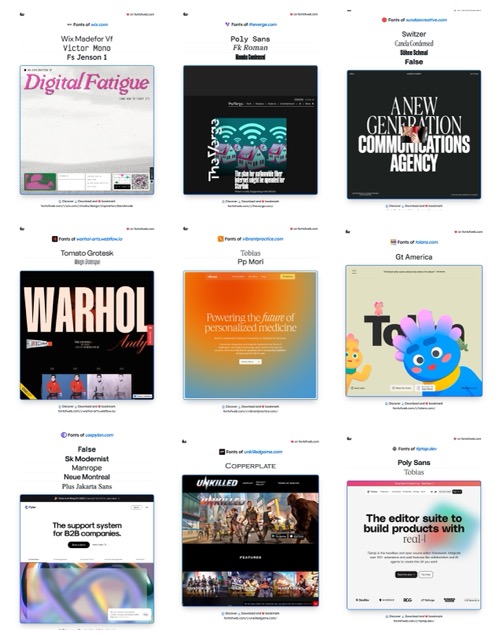
Fudge MCP
PaidAI-powered font discovery and design inspiration
- 13

Mock Magic: Video Presets
Free planCreate realistic video mockups with ease
Frequently asked questions
What is the best alternative to Canva?
Based on real-signal scoring (G2 and Capterra ratings, media mentions, and editorial review), the top alternatives to Canva are Figma, Sketch, Adobe Express. Each solves the same core job with different trade-offs on pricing, features, and integrations.
Is there a free alternative to Canva?
There is no fully free alternative in this list. Figma is freemium: a permanent free tier plus paid plans (The collaborative design platform).
Why do people look for Canva alternatives?
Common reasons teams switch away from Canva: pricing that scales aggressively, missing integrations with the rest of their stack, performance or scale limits, or a specific feature gap in graphic design. The alternatives on this page solve the same core problem with different trade-offs.
Side-by-side comparisons
In-depth comparison pages for Canva versus each alternative.

Review Canva, get a free AI guide
Share your experience and we will send you Improve Your Thinking Patterns Using ChatGPT, free.
Still considering Canva?
See the full review, pricing breakdown, and community feedback before you decide.