Best Community Platforms for Business in 2026
Circle is the best all-around choice for most businesses and creators, it's flexible, modern, and strikes the right balance between simplicity and features. Discourse is ideal for technical communities and open-source projects. Mighty Networks wins if you're building a course-based membership. Slack/Discord work for smaller communities but don't scale well.
Build a community that's actually worth joining (and staying in)

Everyone wants a community now. The reality is that most branded communities fail, not because of the platform, but because they're treated as marketing channels instead of actual communities.
That said, platform choice matters. The right tool can reduce friction to participation, make moderation manageable, and give members reasons to return. The wrong one creates ghost towns that hurt your brand more than help it.
Top Picks
Picked by editorial review, informed by G2 and Capterra review volume and rating and by media mentions, the signals behind our category rankings. How we rate
| Tool | Starting price | Rating | Best for |
|---|---|---|---|
| Circle | From $89/mo | 4.2 599 reviews | Creators, SaaS companies, and brands building engaged member communities |
| Discourse | From $25/mo | 3.9 73 reviews | Developer communities, open-source projects, and technical forums |
| Mighty Networks | From $41/mo | 4.5 769 reviews | Creators building course-based communities and paid memberships |
| Bettermode | From $49/mo | 4.7 211 reviews | Companies wanting deeply branded, embeddable customer community experiences |
| Discord | Free plan | 3.7 639 reviews | Brands and creators that want a real-time chat-based community with voice and video. |
| Khoros | Custom | 4.0 131 reviews | Large enterprises that want a mature community platform with strong moderation and analytics. |

Creators, SaaS companies, and brands building engaged member communities
- Pro: Clean, modern interface that members actually enjoy using
- Pro: Courses, events, and community spaces in one platform
- Pro: Native iOS and Android apps with good UX
- Con: Workflows, admin/headless API, Circle MCP, and removing Circle branding require the Business plan ($199/month)
- Con: Transaction fees on paid memberships: 2% on Professional, 1% on Business, 0.5% on Circle Plus (on top of Stripe)
Circle's pricing is on the higher side compared to some community platforms, especially starting at $89/month for the Professional tier.
Watch out
Potential for higher fees on Enterprise tier (0.5% mentioned)

Developer communities, open-source projects, and technical forums
- Pro: Free and open source, self-host for zero platform cost
- Pro: Best-in-class search and threaded discussions for technical content
- Pro: Trust-based moderation system automates most moderation at scale
- Con: Forum-style UX isn't for everyone, no courses or native events
- Con: Self-hosting requires server admin expertise and ~$20-50/month for VPS
Discourse's pricing is quite generous, especially with the free self-hosted option.
Creators building course-based communities and paid memberships
- Pro: Strong branded native mobile apps, your community gets its own app
- Pro: Courses and community fully integrated with monetization built in
- Pro: Good for paid membership models with flexible pricing options
- Con: 3% transaction fee on Community plan drops to 2% on Business, adds up for high-revenue communities
- Con: Branding customization more limited than Circle
Mighty Networks' pricing is on the higher side compared to some market alternatives, especially for creators just starting out.
Watch out
Transaction fees (3% to 1%) on sales

Companies wanting deeply branded, embeddable customer community experiences
- Pro: Most customizable platform, widgets, custom CSS, embeddable components
- Pro: Generous free tier for getting started (up to 10 members)
- Pro: Strong API for deep product integrations
- Con: Steeper learning curve than Circle or Mighty Networks
- Con: Smaller user community means fewer templates and resources
Bettermode's pricing is quite fair, especially with a Free tier and a 14-day trial.
Watch out
Potential overage fees for members on lower tiers

Brands and creators that want a real-time chat-based community with voice and video.
- Pro: Free for most uses
- Pro: Strong real-time chat
- Pro: Wide reach
- Con: Best for chat-based
- Con: Not branded
Discord is genuinely free for core communication, unlimited messages, voice channels, video calls up to 25 people, and communities of any size.
Watch out
File upload limits are tight on Free (10 MB), forces cloud storage workarounds for teams sharing assets

Large enterprises that want a mature community platform with strong moderation and analytics.
- Pro: Mature enterprise platform
- Pro: Strong analytics
- Pro: Strong moderation
- Con: Pricing enterprise-only
- Con: Long implementation
This approach often leads to higher costs than publicly listed competitors, but can offer tailored solutions for large organizations.
Watch out
Implementation and onboarding fees
Other Community Platforms worth considering
More published tools from our Community Platforms category, ordered by our category ranking. They are not part of the editorial picks above.









What It Is
Community platforms provide a space for people to connect around shared interests, your product, or your brand. Unlike social media, you own the space and the data. Unlike Slack or Discord, they're built for asynchronous, organized discussions.
Modern community platforms include features like events, courses, member directories, gamification, and integrations with your existing tools. The best ones feel like places people want to spend time, not just another notification source.
Circle AI: the Eclipse update that changes the math
Circle's 2026 "Eclipse" release turned Circle from a community platform into a community platform with a full AI team baked in, and it's a big reason Circle keeps the top spot this year. Circle AI is positioned as an AI partner that helps you build, run, and grow your community business, and most of it now ships on the entry $89/month Professional plan instead of hiding behind an enterprise tier.
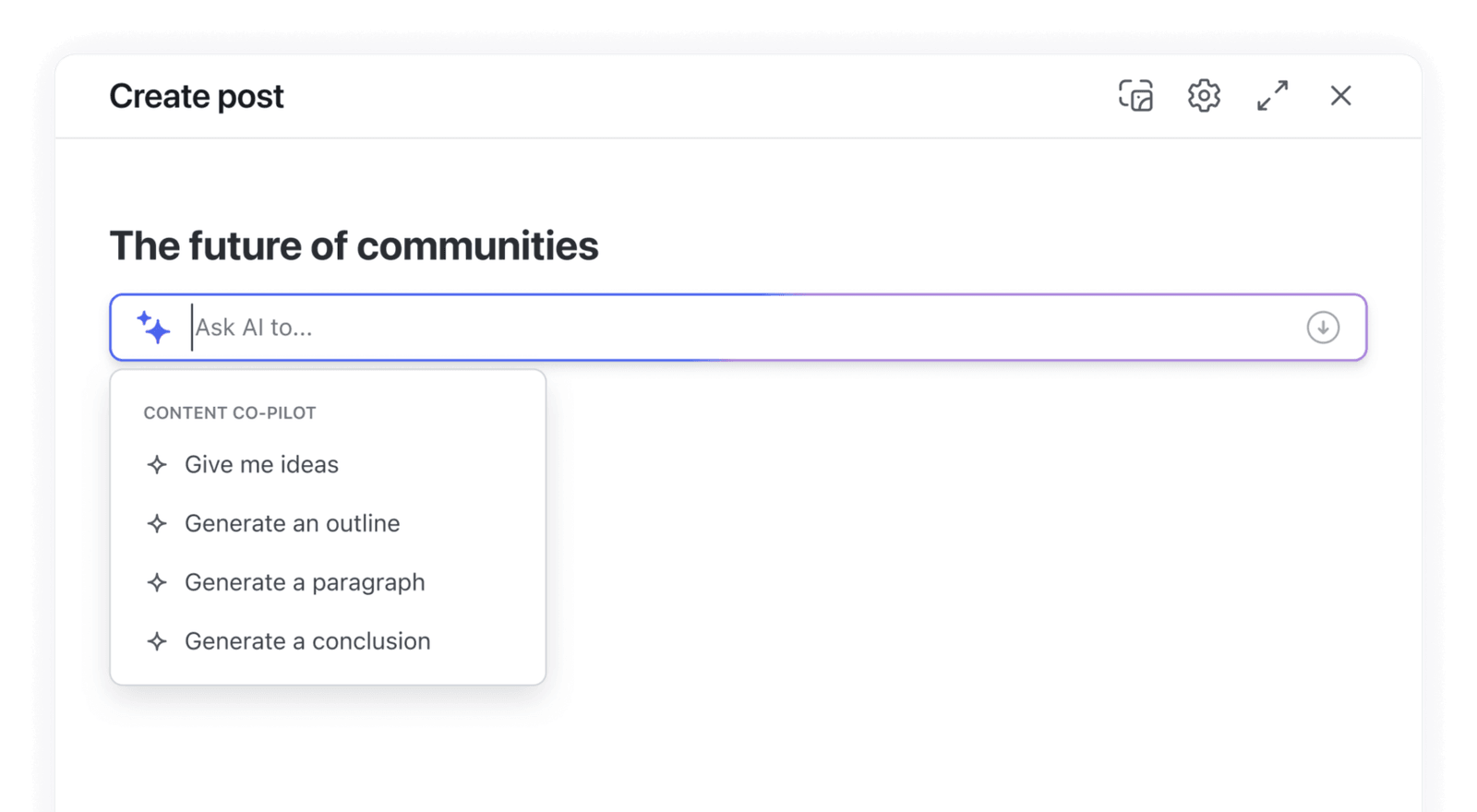
The pieces that actually matter day to day:
- Content co-pilot: a writing companion that brainstorms discussion prompts, drafts course lessons and event descriptions, tightens your copy, and repurposes a long post into a summary or recap in seconds. It's the fastest way to kill the "empty room" problem that sinks most communities.
- Automated transcriptions: every video post, event recording, and course lesson is transcribed automatically, making your back catalog searchable and accessible with no manual captioning.
- Activity scores: an analytics layer that scores member engagement over time so you can see who's warming up, who's going quiet, and which prompts and events actually move the needle.
- AI moderation, Knowledge engine, and the AI Inbox, moderation that flags issues early, an AI that answers member questions from your existing content, and a unified inbox for DMs, comments, and AI conversations.
- AI Agents & AI Workflows (Circle Plus): autonomous agents that onboard members, answer questions, and run multi-step automations for you, plus Circle MCP to connect Circle to other AI tools.
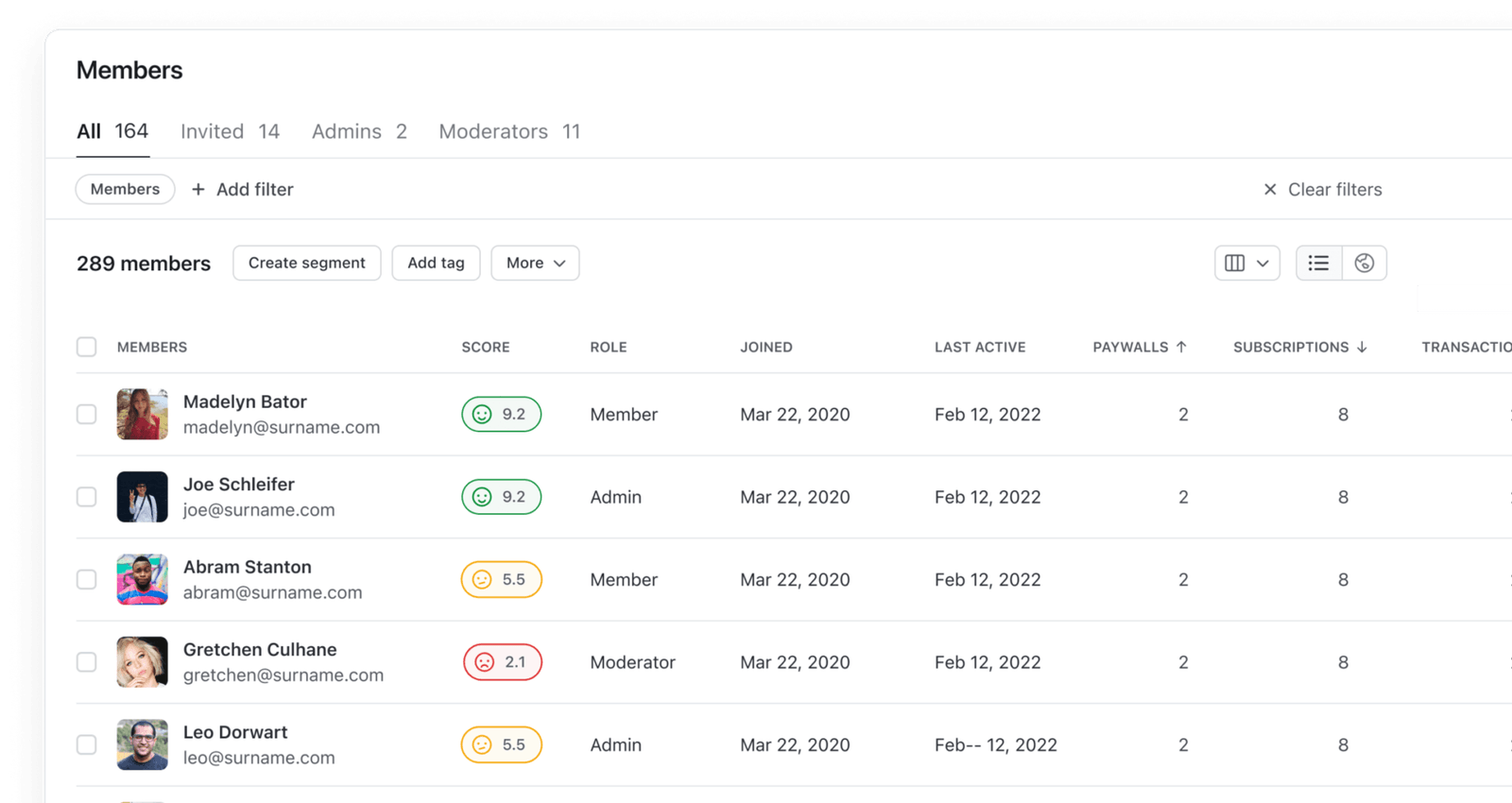
For a solo operator or small team, that's the real story: instead of paying for a community tool and a separate AI writer, transcription service, analytics tool, and chatbot, Circle folds them into one subscription. Circle AI runs on credits (2,500/month on Professional and Business, extra at $10 per 1,000), so heavy users should budget for top-ups.
Why It Matters
A thriving community creates a moat that competitors can't easily copy. Members help each other (reducing support costs), generate content (improving SEO), provide feedback (informing your roadmap), and advocate for your brand (driving organic growth).
But this only works if the community is genuinely valuable to members. The platform is just infrastructure, your investment in content, moderation, and programming determines success.
Key Features to Look For
Discussion Spaces (Essential)
Organized areas for different topics. Should support threads, nested replies, and easy navigation.
Member Profiles & Directory (Essential)
Help members find and connect with each other. The network effect is why people stay.
Events & Live Sessions (Important)
Synchronous moments create energy. Built-in events, live rooms, or tight integrations matter.
Moderation Tools (Important)
As communities grow, moderation becomes critical. Look for automation, reporting, and moderator workflows.
Customization & Branding (Important)
Your community should look like yours, not a generic platform. Custom domains, branding, and layout control.
Analytics (Nice to have)
Member engagement, content performance, and growth metrics. Hard to improve what you can't measure.
What to Consider
Who is your community for? B2B, creators, and consumer communities have different needs
How will you drive ongoing engagement? Courses, events, exclusive content?
What's your moderation capacity? Larger communities need more robust tools
Mobile experience matters, check the mobile app quality, not just web
Consider lock-in: can you export member data and content if you switch?
Evaluation Checklist
Create a test community with 10 real members and run it for 2 weeks, measure how many return without prompting
Test the mobile app experience on both iOS and Android, most community engagement happens on mobile
Set up a paid membership flow end-to-end: signup, payment, access gating, and cancellation
Test moderation tools: flag a post, ban a user, set up auto-moderation rules, and review the mod queue
Attempt a full data export (members, posts, files) to evaluate lock-in risk before committing
Pricing Overview
Starter
New communities under 500 members, Bettermode Basic or Circle Professional
$19-89/month
Professional
Growing communities with courses/events, Circle Business or Mighty Networks Business
$100-200/month
Enterprise
Large communities 10,000+ members with custom needs
$360-2,000+/month
Mistakes to Avoid
- ×
Building before you have an audience, validate interest with a free Slack group or Discord before paying $100+/month for a platform. If you can't get 50 active members in a free channel, a paid tool won't help
- ×
Expecting the platform to create engagement, no platform generates community on its own. Budget 10-15 hours/week for community management in the first 6 months
- ×
Launching to an empty room, pre-populate with 20+ discussion threads and invite 30-50 founding members before public launch. Ghost towns repel new members permanently
- ×
Under-investing in moderation, one toxic member can destroy months of culture-building. Set clear rules, enforce them visibly, and use auto-moderation tools from day one
- ×
Ignoring transaction fees, a community earning $10K/month pays $200-300/month in platform transaction fees alone (2-3%) on top of Stripe's 2.9%. Calculate total cost including payment processing
Expert Tips
- →
Start with 100 engaged members, not 1,000 lurkers, a small, active community has more value than a large, silent one. Curate your initial member list carefully
- →
Give members roles and responsibilities, ambassador programs, moderator roles, and 'expert' badges increase investment. People who contribute are 5x more likely to stay
- →
Welcome every new member personally for the first 200-300 members. A personal DM from the founder sets the tone and culture
- →
Create weekly rituals, a Monday question thread, a Friday wins thread, and a monthly live event give members reasons to return consistently
- →
Don't compete with social media, offer what Twitter/LinkedIn can't: depth, access to experts, exclusivity, and genuine relationships
Red Flags to Watch For
-
No native mobile app or a poor-quality one, communities without good mobile apps see 50-70% lower engagement
-
Member data export is impossible or requires enterprise plan, this is vendor lock-in by design
-
Transaction fees on top of platform fees for paid communities, some charge 3-10% on member payments beyond Stripe's cut
-
No granular moderation tools, if you can't auto-flag, mute, or shadow-ban, scaling past 500 members becomes a nightmare
The Bottom Line
Circle ($89–$199/mo, Plus custom) is the best all-around choice for most business and creator communities. Discourse (free self-hosted ($20-500/month) managed) is unbeatable for technical forums. Mighty Networks ($41-179/month annual) wins for course-driven creator communities. Platform choice matters less than execution, budget for at least 6 months of active community management before expecting organic engagement.
Frequently Asked Questions
Should I use Slack or Discord instead of a dedicated community platform?
For small communities (under 200 active members), they can work. But they're synchronous tools, discussions disappear, search is weak, and it's hard for new members to catch up. Dedicated platforms are better for scale.
Free or paid community?
Paid communities are smaller but more engaged. Free communities can scale but require more moderation. Consider a tiered approach: free tier for access, paid for premium content or access.
How do I get initial engagement going?
Pre-populate with content before launch. Seed discussions yourself. Directly reach out to founding members. Create engagement hooks like an intro thread or weekly prompt. Make the first 50 members feel like founders.
Cite this page: Toolradar, "Best Community Platforms for Business in 2026", https://toolradar.com/guides/best-community-platforms
Sources
Prices and plan details on this page come from each vendor's own pricing page, re-checked by the Toolradar pricing tracker:
- Circle pricing, checked
- Discourse pricing, checked
- Mighty Networks pricing, checked
- Bettermode pricing, checked
- Discord pricing, checked
- Khoros pricing, checked
Related Guides
Ready to Choose?
Compare features, read reviews, and find the right tool.
Some offers on this page may be paid placements or contain affiliate links.