Knetmeister 3D Beginner vs TinkerCAD: Pricing and Ratings Compared (2026)
Entry prices and free plans as read on each vendor's pricing page, and user ratings as published on review sites, for Knetmeister 3D Beginner and TinkerCAD side by side. This page compares data; it is not a hands-on review.
On the data: On the data below the two are close or not directly comparable, so we do not name a winner for this pair.
Short on time? Here's the quick answer
- Knetmeister 3D Beginner: best for you if
- Beginners and kids who want to sculpt figures on Windows and prepare them for 3D printing
| At a Glance | 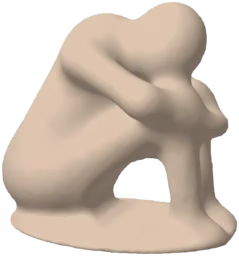 Knetmeister 3D Beginner | |
|---|---|---|
| Starts at | Knetmeister 3D Beginner Free plan | TinkerCAD Free plan |
| Category | Knetmeister 3D Beginner 3D Design | TinkerCAD 3D Design STEM Education |
| Rating | Knetmeister 3D Beginner No rating yet | TinkerCAD 4.5 (172 reviews) G2 4.5 · Capterra 4.6 |
| Free plan | Knetmeister 3D Beginner Yes | TinkerCAD Yes |
| Website | Knetmeister 3D Beginner | TinkerCAD |
Choose Knetmeister 3D Beginner or TinkerCAD?
Choose Knetmeister 3D Beginner if
- Beginners and kids who want to sculpt figures on Windows and prepare them for 3D printing
In-Depth Analysis
Knetmeister 3D Beginner
Sculpt 3D figures and export STL or OBJ files for printing
At $5.99 one-time, the full version is extremely affordable for a 3D sculpting tool with STL/OBJ export, especially compared to subscription-based competitors.
Strengths
- Pro: Free forever for hospitals, children's hospitals and rehab clinics
- Pro: Left-handed and right-handed mode, tools switch sides
- Pro: English and German, switch with one click
- Pro: No experience needed, picture help built in for every tool
- Pro: One-time purchase from $5.99, no subscription, no account, no ads
Weaknesses
- Con: Windows only (Windows 10 and 11), no Mac, iPhone or Android version
- Con: Fewer tools than the Expert edition, no reference image
- Con: Saving and exporting only work in the full version. The free browser test has no save.
- Con: Made for beginners and figures, not for professional animation or CAD work
Key features
 TinkerCAD
Easy-to-use 3D design, electronics, and coding for all ages.
Strengths
- Pro: Completely free to use
- Pro: Extremely user-friendly and intuitive for beginners
- Pro: Integrates 3D design, electronics, and coding in one platform
- Pro: Excellent educational resource with built-in lessons
- Pro: Cloud-based, accessible from any device with internet
Weaknesses
- Con: Limited advanced features compared to professional CAD software
- Con: Can be slow with very complex models
- Con: Primarily web-based, requires internet access
Key features
Plans and prices: Knetmeister 3D Beginner vs TinkerCAD
| Plans | Knetmeister 3D Beginner | TinkerCAD |
|---|---|---|
| Plans and prices | Knetmeister 3D Beginner
| TinkerCAD No plan prices on file |
| Source | Knetmeister 3D Beginner knetmeister3d.app/en.html read Nov 15, 2026 | TinkerCAD tinkercad.com |
Prices as read on each vendor's own pricing page on the date shown. Each tool's plans are listed on their own: the lists are not matched line by line. Details on Knetmeister 3D Beginner pricing and TinkerCAD pricing.
What the data shows
On the data below the two are close or not directly comparable, so we do not name a winner for this pair.
- Only TinkerCAD has a published user rating (4.5/5 from 172 reviews); Knetmeister 3D Beginner has none we can show.
- Both have a free plan.
Criteria: user rating (only above 20 reviews on both sides, gap of 0.2 or more), entry price (only on the same unit and commitment term), free plan. How we rate
From the vendors
Written by the teams of these products, not by Toolradar. The comparison above is ours and vendors cannot edit it.
Frequently Asked Questions
How do Knetmeister 3D Beginner and TinkerCAD compare in 2026?
On the data below the two are close or not directly comparable, so we do not name a winner for this pair. Only TinkerCAD has a published user rating (4.5/5 from 172 reviews); Knetmeister 3D Beginner has none we can show. Both have a free plan.
What are Knetmeister 3D Beginner and TinkerCAD used for?
Knetmeister 3D Beginner: Sculpt 3D figures and export STL or OBJ files for printing. TinkerCAD: Easy-to-use 3D design, electronics, and coding for all ages.
What does Knetmeister 3D Beginner cost vs TinkerCAD?
Knetmeister 3D Beginner has no public paid-plan price on file. TinkerCAD has no public paid-plan price on file. Prices read on the vendors' pricing pages, latest check Nov 15, 2026.
What's the main difference between Knetmeister 3D Beginner and TinkerCAD?
Knetmeister 3D Beginner's main strength: free forever for hospitals, children's hospitals and rehab clinics. TinkerCAD's main strength: completely free to use.
Spotted an outdated price or a wrong fact? Suggest a correction: we check it against the vendor's own page. Work for one of these vendors? Claim your listing to update it yourself.