Typing GIF Maker vs Vidnoz: Pricing and Ratings Compared (2026)
Entry prices and free plans as read on each vendor's pricing page, and user ratings as published on review sites, for Typing GIF Maker and Vidnoz side by side. This page compares data; it is not a hands-on review.
On the data: On the data below the two are close or not directly comparable, so we do not name a winner for this pair.
Short on time? Here's the quick answer
Based on published vendor pricing and features and on public review data, here's who should pick what:

Typing GIF Maker
Create custom typing GIFs online, free and without watermarks
Best for you if:
- • Developers, designers, and creators who need short animated text GIFs for websites, GitHub READMEs, email signatures, slides, or social post
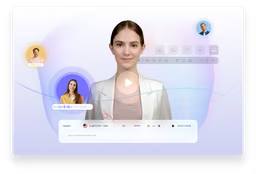
Vidnoz
Create engaging AI videos 10x faster with realistic avatars and voices.
Best for you if:
- • You want significantly speeds up video creation (10x faster)
| At a Glance | Typing GIF Maker | Vidnoz |
|---|---|---|
Starts at | Free 100% free | Free plan |
Category | Video & Media Animation | Video & Media AI Video Generation |
Rating | 5.0/5 1 review | 4.7/5 G2 4.9 · Capterra 4.0 17 reviews |
Free plan | Yes | Yes |
Choose Typing GIF Maker or Vidnoz?
Choose Typing GIF Maker if
- Developers, designers, and creators who need short animated text GIFs for websites, GitHub READMEs, email signatures, slides, or social post
- You want a fully free tool (Vidnoz requires payment)
Choose Vidnoz if
- You want significantly speeds up video creation (10x faster)
- You want accessible for beginners with no prior video editing skills
In-Depth Analysis
Typing GIF Maker
Create custom typing GIFs online, free and without watermarks
Weaknesses
- Con: Users needing full video editing, audio, multi-track timelines, or server-side batch rendering.
Key features
Vidnoz
Create engaging AI videos 10x faster with realistic avatars and voices.
Strengths
- Pro: Significantly speeds up video creation (10x faster)
- Pro: Accessible for beginners with no prior video editing skills
- Pro: Offers a wide range of realistic AI avatars and voices, including voice cloning
- Pro: Extensive library of templates for various business needs
- Pro: Includes marketing-specific features like CTA buttons and data analysis
Weaknesses
- Con: Specific limitations of the free plan are not fully detailed (e.g., video length, number of credits)
- Con: Reliance on AI might limit highly nuanced or artistic video productions
- Con: The quality of AI-generated content can vary and may require fine-tuning
Key features
Key Takeaways
Typing GIF Maker
- Choose if you want create custom typing GIFs online, free and without watermarks
Vidnoz
- Choose if you want create engaging AI videos 10x faster with realistic avatars and voices
What the data shows
On the data below the two are close or not directly comparable, so we do not name a winner for this pair.
- User ratings rest on too few reviews to rank (5.0/5 from 1 reviews for Typing GIF Maker, 4.7/5 from 17 reviews for Vidnoz; we compare ratings only above 20 reviews on both sides).
- Both have a free plan.
Criteria: user rating (only above 20 reviews on both sides, gap of 0.2 or more), entry price (only on the same billing basis), free plan. How we rate
What Users Say
Typing GIF Maker Reviews
Typing Words GIF makes it very easy to turn plain text into a real animated GIF. I like the typing-and-deleting animation, rotating words, customizable fonts, colors, timing, cursor, and transparent backgrounds. It runs directly in the browser, so there is no account, watermark, or design software required.
Frequently Asked Questions
How do Typing GIF Maker and Vidnoz compare in 2026?
On the data below the two are close or not directly comparable, so we do not name a winner for this pair. User ratings rest on too few reviews to rank (5.0/5 from 1 reviews for Typing GIF Maker, 4.7/5 from 17 reviews for Vidnoz; we compare ratings only above 20 reviews on both sides). Both have a free plan.
What are Typing GIF Maker and Vidnoz used for?
Typing GIF Maker: Create custom typing GIFs online, free and without watermarks. Vidnoz: Create engaging AI videos 10x faster with realistic avatars and voices.
What does Typing GIF Maker cost vs Vidnoz?
Typing GIF Maker is free. Vidnoz has no public paid-plan price on file.
What's the main difference between Typing GIF Maker and Vidnoz?
Typing GIF Maker focuses on create custom typing GIFs online, free and without watermarks. Vidnoz's main strength: significantly speeds up video creation (10x faster).