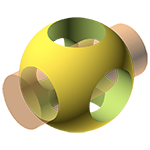
OpenSCAD
Claim this toolThe programmer's solid 3D CAD modeller for creating precise 3D objects.
Visit WebsiteThe Bottom Line
Entry price
Free, no paid tier
Biggest pro
Provides full control over the modeling process through scripting.
Biggest con
Not suitable for artistic 3D modeling or animation.
TL;DR - OpenSCAD
- Creates solid 3D CAD models using a script-based approach.
- Focuses on technical design for machine parts, not artistic modeling.
- Supports Constructive Solid Geometry (CSG) and 2D extrusion.
What is OpenSCAD?
Available on: Linux, Windows, macOS
Pros & Cons
Pros
- Provides full control over the modeling process through scripting.
- Enables easy modification and parametrically defined designs.
- Free and open-source software.
- Ideal for precise, technical 3D modeling like machine parts.
Cons
- Not suitable for artistic 3D modeling or animation.
- Non-interactive modeling process may have a learning curve for some users.
Ratings Across the Web
OpenSCAD holds an aggregate rating of 4.2 out of 5 from 34 reviews across G2 and Capterra, last checked September 17, 2026.
Ratings aggregated from independent review platforms. Learn more
Key Features
Pricing Plans
Pricing checked Sep 19, 2026
OpenSCAD
Free
- Creating solid 3D CAD objects
- Available for Linux/UNIX, MS Windows and Mac OS X
Is OpenSCAD worth the price?
OpenSCAD's pricing is exceptionally generous, as it is entirely free.
This makes it an outstanding value for anyone needing precise 3D CAD modeling without any financial commitment. It's best for hobbyists, students, and professionals who prioritize open-source solutions and programmatic design.
Reviews

Review OpenSCAD, get a free AI guide
Share your experience and we will send you Improve Your Thinking Patterns Using ChatGPT, free.
Across 34 verified user reviews on G2, Capterra
Add your hands-on experience using the offer above to help the next buyer.
Best OpenSCAD Alternatives
Top alternatives based on features, pricing, and user needs.

The only cloud-native product development platform for CAD, PDM, and real-time collaboration.

Design real-life objects with an open-source parametric 3D modeler.

Integrated 3D CAD/CAM/CAE software for product design and development.

Open-source solid modeling system for unambiguous 3D geometry and high-performance ray-tracing.
Powerful solid and surface modeling software for creative professionals and engineers.

Parametric 2D/3D CAD for modeling, assembly, and mechanism design.

Design, model, present, analyze, and realize your ideas with versatile 3D modeling software.

Deliver better products faster with powerful, integrated CAD and CAM solutions.
Still deciding?
Most buyers shortlist 2 or 3 tools before committing. Pull a side-by-side comparison or browse the full alternatives shortlist below.
Explore More
OpenSCAD FAQ
How does OpenSCAD differ from artistic 3D modeling software?
Which teams benefit most from using OpenSCAD?
How is OpenSCAD priced?
Can OpenSCAD import existing design files?
What kind of modeling techniques does OpenSCAD support?
What are the trade-offs of OpenSCAD's script-based approach?
How does OpenSCAD compare to FreeCAD?
Source: openscad.org