Otus vs LifeCubby: Which is Better in 2026?
Choosing between Otus and LifeCubby comes down to understanding what each tool does best. This comparison breaks down the key differences so you can make an informed decision based on your specific needs, not marketing claims.
Bottom line: Otus wins this matchup. Lillio is our overall Student Information Systems pick. Campus Management is our free Student Information Systems pick. Pick LifeCubby if you need its specific feature set.

Short on time? Here's the quick answer
Based on published vendor pricing and features and on public review data, here's who should pick what:

Otus
Unifying K-12 data, assessment, and grading with AI to drive student growth and educator efficiency.
Best for you if:
- • You want consolidates multiple educational tools into a single platform, saving time for educators
LifeCubby
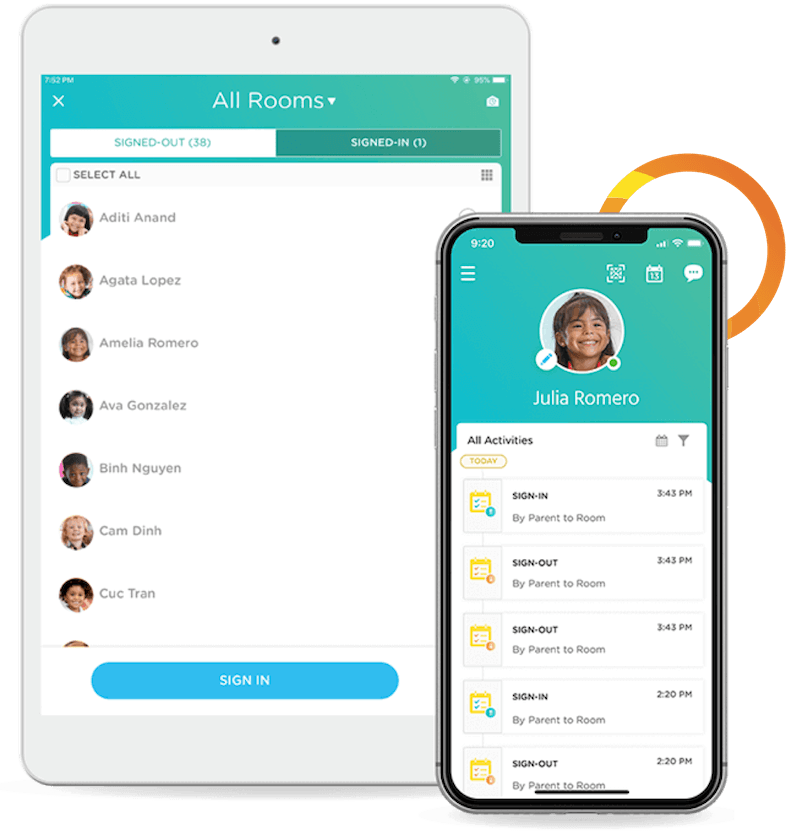
Comprehensive management software for child care centers, streamlining operations and family communication.
Best for you if:
- • You want user-friendly interface for staff and parents
| At a Glance | Otus | LifeCubby |
|---|---|---|
Starts at | Custom | $25/mo Home version |
Category | Student Information Systems Assessment Tools | Student Information Systems HRIS |
Rating | n/a | 4.4/5 G2 4.4 11 reviews |
Free plan | No | No |
Choose Otus or LifeCubby?
Choose Otus if
- You want consolidates multiple educational tools into a single platform, saving time for educators
- You want AI capabilities provide deep insights into student performance and suggest actionable strategies
Choose LifeCubby if
- You want user-friendly interface for staff and parents
- You want automates billing and invoicing, saving time and improving accuracy
In-Depth Analysis
Otus
Unifying K-12 data, assessment, and grading with AI to drive student growth and educator efficiency.
Strengths
- Pro: Consolidates multiple educational tools into a single platform, saving time for educators.
- Pro: AI capabilities provide deep insights into student performance and suggest actionable strategies.
- Pro: Supports various grading systems and educational frameworks like MTSS and standards-based grading.
- Pro: Enhances communication and engagement between schools and families with real-time updates.
- Pro: Provides a comprehensive view of student progress for all stakeholders.
Weaknesses
- Con: Requires integration with existing school systems, which may involve an implementation period.
- Con: The breadth of features might require initial training for users to maximize its potential.
Key features
LifeCubby
Comprehensive management software for child care centers, streamlining operations and family communication.
The feature set covers key operational and compliance needs, making it a generous value for small providers.
Strengths
- Pro: User-friendly interface for staff and parents
- Pro: Automates billing and invoicing, saving time and improving accuracy
- Pro: Centralizes child and family information, reducing manual searches
- Pro: Facilitates easy communication with parents, including newsletters
- Pro: Strong customer service and helpful tutorial videos
Weaknesses
- Con: Specific pricing details are not publicly available, requiring a request for quote
- Con: No explicit mention of mobile app availability for staff or parents
Key features
Pricing: Otus vs LifeCubby
| Plan | Otus | LifeCubby |
|---|---|---|
| Tier 1 | Contact us Contact Us | $25 per month Home version |
Pricing verified from each vendor's public pricing page. Compare in detail on Otus pricing and LifeCubby pricing.
Key Takeaways
Otus
- Our pick for this comparison
LifeCubby
- Choose if you want comprehensive management software for child care centers, streamlining operations and family communication
The Bottom Line
Otus wins this matchup. Lillio is our overall Student Information Systems pick. Campus Management is our free Student Information Systems pick.
Frequently Asked Questions
Is Otus or LifeCubby better in 2026?
Otus wins this matchup. Lillio is our overall Student Information Systems pick. Campus Management is our free Student Information Systems pick. Pick Otus for student information systems workflows (main strength: consolidates multiple educational tools into a single platform, saving time for educators). Pick LifeCubby for student information systems workflows (main strength: user-friendly interface for staff and parents).
What are Otus and LifeCubby used for?
Otus: Unifying K-12 data, assessment, and grading with AI to drive student growth and educator efficiency. LifeCubby: Comprehensive management software for child care centers, streamlining operations and family communication.
What does Otus cost vs LifeCubby?
Otus pricing is on their site. LifeCubby's paid plans start at $25/mo (Home version).
What's the main difference between Otus and LifeCubby?
Otus's main strength: consolidates multiple educational tools into a single platform, saving time for educators. LifeCubby's main strength: user-friendly interface for staff and parents.