
The Bottom Line
- Best for
- Contractors and design teams measuring PDF plans and preparing quantity takeoffs
- Price
- Free, no paid tier. Compare plans
Key facts
- Free: no account, no trial, no watermark
- Measures distance, area, angles and counts on any PDF plan, in the browser
- PDFs open on your device and are never uploaded
What is PDF Measure?
Available on: Web
Preview
Key Features
- Measure lengths, areas, perimeters, and angles to a set scale
- Count items and total quantities across sheets
- Add callouts, notes, revision clouds, and dimensions
- Overlay two sheets to compare drawing changes
- Export annotated PDFs, markup JSON, and takeoff CSV files
Pricing
PDF Measure is completely free to use with no hidden costs.
Reviews

Review PDF Measure, get a free AI guide
Share your experience and we will send you Improve Your Thinking Patterns Using ChatGPT, free.
Best PDF Measure Alternatives
Top alternatives based on features, pricing, and user needs.

Create, edit, sign, and manage PDFs on any device
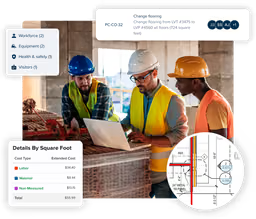
Cloud-based construction software accelerated with AI for faster bids and more profitable projects.

Accelerate construction takeoff and cost estimating with AI-powered digital measurement.

Measure PDF plans and calculate material quantities with 44 included assemblies

Get sheet-traced wall lengths and material counts from PDF plan sets
Still deciding?
Most buyers shortlist 2 or 3 tools before committing. Pull a side-by-side comparison or browse the full alternatives shortlist below.
Explore More
PDF Measure FAQ
Is PDF Measure free?
Is PDF Measure an alternative to Bluebeam Revu or Adobe Acrobat?
Are my PDFs uploaded anywhere?
Source: pdfmeasure.com