FreeVisit Website
Tracked since2026
The Bottom Line
- Price
- Free, no paid tier. Compare plans
Key facts
- A pre-configured virtual machine with thousands of historical operating systems.
- Simplifies exploration of computing history by removing complex setup and installation.
- Includes a custom launcher with snapshot functionality for easy management and recovery.
Pros
- Eliminates the need for manual emulator and OS configuration
- Provides a safe environment for experimenting with historical software
- Offers a vast and diverse collection of operating systems
- Supports multiple popular virtualization platforms
- Includes a recovery feature for corrupted installations
Cons
- Requires a reasonably modern laptop/desktop to run the VM
- Lite version requires internet connection for initial disk image downloads
What is The Virtual OS Museum?
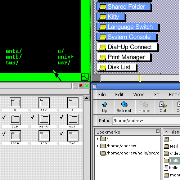
The Virtual OS Museum is a comprehensive collection of emulated operating systems and standalone applications, designed for historical computing enthusiasts, researchers, and anyone curious about the evolution of software. It provides a pre-configured Linux virtual machine compatible with QEMU, VirtualBox, or UTM, eliminating the complexities of setting up emulators and installing various OSes. This tool allows users to explore a wide range of systems, from the earliest resident monitors and mainframe OSes like CTSS and MVS, to classic personal computer operating systems such as various DOS variants, Windows from 1.0, classic Mac OS, and even early mobile OSes like PalmOS and Symbian. With over 1700 installations across 250+ platforms and 570+ distinct OSes spanning from 1948 to the present, it offers an unparalleled journey through computing history without the need for extensive technical setup. A custom launcher simplifies navigation and includes a snapshot feature to revert installations to a working state, making experimentation safe and easy.
Key Features
- Pre-installed and pre-configured operating systems and emulators
- Custom emulator-independent launcher
- Snapshot feature to revert installations
- Hypervisor installers for Windows, macOS, and Linux
- Full and Lite versions available
- Automatic and manual updates for new installations
- Covers OSes from 1948 to the present day
Pricing
Free
The Virtual OS Museum is completely free to use with no hidden costs.
Reviews

$99Free with your review
Write a reviewReview The Virtual OS Museum, get a free AI guide
Share your experience and we will send you Improve Your Thinking Patterns Using ChatGPT, free.
Explore More
The Virtual OS Museum FAQ
How does The Virtual OS Museum facilitate exploration of historical software?
The Virtual OS Museum provides a pre-configured Linux virtual machine that runs on popular virtualization platforms like QEMU, VirtualBox, or UTM. This setup eliminates the need for users to manually configure emulators or install various operating systems, making historical software exploration straightforward. It includes a custom launcher to simplify navigation and manage the extensive collection of emulated systems.
Which teams would benefit most from The Virtual OS Museum?
The Virtual OS Museum is ideal for researchers, educators, and historical computing enthusiasts. It provides a comprehensive and easily accessible platform for studying the evolution of software and operating systems over time. Developers interested in the historical context of computing can also find it valuable.
What kind of operating systems can users explore within The Virtual OS Museum?
Users can explore a wide array of operating systems, ranging from early mainframe OSes like CTSS and MVS to classic personal computer systems such as various DOS versions, Windows from 1.0, and classic Mac OS. The collection also includes early mobile OSes like PalmOS and Symbian, covering systems from 1948 to the present.
Does The Virtual OS Museum include a free tier?
Yes, The Virtual OS Museum is entirely free to use. There are no paid plans required to access its comprehensive collection of emulated operating systems and applications.
What are the main limitations users should consider before using The Virtual OS Museum?
Users should be aware that The Virtual OS Museum requires a reasonably modern laptop or desktop to run the virtual machine effectively. Additionally, the Lite version of the museum necessitates an internet connection for the initial downloads of disk images.
How does The Virtual OS Museum ensure a safe environment for experimenting with old software?
The Virtual OS Museum includes a snapshot feature that allows users to revert installations to a known working state. This recovery capability ensures that experimentation with historical software can be done safely without fear of permanently corrupting an installation.
Source: virtualosmuseum.org