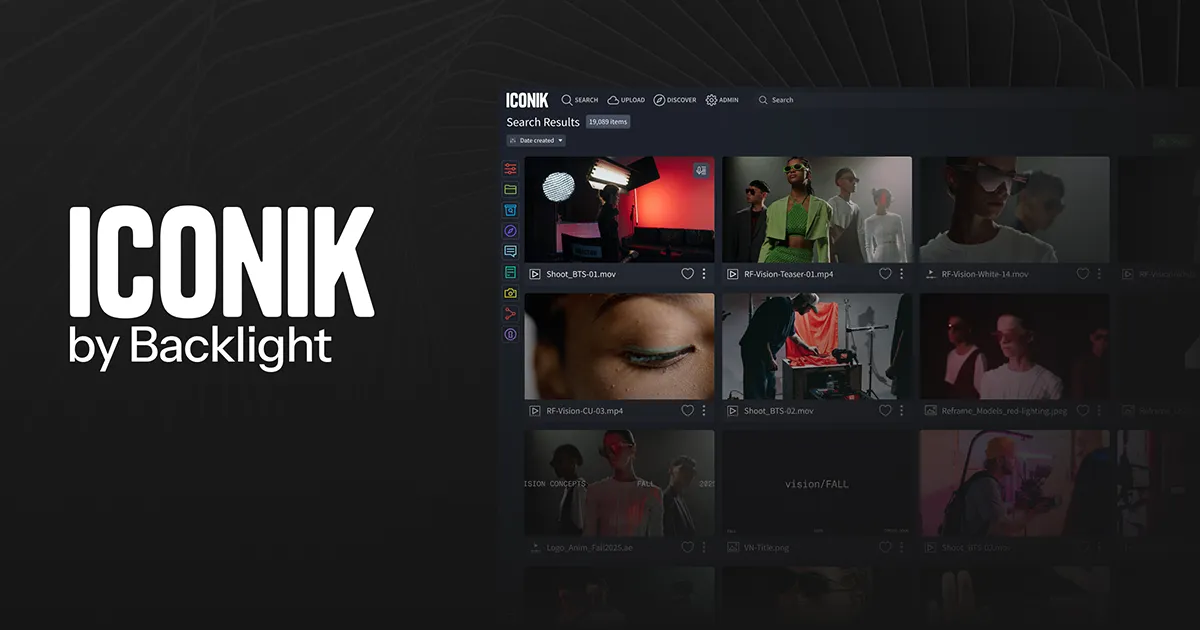
Frame.io and Wipster focus on sharing cuts and gathering feedback from video collaborators. Filestage and Ziflow add proofing workflows that can cover other file types as well as video. Vimeo and Dropbox Replay offer review features within broader platforms; Iconik manages a media library, while Kapwing combines editing and comments. Compare reviewer access, storage and the approval process with the same sample cut.
Eight tools compared for review links, feedback, versions, approvals and cost.
A video editor can receive notes from a producer, a client and a legal reviewer on the same cut. If one person writes a timestamp in email while another comments on an older export, the editor first has to work out which version and frame each note refers to. A review system keeps the cut and its feedback together, then records what still needs attention before delivery.
Toolradar data: our video and media category tracks 437 products across the broader video software market. This is not a count of review platforms or the eight products in this shortlist. The category statistics cover that wider catalog.
Methodology: we compared eight products using their vendor-published features and plans checked October 30, 2026. We did not upload footage, run review rounds or test the products, and paid placement did not determine this ranking. Prices and feature limits can change; confirm the current plan, billing interval, taxes and storage charges.
Top Picks
Selected by comparing vendor-published review workflows and plans for video teams. How we rate

Creative review software with frame-based feedback.
Starting price
Pro $15/member/mo, monthly
4.5 (278 reviews)
Best for
An editor comparing cuts and client feedback in a dedicated review workflow.

Online proofing for video and other creative files.
Starting price
Free plan; paid plans available
4.6 (347 reviews)
Best for
An agency that needs reviewer groups and structured approval rounds.

Online proofing with workflow stages and review links.
Starting price
Personal Free; paid plans available
4.6 (1,359 reviews)
Best for
A team comparing approval stages across video and other files.
| Tool | Starting price | Rating | Best for |
|---|---|---|---|
| Frame.io | Pro $15/member/mo, monthly | 4.5 278 reviews | An editor comparing cuts and client feedback in a dedicated review workflow. |
| Filestage | Free plan; paid plans available | 4.6 347 reviews | An agency that needs reviewer groups and structured approval rounds. |
| Ziflow | Personal Free; paid plans available | 4.6 1,359 reviews | A team comparing approval stages across video and other files. |
| Wipster | Check current plan price | n/a | A production team comparing client review and media storage. |
| Vimeo | Check current plan price | 4.5 1,775 reviews | A Vimeo user who wants to compare review links with a separate proofing product. |
| Dropbox Replay | Check plan and Replay add-on terms | 4.4 53,152 reviews | A Dropbox team comparing Replay with a standalone review platform. |
| Iconik | Role and usage charges apply | 4.6 24 reviews | A studio comparing a media library and review workflow in one system. |
| Kapwing | Check current plan price | 3.9 40 reviews | A team that wants feedback within an online editing workspace. |
- Starting price
- Pro $15/member/mo, monthly
- Free plan
- Yes
- Rating
- 4.5 (278 reviews)
Best for: An editor comparing cuts and client feedback in a dedicated review workflow.
- Pro: The vendor lists frame-accurate and range-based comments.
- Pro: Free lists two members and two projects.
- Pro: Paid plans describe sharing permissions and version controls.
- Con: Check how many collaborators require paid member seats.
- Con: Free storage and project limits can constrain larger cuts.
- Starting price
- Free plan; paid plans available
- Free plan
- Yes
- Rating
- 4.6 (347 reviews)
Best for: An agency that needs reviewer groups and structured approval rounds.
- Pro: The vendor lists video among supported file types.
- Pro: Free lists one active project and five new files each month.
- Pro: Reviewer groups and guest feedback are described.
- Con: Confirm paid billing and the number of seats needed.
- Con: The free active-project limit may not suit concurrent clients.
- Starting price
- Personal Free; paid plans available
- Free plan
- Yes
- Rating
- 4.6 (1,359 reviews)
Best for: A team comparing approval stages across video and other files.
- Pro: Personal lists two users and one workflow stage.
- Pro: The vendor describes annotations and version comparison.
- Pro: Video proofing and reviewer links are listed.
- Con: Confirm paid pricing and workflow-stage limits.
- Con: The free storage allowance is limited.

- Starting price
- Check current plan price
- Free plan
- No
Best for: A production team comparing client review and media storage.
- Pro: The vendor describes video review and unlimited sharing.
- Pro: Plans list projects and reviewers.
- Pro: Team features include internal comments and branding.
- Con: Confirm the billing interval and current price at checkout.
- Con: Check storage needs and the cost of additional capacity.

- Starting price
- Check current plan price
- Free plan
- Yes
- Rating
- 4.5 (1,775 reviews)
Best for: A Vimeo user who wants to compare review links with a separate proofing product.
- Pro: Review links support private time-coded feedback.
- Pro: The vendor describes version history and review statuses.
- Pro: Its help page lists one review link per video on Free.
- Con: Additional review links and features require an eligible paid plan.
- Con: Check approval, storage and sharing settings for the intended workflow.
- Starting price
- Check plan and Replay add-on terms
- Free plan
- Yes
- Rating
- 4.4 (53,152 reviews)
Best for: A Dropbox team comparing Replay with a standalone review platform.
- Pro: Replay supports comments and markup on shared media.
- Pro: The vendor describes live review sessions and version tracking.
- Pro: It lists integrations with several editing applications.
- Con: Replay file limits vary with the Dropbox plan.
- Con: The add-on and underlying storage terms should be checked together.

- Starting price
- Role and usage charges apply
- Free plan
- Yes
- Rating
- 4.6 (24 reviews)
Best for: A studio comparing a media library and review workflow in one system.
- Pro: Starter lists media review, time-based comments and annotations.
- Pro: The vendor describes storage connections and version controls.
- Pro: Published roles distinguish browse, standard and power users.
- Con: Role prices are not the whole bill; storage and services consume credits.
- Con: A broad media-management platform may exceed a small project's needs.

- Starting price
- Check current plan price
- Free plan
- Yes
- Rating
- 3.9 (40 reviews)
Best for: A team that wants feedback within an online editing workspace.
- Pro: The vendor describes frame-accurate comments on the timeline.
- Pro: Teams can share review links and edit in a shared workspace.
- Pro: Editing and export tools sit alongside collaboration.
- Con: Confirm whether its approval workflow meets the client's requirements.
- Con: Check current export, watermark and plan limits.
Other Video & Media tools worth considering
More published tools from our Video & Media category, ordered by our category ranking. They are not part of the editorial picks above.














What video review software does
A review platform lets a team share a video, collect comments tied to the content and keep revisions associated with the project. Some tools show frame annotations, compare versions or record approval decisions. Others put review features inside a broader editing, file-storage or media-management product.
A share link alone does not guarantee a complete approval workflow. Check who can see internal notes, how guests identify themselves and whether the final decision is recorded for each version. A full editing application and a proofing platform can solve different parts of the process.
Compare three paid members
Frame.io's pricing page lists Pro at $15 per member per month and Team at $25 per member per month on its displayed monthly option, which renews monthly until cancelled. For three paid members over 12 unchanged months, those subscriptions total $540 and $900 respectively, a $360 difference before taxes and extras.
This compares the stated seat prices, not equivalent features or outcomes. Pro and Team have different user and storage limits, and guest access is not automatically the same as a paid member. Confirm the selected billing option and who needs a seat. Review Frame.io, Filestage and Ziflow, or see Frame.io alternatives, before requesting a demonstration.
Key Features to Look For
Time-coded feedback (Essential)
Ask a reviewer to comment on one precise moment and show how the editor jumps back to it. Verify frame accuracy if a single frame matters to the job.
Versions and revisions (Essential)
Upload a second cut and find the notes from the first. Check whether versions can be compared without making clients sort through multiple links.
Client review links (Essential)
Send a fictional cut to a guest and check whether an account, password or paid seat is required. Confirm whether the link can expire or downloads can be disabled.
Approval decisions (Essential)
Demonstrate how a reviewer approves, rejects or requests changes to the correct version. Ask whether a producer can see outstanding decisions at a glance.
Annotations and attachments (Important)
If visual markup is important, show a note pointing to a subject on screen. Check whether reviewers can attach references and whether marks remain tied to the right version.
Internal and external comments (Important)
Test whether staff can discuss a note privately before the client sees it. Different products and plans separate team-only and client-facing comments differently.
Storage and file limits (Essential)
Estimate the size and number of active cuts, originals and versions. Ask whether uploaded files, mounted storage and archived projects use the same allowance.
Export and delivery (Important)
Ask how comments and final assets are exported, delivered or retained after the job. Verify the notice and access terms if the subscription ends.
Choose for the review round
-
A team already using Vimeo or Dropbox should compare the available review features and account limits before buying another platform.
-
A studio managing a large media library should ask Iconik how review, storage connections and usage credits fit together.
-
A team editing browser-based content should test Kapwing's collaborative comments while confirming whether its approval process meets the brief.
Evaluation Checklist
Upload a fictional cut, share it with a guest reviewer and add a note at a precise moment.
Create a second version and show how an editor distinguishes new notes from resolved comments.
Ask a client to approve the new version and show how the producer sees the decision.
Check whether a private internal note stays hidden from external reviewers.
Estimate active file size, number of versions, paid members and any usage credits.
Download a sample comment record and confirm access after cancellation.
Pricing Overview
Small review
An individual or small team checking limited projects, users and storage.
$0 in selected free plans
Paid members
A team comparing Frame.io Pro and Team on the displayed monthly option.
$15 to $25/member/month in the Frame.io example
Media library
A studio comparing Iconik roles, storage and services for its actual workload.
Role and usage charges vary
Pricing Comparison
| Platform or plan | Published rate | Capacity or condition |
|---|---|---|
Frame.io Free | $0/month | Up to 2 members, 2 projects and 2GB storage |
Frame.io Pro | $15/member/month | Monthly option; up to 5 members, taxes additional |
Frame.io Team | $25/member/month | Monthly option; up to 15 members, taxes additional |
Filestage Free | $0 | 1 active project and 5 new files per month |
Ziflow Personal | $0 | 2 users, 2GB storage and 1 workflow stage |
Iconik Starter browse user | $9/month | Role price; storage and services use additional credits |
Iconik Starter standard user | $65/month | Role price; check usage and storage charges |
Wipster | Check current plan price | Confirm billing interval, users and storage |
Vimeo | Check current plan price | Confirm review-link allowance and selected plan |
Check current plan and add-on price | Replay file limits depend on the Dropbox plan | |
Kapwing | Check current plan price | Confirm review access and export limits |
Vendor pages checked October 30, 2026: Frame.io, Filestage, Ziflow, Iconik, Wipster, Vimeo review links, Dropbox Replay and Kapwing. Check the exact plan and billing interval before purchase.
Mistakes to Avoid
- ×
Sharing a new cut without making clear which old comments still apply.
- ×
Assuming every client reviewer requires the same paid seat as an editor.
- ×
Comparing seat prices without considering storage, versions and usage fees.
- ×
Using public viewer comments when a private client review link is needed.
- ×
Equating an editing workspace with a formal multi-stage approval system.
Expert Tips
- →
Use the same fictional cut and two reviewer roles in every demonstration.
- →
Ask the client to leave one time-coded note and approve a second version.
- →
Check whether team-only comments remain hidden on the review link.
- →
Calculate the cost of the active file volume as well as paid member seats.
- →
Download a sample comment export and clarify retention after cancellation.
Red Flags to Watch For
-
A quote that does not specify who counts as a paid user.
-
A review link that cannot clearly distinguish the current cut from an older version.
-
Unclear permissions for download, forwarding or external comments.
-
A storage estimate that ignores repeated versions or additional usage credits.
-
A claim that a review tool guarantees creative approval or eliminates revisions.
The Bottom Line
Frame.io and Wipster are useful starting points for a video review workflow, while Filestage and Ziflow also support broader creative proofing. In the three-member Frame.io example, Pro and Team have different prices and capacities; the cheaper plan is not assumed to contain the same features.
Vimeo, Dropbox Replay and Kapwing put review alongside another primary workflow, while Iconik adds media-library management and usage-based costs. For adjacent decisions see our video editing guide, YouTube editing guide and cloud storage guide.
Frequently Asked Questions
What does video review software do?
It helps teams share a cut, collect feedback at specific moments and manage revisions. Some products also track approval decisions, compare versions or handle media storage.
Are there free options?
How much do three Frame.io members cost?
At the displayed monthly rates, three Pro members cost $45 per month and three Team members cost $75 per month before taxes or extras. Check the current billing selection and who needs a paid seat.
Can clients comment without an account?
It varies by product and sharing setting. Ask the vendor to demonstrate a guest review link and clarify whether names, email addresses or paid seats are required.
Is a storage price the full cost of Iconik?
Not necessarily. Iconik lists user-role prices and usage-based credits for storage and services. Ask for a quote covering roles, storage and the intended review workflow.
Does a video editor replace an approval system?
Not always. A collaborative editor may provide comments, while a proofing product may add formal stages and decisions. Demonstrate the approval record that the client actually needs.
Cite this page: Toolradar, "Best Video Review and Approval Software in 2026", updated October 2026, https://toolradar.com/guides/best-video-review-and-approval-software
Spotted an outdated price or a wrong fact? Suggest a correction: we check it against the vendor's own page. Work for one of these vendors? Claim your listing to update it yourself.
Related Guides
Ready to Choose?
Compare features, read reviews, and find the right tool.
Some offers on this page may be paid placements or contain affiliate links.