TestRigor
Claim this toolAI-powered test automation that understands plain English, enabling 100x faster test creation and 200x less maintenance.
Paid plans onlyVisit WebsiteThe Bottom Line
- Price
- Paid plans only. Compare plans
Key facts
- Builds test automation using plain English instructions, eliminating coding for test creation.
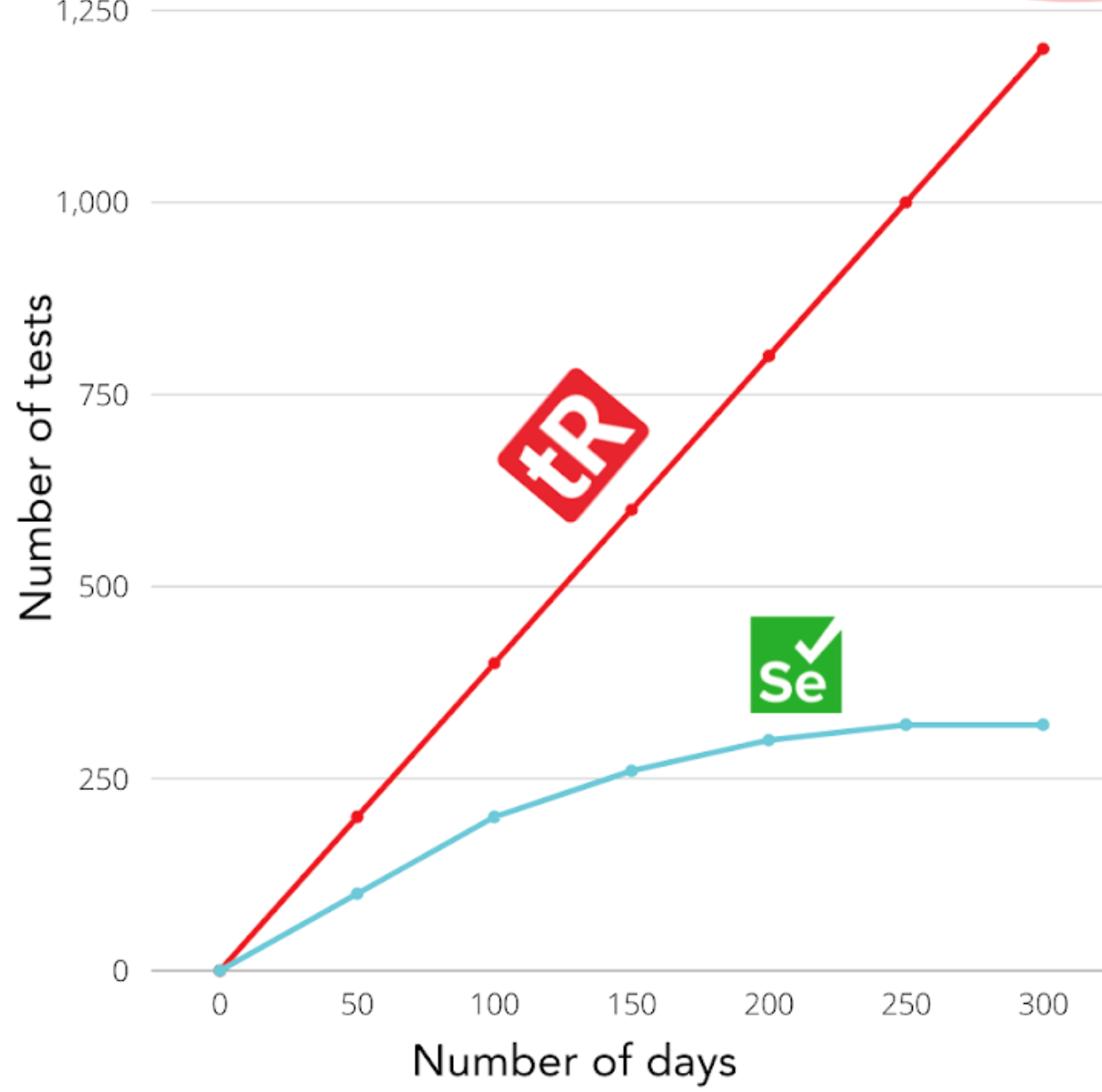
- Reduces test maintenance by 99.5% and accelerates test creation by 100x.
- Supports comprehensive testing across web, mobile, desktop, API, email, SMS, 2FA, and mainframe applications.
Pros
- Significantly reduces test maintenance burden compared to traditional methods like Selenium/Appium.
- Enables manual QA professionals to create and maintain automated tests without coding skills.
- Achieves high test coverage (90% or more) in a short timeframe.
- Accelerates test creation by up to 100 times.
- Provides full retesting of functionality in under 15 minutes.
Cons
- Desktop application testing is only available in paid versions, implying a potential limitation for free tier users if one existed.
- Requires integration with third-party services like LambdaTest or BrowserStack for a broader range of mobile test devices.
What is TestRigor?
Available on: Web
Ratings Across the Web
TestRigor holds an aggregate rating of 4.6 out of 5 from 16 reviews across G2, last checked March 19, 2026.
Ratings aggregated from independent review platforms. Learn more
Key Features
- Plain English test creation and execution
- Generative AI for test generation and understanding
- Cross-browser and cross-platform web testing
- Native and hybrid mobile application testing (iOS/Android)
- Native Windows desktop application testing
- API invocation and validation
- Email sending, attachment handling, and deliverability verification
- SMS and phone call testing via Twilio integration
Pricing
TestRigor offers paid plans. Visit their website for current pricing details.
Reviews

Review TestRigor, get a free AI guide
Share your experience and we will send you Improve Your Thinking Patterns Using ChatGPT, free.
Across 16 verified user reviews on G2
Add your hands-on experience using the offer above to help the next buyer.
Best TestRigor Alternatives
Top alternatives based on features, pricing, and user needs.

Cross-browser testing cloud platform

Fast, reliable end-to-end testing for modern web apps

Automate browsers for web testing across all major platforms

Intelligent test automation platform
Automate mobile app testing across platforms

Automate modern web testing across browsers with auto-waiting
Still deciding?
Most buyers shortlist 2 or 3 tools before committing. Pull a side-by-side comparison or browse the full alternatives shortlist below.
Explore More
TestRigor FAQ
How does TestRigor accelerate test creation and maintenance?
Which teams benefit most from TestRigor?
How does TestRigor compare to Selenium for test maintenance?
What kind of applications can TestRigor automate tests for?
Does TestRigor include a free tier for desktop application testing?
How is TestRigor priced?
Can TestRigor integrate with other services for mobile device testing?
Source: testrigor.com