Zeffy and Givebutter offer nonprofit organizers ticketing options with different ways of funding their platforms. OneCause and Handbid are worth comparing for events built around auctions. Eventbrite and Ticket Tailor focus on ticketing, while Bloomerang Fundraising and Donorbox connect events with broader fundraising workflows. For a $50 US online ticket, Eventbrite's published service fee is $3.64 before processing. Compare the full checkout, including optional contributions and processing charges, before choosing.
Eight platforms compared for event registration, auctions, supporter records and fees.
Some links on this page are affiliate links: if you sign up through one, Toolradar may earn a commission. Commissions never change our ranking or what we write. How we make money

A fundraising dinner can involve more than selling seats. An organizer may need to collect guest names, allocate tables, manage sponsors and reconcile tickets with donations. An auction adds item descriptions, bids and a separate payment process. The best fit depends on which of those tasks belongs in the event system and which already has a home elsewhere.
Toolradar data: our fundraising category tracks 65 products across the broader fundraising market. The figure is not a count of event platforms or the eight choices in this guide. The category statistics describe that wider catalog.
Methodology: we compared eight products using vendor-published event features and pricing information checked October 30, 2026. We did not run events, accept payments or test the software, and paid placement did not determine the ranking. Fees depend on settings, transaction type, location and payment method; examples below specify their assumptions.
Top Picks
Selected by comparing vendor-published event features and fee structures for nonprofit organizers. How we rate

Fundraising software for nonprofits with event ticketing.
Starting price
No ticket fees for nonprofits
4.9 (3,091 reviews)
Best for
An eligible nonprofit comparing ticket sales and optional supporter contributions.

Fundraising software with event and auction tools.
Starting price
No fees on eligible transactions
4.7 (3,088 reviews)
Best for
A nonprofit comparing event tickets, supporter records and fee settings.

Fundraising event software for tickets, tables and auctions.
Starting price
Request current event pricing
4.7 (352 reviews)
Best for
An organization running a gala with sponsorships and auction items.
| Tool | Starting price | Rating | Best for |
|---|---|---|---|
| Zeffy Visit Zeffy website | No ticket fees for nonprofits | 4.9 3,091 reviews | Best for: An eligible nonprofit comparing ticket sales and optional supporter contributions. |
| Givebutter Visit Givebutter website | No fees on eligible transactions | 4.7 3,088 reviews | Best for: A nonprofit comparing event tickets, supporter records and fee settings. |
| OneCause Visit OneCause website | Request current event pricing | 4.7 352 reviews | Best for: An organization running a gala with sponsorships and auction items. |
| Handbid Visit Handbid website | License quote; processing applies | 4.6 263 reviews | Best for: A fundraiser whose event centers on bidding and auction checkout. |
| Bloomerang Fundraising (formerly Qgiv) Visit Bloomerang Fundraising (formerly Qgiv) website | Check current annual plan | 4.7 331 reviews | Best for: A nonprofit comparing events with a broader fundraising system. |
| Eventbrite Visit Eventbrite website | US ticket and order fees apply | 4.3 914 reviews | Best for: An organizer prioritizing public registration and ticket distribution. |
| Ticket Tailor Visit Ticket Tailor website | Check current ticket fees and currency | 4.9 794 reviews | Best for: An organizer who wants to compare ticket fees with a dedicated ticketing product. |
| Donorbox Visit Donorbox website | Check current plan and event fees | 4.6 1,529 reviews | Best for: A nonprofit comparing event registration with donation collection. |
- Starting price
- No ticket fees for nonprofits
- Free plan
- Free to use
- Rating
- 4.9 (3,091 reviews)
Best for: An eligible nonprofit comparing ticket sales and optional supporter contributions.
- Pro: The vendor says nonprofit event tickets carry no platform or card fee.
- Pro: Ticket types and group tickets are described.
- Pro: Its platform lists donations and fundraising events.
- Con: Buyers may be asked for an optional contribution to Zeffy.
- Con: Confirm organizational eligibility and the exact features for the event.
- Starting price
- No fees on eligible transactions
- Free plan
- Yes
- Rating
- 4.7 (3,088 reviews)
Best for: A nonprofit comparing event tickets, supporter records and fee settings.
- Pro: The vendor lists events, auctions and donor management.
- Pro: Its pricing page explains the optional tip and platform-fee settings.
- Pro: Event ticket types and supporter records are described.
- Con: Disabling tips introduces a platform fee and standard processing fees.
- Con: Auction auto-charge and manual winner charges incur a platform fee even with tips on.
- Starting price
- Request current event pricing
- Free plan
- No
- Rating
- 4.7 (352 reviews)
Best for: An organization running a gala with sponsorships and auction items.
- Pro: Its event plan lists integrated ticketing and table management.
- Pro: Silent and live auction features are described.
- Pro: The vendor lists sponsor management and check-in.
- Con: Request a written package, support and processing quote.
- Con: A simpler ticket-only event may not need the full package.

Handbid
Auction and event software with ticketing and check-in.
- 4.7 on G2 (218 reviews)
- 4.7 on Capterra (44 reviews)
- 3.2 on Trustpilot (1 reviews)
- Starting price
- License quote; processing applies
- Free plan
- No
- Rating
- 4.6 (263 reviews)
Best for: A fundraiser whose event centers on bidding and auction checkout.
- Pro: The vendor describes silent, live and paddle-raise formats.
- Pro: Ticketing and check-in are listed with the license.
- Pro: Its pricing page publishes payment processing rates.
- Con: The license price depends on the event and requested support.
- Con: Confirm processing, renewal and any onsite staffing charges.

- Starting price
- Check current annual plan
- Free plan
- No
- Rating
- 4.7 (331 reviews)
Best for: A nonprofit comparing events with a broader fundraising system.
- Pro: The vendor lists event management and donation forms.
- Pro: Mobile fundraising tools are described.
- Pro: The product connects to the broader Bloomerang platform.
- Con: Confirm which auction features cost extra.
- Con: Fundraising must be purchased with Bloomerang CRM; obtain the combined price.

- Starting price
- US ticket and order fees apply
- Free plan
- Yes
- Rating
- 4.3 (914 reviews)
Best for: An organizer prioritizing public registration and ticket distribution.
- Pro: The vendor lists no fees for free events.
- Pro: It provides event registration and an organizer app.
- Pro: US paid-ticket service and processing rates are published.
- Con: Processing is additional and calculated per order.
- Con: Check whether nonprofit auction and donor workflows need another system.

- Starting price
- Check current ticket fees and currency
- Free plan
- Yes
- Rating
- 4.9 (794 reviews)
Best for: An organizer who wants to compare ticket fees with a dedicated ticketing product.
- Pro: The vendor describes pay-as-you-go and prepaid ticket credits.
- Pro: A check-in app and seating options are listed.
- Pro: Its pricing page describes a charity discount.
- Con: Confirm currency, eligibility and the applicable discount.
- Con: Payment processing is separate from ticketing fees.

- Starting price
- Check current plan and event fees
- Free plan
- Yes
- Rating
- 4.6 (1,529 reviews)
Best for: A nonprofit comparing event registration with donation collection.
- Pro: The vendor lists event and donation features.
- Pro: Donor management and fundraising pages are described.
- Pro: Its pricing page distinguishes plan options.
- Con: Confirm the exact event and processing fees for the selected plan.
- Con: Check whether auction functions require another product.
Other Fundraising tools worth considering
More published tools from our Fundraising category, ordered by our category ranking. They are not part of the editorial picks above.








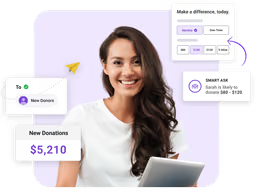






What fundraising event software does
An event platform handles registration and tickets, records attendee details and helps staff check people in. A nonprofit-focused product may add donation forms, sponsorships, supporter records and post-event reporting. Auction systems add item listings, bids and payment collection for winning bidders.
Some products are general ticketing systems and some combine tickets with a donor database. They should not be assumed to handle the same tasks. Ask each vendor to demonstrate the complete flow from a ticket purchase to a receipt and event report.
Understand the fee on one ticket
Eventbrite's US pricing page lists a service fee of 3.7% plus $1.79 per paid online ticket. For one $50 ticket, that service fee is $3.64: $1.85 plus $1.79. The vendor also lists payment processing of 2.9% per order. Processing is additional and is calculated on the total order, which can include service fees and tax, so $3.64 is not the full checkout cost.
Eventbrite says ticket buyers pay fees by default, while organizers can choose to absorb them. The comparison should include who pays, the number of tickets per order, taxes and the event's own settings. Review Eventbrite, Zeffy and Givebutter alongside the Givebutter alternatives before requesting a current quote.
Key Features to Look For
Ticket types and guest details (Essential)
Set up an individual ticket and a table or group purchase. Check whether the buyer can supply each attendee's name and any accessibility or meal information.
Checkout and fees (Essential)
Preview the checkout as an attendee. Identify which charges are mandatory, whether an optional platform contribution is shown and who pays the processing fee.
Check-in (Essential)
Ask staff to demonstrate a guest lookup, ticket scan and correction for a changed attendee. Check whether the check-in device needs connectivity.
Auction workflow (Essential)
If the event includes an auction, show how an item is listed, a bid is recorded and a winning bidder is charged. Auction fees can differ from ticket fees.
Donations and receipts (Essential)
See how a ticket purchase and an additional donation appear in reports and receipts. Confirm what information the organization can customize.
Supporter records (Essential)
Check how the buyer, ticket recipients and donors are represented, and how those records can be exported or matched to an existing CRM.
Sponsorship and tables (Important)
For a gala, ask how sponsors, table buyers and individual guests are linked and how a last-minute seating change is handled.
Settlement and refunds (Important)
Ask when ticket proceeds are paid out, who initiates a refund and which fees are returned. Check the policy for cancelled or postponed events.
Match the platform to the event
-
For a small nonprofit selling admission, compare Zeffy's eligibility and optional contribution model with Givebutter's tip settings and fee rules.
-
For a public event where admission is the main task, compare Eventbrite and Ticket Tailor with the organization's own supporter database.
-
For a team already using a donor management system, ask Bloomerang Fundraising and Donorbox how an event purchase connects to a supporter record.
-
For every option, ask for a written quote covering the chosen event, transaction mix, support and any renewal terms.
Evaluation Checklist
Create a fictional ticket type, a table purchase and a test attendee record in a demonstration.
Preview what a buyer sees when fees or optional platform contributions are enabled.
Ask how a guest change and a ticket refund appear in the event report.
If needed, demonstrate bidding, winner notification and auction payment separately from ticket checkout.
Export sample buyers, attendees and gifts and check whether duplicate contacts can be identified.
Document subscription, service, processing and optional support costs with their billing units.
Pricing Overview
Eligible nonprofit ticketing
An eligible nonprofit evaluating tickets with an optional buyer contribution to the platform.
$0 in the Zeffy example
Per-ticket and processing charges
An organizer comparing transaction costs and the buyer's checkout.
Percentage and fixed fees vary
Auction and event packages
A team that needs auction support, implementation or a tailored event quote.
Request pricing
Pricing Comparison
| Platform or setting | Published rate | Conditions or exclusions |
|---|---|---|
Zeffy event tickets | $0 platform and processing fees | For nonprofits; buyer contribution to Zeffy is optional |
Givebutter, tips enabled | $0 for eligible transactions | Excludes auction auto-charge, manual winner charges and other exceptions |
Givebutter, tips disabled | 3% platform fee | Standard processing is additional; legacy auction rates differ |
Eventbrite, US paid online ticket | 3.7% + $1.79 per ticket | Plus 2.9% processing per order; $50 ticket service fee is $3.64 |
Handbid, Visa/Mastercard/Discover | 3.5% + $0.30 | Processing rate; request the license quote and payment terms |
Bloomerang Fundraising | Request a bundled quote | Fundraising requires a CRM bundle; confirm the combined price |
Request current pricing | Confirm event, auction, processing and support terms | |
Check current currency and rate | Ticket fee and payment processing are separate | |
Donorbox | Check current plan and event fees | Confirm ticket, payment and feature terms |
Vendor pages checked October 30, 2026: Zeffy ticketing, Givebutter pricing, Givebutter fee exceptions, Givebutter auction charges, Eventbrite, Eventbrite fee details, Handbid, Bloomerang, OneCause, Ticket Tailor and Donorbox. Verify current terms and the exact checkout.
Mistakes to Avoid
- ×
Treating a voluntary platform contribution as a mandatory ticket fee.
- ×
Assuming an auction uses the same fee rules as a ticket sale.
- ×
Comparing a per-ticket service fee with a per-order processing fee without a shared scenario.
- ×
Overlooking the annual commitment, support charges or processing costs in an event quote.
- ×
Collecting guest data without checking staff permissions and export options.
Expert Tips
- →
Preview a complete fictional checkout on each platform and record who pays each charge.
- →
Separate ticket, donation and auction transactions in the comparison.
- →
Ask for a sample event settlement and refund report.
- →
Demonstrate guest changes and table assignments before signing.
- →
Ask what happens to supporter records when the contract ends.
Red Flags to Watch For
-
A fee estimate that does not state transaction type, payer and currency.
-
An auction quote that omits processing, support or renewal terms.
-
A demo cannot show check-in or a guest change for the event format.
-
A claim that a free ticketing tier guarantees a cost-free auction.
-
A contract does not explain access to exported records.
The Bottom Line
Zeffy and Givebutter offer different nonprofit fee arrangements that deserve a careful checkout comparison. Givebutter says auction auto-charge and manually charging a winner from the dashboard incur a 3% platform fee even with tips on; legacy-pricing accounts pay 5% instead. Processing is additional. Its guarantee also excludes payment methods that cannot accept tips, including terminal and mobile app payments.
OneCause and Handbid merit tailored quotes for auctions, while Eventbrite and Ticket Tailor focus on ticketing. Bloomerang Fundraising and Donorbox add broader fundraising workflows. For related decisions see our event management guide, nonprofit CRM guide and nonprofit accounting guide.
Frequently Asked Questions
What does fundraising event software do?
It can help an organization sell tickets, collect guest details, manage check-in and report on proceeds. Some platforms also handle donations, sponsorships or auctions.
Can nonprofits sell tickets without platform fees?
Zeffy says it does not charge nonprofits ticketing, platform or card fees and invites buyers to make an optional contribution. Check eligibility and current terms.
Are Givebutter auctions always free?
No. Givebutter says auction auto-charge and manual dashboard charges incur a 3% platform fee even with tips on; legacy-pricing accounts pay 5% instead. Processing is additional. Confirm the exact payment workflow and rates.
How much is Eventbrite's US service fee?
Its published rate for a paid online ticket is 3.7% plus $1.79. A 2.9% payment processing fee per order is additional, and the organizer can choose how fees are handled.
What should an organizer ask about refunds?
Ask who initiates the refund, when it is paid, whether service and processing fees are returned and what happens if an event is cancelled or postponed.
Is a ticket buyer the same as an attendee?
Not necessarily. One buyer can purchase multiple tickets or a table. Ask how the platform collects each guest's details and handles changes.
Cite this page: Toolradar, "Best Fundraising Event Software for Nonprofits in 2026", updated November 2026, https://toolradar.com/guides/best-fundraising-event-software
Spotted an outdated price or a wrong fact? Suggest a correction: we check it against the vendor's own page. Work for one of these vendors? Claim your listing to update it yourself.
Related Guides
Ready to Choose?
Compare features, read reviews, and find the right tool.
Some offers on this page may be paid placements or contain affiliate links.