
The Bottom Line
- Price
- From $249/mo, free trial. Compare plans
Key facts
- No-code user onboarding
- Product tours and tooltips
- Reduce support tickets
Pros
- No coding required
- Good analytics
- Segmentation features
- Multiple guide types
Cons
- Can slow down app
- Limited customization
- Pricing scales with MAU
What is UserGuiding?
Available on: Web, Chrome
Ratings on G2
UserGuiding is rated 4.7 out of 5 from 779 reviews on G2, last checked September 17, 2026.
Rating read on G2. Learn more
Key Features
- Product tours
- Onboarding checklists
- Resource centers
- Hotspots
- User segmentation
- Analytics dashboard
Pricing Plans
Free TrialPricing checked Nov 15, 2026. Source: userguiding.com/pricing, read Nov 15, 2026
| Plan | Price | Details |
|---|---|---|
| Starter | From $249/mo |
+2 more Show less
|
| Growth | From $499/mo |
+9 more Show less
|
| Enterprise | Contact us |
+6 more Show less
|
Is UserGuiding worth the price?
UserGuiding's pricing is on the expensive side, especially for smaller businesses.
This pricing model is best suited for established mid-market companies with significant user bases and budgets.
Hidden Costs & Gotchas
Potential for overage fees if MAU exceeds limits
How UserGuiding's pricing compares
UserGuiding starts at $249/mo. These entry prices are not on the same basis: some are per user and some are not and some need a longer commitment than others. Each one is shown as its vendor sells it, and none is ranked against the others.
Entry paid plan of each tool, in its own currency. Pricing checked Nov 15, 2026.
Email me when UserGuiding changes its price
Recent pricing updates
Changes we detected on the UserGuiding pricing page.
- Plans changed: Starter added at $249 a month; Growth added at $499 a month; Enterprise added at Contact us; Basic, Professional removed.
Reviews

Write the first UserGuiding review, get a free AI guide
Share your experience and we will send you Improve Your Thinking Patterns Using ChatGPT, free.
Best UserGuiding Alternatives
Top alternatives based on features, pricing, and user needs.

Understand, guide, and gather feedback on user engagement

Build code-free product tours to boost onboarding and adoption

Interactive guidance to master any software

No-code builder for user onboarding and feature adoption
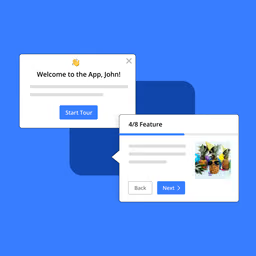
Empower users with interactive product tours and in-app guidance for seamless digital adoption.

The AI-powered platform for product adoption, onboarding, and in-app support.

Digital adoption and in-app guidance platform
UserGuiding by the numbers
Toolradar data: UserGuiding's entry paid plan ($249/mo) ranks #31 of 35 (joint) for price among the Customer Support tools with a verified entry price that is one price, not per user, where the median is $44/mo. As of Nov 2026.
| Metric | UserGuiding | Peer median | Position (1 is best) |
|---|---|---|---|
| Entry paid plan | $249/mo | $44/mo | #31 of 35 (joint) tools with one price, not per user, verified price |
| Free plan | No | 27% have one | n/a |
| Listed as an alternative to | 5 tools | 2 | #90 of 301 (joint) |
| User rating | 4.7/5 (across the web, 779 ratings) | 4.5/5 | #20 of 173 (joint) tools with 20+ reviews |
Listed as an alternative to: #53 on 2026-10-16 to #90 on 2026-11-11 (rank among 301 tools, 1 is best).
Each position is counted among the tools that have data for that row, as noted under it. A lower entry price ranks higher; prices are read on vendor pages and compared only with tools priced on the same basis. All Customer Support data · How we compute this. Advertising and placement fees are not inputs to any position.
Cite this: Toolradar, “UserGuiding by the numbers”, Nov 2026.
Still deciding?
Most buyers shortlist 2 or 3 tools before committing. Pull a side-by-side comparison or browse the full alternatives shortlist below.
Explore More
UserGuiding FAQ
How does UserGuiding help improve user activation?
Which teams benefit most from using UserGuiding?
How does UserGuiding compare to Intercom Product Tours?
Can UserGuiding integrate with existing analytics and communication tools?
What kind of trade-offs should users consider when implementing UserGuiding?
How is UserGuiding priced?
How does UserGuiding support personalized onboarding experiences?
How does UserGuiding pricing compare with other Customer Support tools?
Does UserGuiding have a promo code or discount code?
Source: userguiding.com