
What is SyncWhen?
Key Features
- Vote yes, maybe, or no on proposed time slots
- No account required for the organizer or participants
- Results update in real time
- Export the chosen time to Google Calendar or .ics
- Available in 12 languages
Pricing
SyncWhen is completely free to use with no hidden costs.
SyncWhen by the numbers
| Metric | SyncWhen | Peer median | Position (1 is best) |
|---|---|---|---|
| Free plan | Yes | 63% have one | n/a |
| Listed as an alternative to | 1 tool | 2 | #50 of 98 (joint) |
Each position is counted among the tools that have data for that row, as noted under it. All Calendar data · How we compute this. Advertising and placement fees are not inputs to any position.
Cite this: Toolradar, “SyncWhen by the numbers”, Nov 2026.
Reviews

Review SyncWhen, get a free AI guide
Share your experience and we will send you Improve Your Thinking Patterns Using ChatGPT, free.
Best SyncWhen Alternatives
Top alternatives based on features, pricing, and user needs.

Organize your time with smart scheduling and seamless syncing

Unify work and personal schedules with integrated deadlines and scheduling links

Scheduling automation platform

Effortlessly schedule meetings by polling group availability

Calendar app for Apple devices with natural language

Combine your calendar and to-dos in one beautiful, joyful view
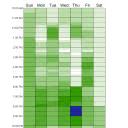
Find group availability instantly, no signup needed
Still deciding?
Most buyers shortlist 2 or 3 tools before committing. Pull a side-by-side comparison or browse the full alternatives shortlist below.
Explore More
SyncWhen FAQ
How does SyncWhen help groups find a suitable meeting time?
Does SyncWhen require participants to create an account?
What kind of user benefits most from SyncWhen?
How is SyncWhen priced?
Can SyncWhen integrate with existing calendar tools?
How does SyncWhen compare to Doodle for group scheduling?
What are the language options available in SyncWhen's interface?
Source: syncwhen.com