Skip to content

12 Best Resource Planning for Small Businesses (2026)

Out of 43 resource planning tools we track, 12 meet the small businesses bar: free, freemium or paid pricing. Ranked by editorial score plus external signals (G2/Capterra reviews, media mentions, featured status).

Key Takeaways
  • Resource Guru is our #1 pick for resource planning for small businesses in 2026.
  • We analyzed 12 resource planning tools for small businesses to create this ranking.
  • 3 tools offer free plans, ideal for small businesses getting started.

At a glance: 12 Resource Planning for Small Businesses

Top 10 picks compared. Scroll horizontally on mobile.

#ToolPricingScore
1
Resource Guru logo
Resource Guru
Paid4.6(2,047 · Sep 2026)View
2
BigTime logo
BigTime
Paid4.5(1,923 · Sep 2026)View
3
Teamwork logo
Teamwork
Freemium4.4(1,281 · Sep 2026)View
4
7shifts logo
7shifts
Freemium4.0(1,612 · Sep 2026)View
5
Humanity logo
Humanity
Paid4.0(1,223 · Sep 2026)View
6
Certinia logo
Certinia
Paid4.3(741 · Sep 2026)View
7
LiquidPlanner logo
LiquidPlanner
Freemium3.9(923 · Sep 2026)View
8
Robin logo
Robin
Paid4.5(357 · Sep 2026)View
9
Shiftboard logo
Shiftboard
Paid4.5(287 · Sep 2026)View
10
Skedulo logo
Skedulo
Paid4.1(405 · Jul 2026)View

Detailed picks: Resource Planning for Small Businesses

1
Resource Guru logo

Resource Guru

Smarter scheduling, profitable projects, and happy teams through clear resource management.

Paid4.6/5(2,047 · Sep 2026)

Key features

  • Resource Scheduling
  • Capacity Planning
  • Leave Management

Pros

  • Low learning curve and quick to set up.
  • Provides real-time visibility into team capacity and availability.

Cons

  • No free tier mentioned, only a free trial.
  • Specific pricing details are not available on the provided pages.
View Details
2
BigTime logo

BigTime

AI-powered professional services automation to drive revenue, maximize utilization, and accelerate payments.

Paid4.5/5(1,923 · Sep 2026)

Key features

  • Scoping, Pricing & Quotes generation
  • AI-powered Resource Management & Staffing recommendations
  • Automated Time & Expense Management with autofill and smart presets

Pros

  • Boosts productivity by 52% through automated time tracking and resource planning.
  • Shortens sales cycles by 88% with automated scoping and pricing.

Cons

  • Specific pricing details are not publicly available, requiring a demo request.
  • Requires integration with existing financial systems for full functionality, which may involve setup time.
View Details
3
Teamwork logo

Teamwork

Project and resource management software for busy teams, integrating client management and automated forms.

Freemium4.4/5(1,281 · Sep 2026)

Key features

  • Project management
  • Time tracking
  • Resource management

Pros

  • Good project management
  • Client portal

Cons

  • UI dated
  • Less modern than competitors
View Details
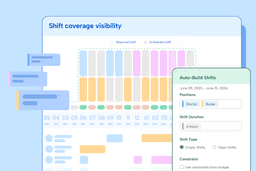
7shifts logo

7shifts

Streamline restaurant operations with integrated scheduling, payroll, and team management tools.

Freemium4.0/5(1,612 · Sep 2026)

Key features

  • Employee Scheduling
  • Payroll Integration
  • Labor Cost Management

Pros

  • Simplifies complex restaurant scheduling.
  • Helps reduce overall labor costs.

Cons

  • No free option available.
View Details
Humanity logo

Humanity

Automate employee scheduling, optimize labor costs, and manage compliance for your entire team.

Paid4.0/5(1,223 · Sep 2026)

Key features

  • AI-powered demand forecasting
  • Automated schedule building
  • Staff-to-shift matching

Pros

  • Reduces time spent on employee shift scheduling significantly.
  • Minimizes staffing errors and optimizes labor costs.

Cons

  • Time-off management is limited, with reviewers noting the system cannot build complex PTO policies such as tiered accrual rules based on tenure or employee classification.
  • Customers repeatedly report slow, hard-to-reach support with unresolved billing and training issues, a real risk for a platform sold on scheduling compliance.
View Details
Certinia logo

Certinia

AI-powered cloud platform for professional services automation, financial management, and customer success.

Paid4.3/5(741 · Sep 2026)

Key features

  • AI-powered staffing for demand-focused resourcing
  • Advanced estimating for accurate quotes
  • Powerful revenue and resource forecasting

Pros

  • Built natively on Salesforce, leveraging existing investments and integrations.
  • Eliminates data silos by unifying sales, services, finance, and customer success.

Cons

  • Requires a Salesforce ecosystem, which might not be suitable for all businesses.
  • No explicit mention of a free trial or transparent pricing on the website.
View Details
LiquidPlanner logo

LiquidPlanner

The all-in-one project management platform that uses predictive scheduling to dynamically adapt to change.

Freemium3.9/5(923 · Sep 2026)

Key features

  • Predictive scheduling with Monte Carlo simulations
  • Balanced workload management across concurrent projects
  • Real-time scenario modeling for strategic prioritization

Pros

  • Provides highly accurate project finish dates through predictive scheduling
  • Automatically adapts to changes, reducing manual re-planning efforts

Cons

  • No explicit pricing tiers or free trial information readily available on the main pages
  • The EAP features are not yet fully released as part of the core product
View Details
Robin logo

Robin

The AI platform for unified workplace operations and intelligent space management.

Paid4.5/5(357 · Sep 2026)

Key features

  • Resource booking (desks, rooms, parking, lockers)
  • WYSIWYG map editor and office neighborhoods
  • Real-time meeting optimization with calendar sync (Google & Microsoft)

Pros

  • Consolidates multiple workplace tools into a single platform, reducing complexity.
  • AI-driven insights and forecasting for efficient space planning and utilization.

Cons

  • Primarily targets larger organizations (150+ hybrid employees, 500+ total employees), potentially less suitable for small businesses.
  • Hardware for room displays and other functionalities is sold separately.
View Details
Shiftboard logo

Shiftboard

Intelligent employee scheduling software for mission-critical industries to optimize workforce management.

Paid4.5/5(287 · Sep 2026)

Key features

  • Tailor-Fit Schedule Automation
  • Proactive Worker Engagement
  • Agile Change Management

Pros

  • Highly configurable to match specific industry and operational needs
  • Significant ROI reported by customers (e.g., 88% higher shift coverage, 16% reduction in turnover)

Cons

  • No free tier or trial explicitly mentioned
  • Primarily focused on mission-critical, shift-based industries, potentially less suitable for other business types
View Details
Skedulo logo

Skedulo

Intelligent scheduling and real-time tracking for mobile workforces

Paid4.1/5(405 · Jul 2026)

Key features

  • Automated scheduling based on skills, location, and travel time
  • Real-time dispatching via SMS and push notifications
  • Mobile app for iOS and Android with job creation, leave submission, and photo/signature capture

Pros

  • Significantly improves operational efficiency and reduces costs
  • Scalable platform that grows with your organization

Cons

  • No transparent pricing, requires contacting sales for a quote
  • Does not support monthly billing; only annual contracts
View Details
MRPeasy logo

MRPeasy

AI-powered MRP software for small manufacturers to manage production and distribution.

Paid4.5/5(228 · Sep 2026)

Key features

  • Production Planning and Reporting
  • Bill of Materials (BOM) Management
  • Real-time Inventory Overview and Tracking (Lot/Batch/Serial)

Pros

  • Seriously powerful yet easy-to-use for small manufacturers.
  • Eliminates the need for multiple systems and spreadsheets.

Cons

  • Pricing is per user, which can add up for larger teams.
  • No free tier, only a limited-time free trial.
View Details
SmartMoving logo

SmartMoving

All-in-one software and CRM designed specifically for moving companies to streamline operations and boost profitability.

Paid4.9/5(143 · Sep 2026)

Key features

  • Auto-calculated pricing engine for estimates
  • Configurable digital forms and contracts
  • Dispatch and crew management with real-time capacity

Pros

  • Comprehensive all-in-one solution eliminates the need for multiple disparate tools.
  • Specialized for the moving industry, addressing unique challenges like tariff management and inventory.

Cons

  • No free tier or trial information is explicitly mentioned.
  • Specific pricing details are not publicly available without a demo or contact.
View Details

How we ranked these Resource Planning tools for Small Businesses

Step 1

Filter the catalog

We start from our full database of 43 resource planning tools and keep only those matching small businesses criteria: free, freemium or paid pricing.

Step 2

Score each tool

Editorial score (out of 100) on utility, UX, value, support, and innovation, then layered with external signals: G2/Capterra review volume and average rating, recent media mentions, and featured status.

Step 3

Keep the top 12

We rank by combined score and surface the top 12 so the list stays scannable. Pricing is re-checked on rotation and the page rebuilds hourly via ISR so picks stay fresh.

Buyer's guide

Resource Planning for Small Businesses: what to know

Small businesses (1-50 employees, profitable, not VC-backed) buy software differently from startups: they need it to PAY BACK in 6-12 months, not in 5 years of equity appreciation.

The dominant stack: QuickBooks Online (accounting), Square or Stripe (payments), HubSpot or Pipedrive (CRM), Google Workspace or Microsoft 365 (productivity), Gusto or QuickBooks Payroll (payroll), and industry-specific vertical software (a Field Service Manager for trades, a POS for restaurants, etc.). The high-leverage tools small businesses underuse: real CRM (most run on spreadsheets + Gmail folders), proper bookkeeping cadence (monthly not annually), and reviews + reputation management (Birdeye, Podium, NiceJob — outsized impact on customer acquisition). The expensive mistake: paying for tools no one logs into. Audit usage quarterly.

Challenges Small Businesses face

  • Software ROI is required to be visible in 6-12 months
  • Bookkeeping done annually means cash flow surprises mid-year
  • Reviews + reputation drive customer acquisition but most owners don't systematically collect
  • Owner-operator does too much manually (invoicing, follow-up, scheduling)
  • Tool stack accumulates over years; quarterly audit + cancellation is rare

What to prioritize when picking a tool

  • Accounting (QuickBooks Online, Xero) with monthly cadence
  • CRM matched to your sales cycle (Pipedrive, HubSpot, Copper)
  • Reviews + reputation automation (Birdeye, Podium, NiceJob)
  • Payment processing with low fees (Square, Stripe, Helcim)
  • Industry-specific vertical software where it earns its keep

Frequently asked questions

What is the best resource planning tool for small businesses in 2026?

Resource Guru ranks first in our resource planning list for small businesses, rated 4.6/5 across 2,047 verified user reviews. Strong runners-up are BigTime, Teamwork, 7shifts.

Are there free resource planning tools for small businesses?

Yes. Teamwork, 7shifts, LiquidPlanner offer a free or freemium plan that fits small businesses.

How did we pick these resource planning tools?

We filtered our database of 43 resource planning tools to keep only those that match small businesses: free, freemium or paid pricing. The remaining 12 are ranked by editorial score and external signals (G2/Capterra review volume, media mentions, featured status).

What features should small businesses look for in resource planning software?

Based on our analysis of the top picks, prioritize: resource scheduling, capacity planning, leave management, equipment management. These are common to the highest-rated tools in this list.

How often is this list updated?

We refresh editorial scores and pricing weekly. Tool pricing is re-checked on a rotation that touches every tool roughly monthly. The list above was generated on September 18, 2026.

Best Resource Planning for other audiences