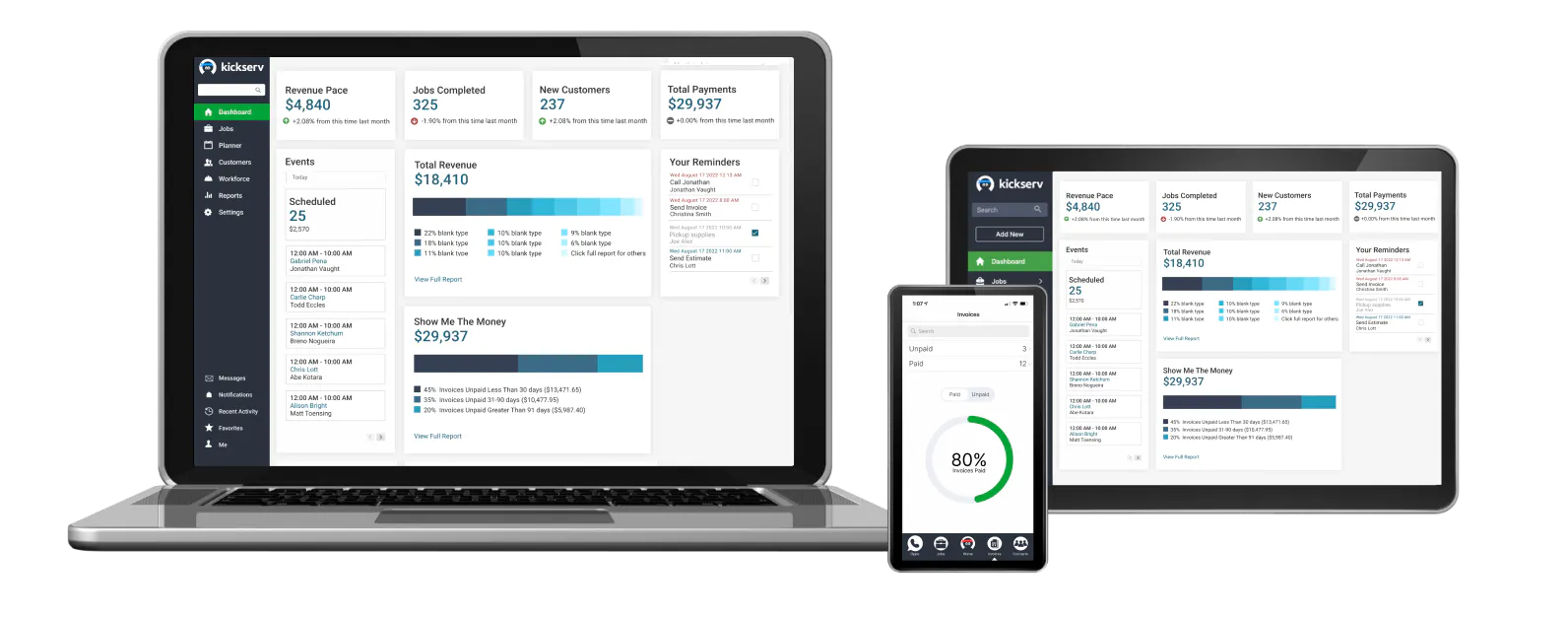
Jobber is a starting point for an independent handyman who wants quotes, scheduling and invoicing in one product. Kickserv lists plans with several users, making it useful to compare when a small crew needs separate logins. Housecall Pro, FieldPulse and Workiz also cover field service workflows. Square Appointments is narrower: it may suit booking and payment, but check whether it covers the job details you need.
Eight options compared for job booking, estimates, invoices, team capacity and price.
Some links on this page are affiliate links: if you sign up through one, Toolradar may earn a commission. Commissions never change our ranking or what we write. How we make money
A handyman may quote a door repair in the morning, visit a property in the afternoon and invoice for materials at the end of the day. The useful software question is whether the request, estimate, calendar appointment and invoice stay connected without entering the same details repeatedly. A crew also needs to know who is going where and what was agreed with the customer.
Toolradar data: our field management category tracks 94 products across the wider field management market. That count is broader than handyman businesses and does not represent the eight products selected here. The category statistics describe the wider catalog.
Methodology: we compared eight products using their vendor-published features and plans checked October 30, 2026. We did not create accounts, visit job sites or test the products, and paid placement did not determine the ranking. US-dollar examples exclude taxes, payment processing and optional services unless stated.
Top Picks
Selected by comparing vendor-published plans and fit for a small handyman business. How we rate

Field service software for quotes, scheduling and invoices.
Starting price
Core $49/mo for 1 user, monthly
4.3 (1,101 reviews)
Best for
A solo handyman comparing a single connected customer-to-invoice workflow.

Field service management with published multi-user plans.
Starting price
Check current plan price
4.4 (568 reviews)
Best for
A small crew comparing named user allowances and job administration.

Home service software for scheduling, estimates and payments.
Starting price
Check current plan price
3.9 (3,153 reviews)
Best for
A handyman business comparing a dedicated home service platform.
| Tool | Starting price | Rating | Best for |
|---|---|---|---|
| Jobber | Core $49/mo for 1 user, monthly | 4.3 1,101 reviews | A solo handyman comparing a single connected customer-to-invoice workflow. |
| Kickserv | Check current plan price | 4.4 568 reviews | A small crew comparing named user allowances and job administration. |
| Housecall Pro Visit | Check current plan price | 3.9 3,153 reviews | A handyman business comparing a dedicated home service platform. |
| FieldPulse | Request current pricing | 4.7 374 reviews | A growing crew that needs to compare dispatch and work-order administration. |
| Workiz | Request current pricing | 4.5 459 reviews | A team comparing job coordination and subcontractor management. |
| Tradify Visit | Check current plan price | 4.6 155 reviews | A handyman who wants to compare quoting, job tracking and invoicing. |
| ServiceTitan | Request current pricing | 4.4 716 reviews | A larger service business evaluating dispatch, pricebooks and reporting. |
| Square Appointments | Free $0/mo per location | 4.5 262 reviews | An independent operator whose priority is simple appointments and payment. |
Jobber
Field service software for quotes, scheduling and invoices.
- 4.1 on Trustpilot (573 reviews)
- 4.6 on G2 (528 reviews)
- Starting price
- Core $49/mo for 1 user, monthly
- Free plan
- No
- Rating
- 4.3 (1,101 reviews)
Best for: A solo handyman comparing a single connected customer-to-invoice workflow.
- Pro: Core lists quotes, scheduling and invoices.
- Pro: Its pricing page specifies a one-user Core plan.
- Pro: A customer hub is described for appointments and payments.
- Con: Check the higher plan needed for additional users.
- Con: Confirm which follow-up and accounting features are on the selected tier.
- Starting price
- Check current plan price
- Free plan
- No
- Rating
- 4.4 (568 reviews)
Best for: A small crew comparing named user allowances and job administration.
- Pro: Start lists five users and time tracking.
- Pro: The vendor describes customer, estimate and invoice workflows.
- Pro: Run lists dispatch mapping and GPS check-ins.
- Con: Confirm the selected billing interval and current checkout price.
- Con: Check which accounting integration and reporting features are included.
Housecall Pro
Home service software for scheduling, estimates and payments.
- 4.7 on Capterra (2,744 reviews)
- 4.3 on G2 (205 reviews)
- 2.2 on SourceForge (202 reviews)
- Starting price
- Check current plan price
- Free plan
- No
- Rating
- 3.9 (3,153 reviews)
Best for: A handyman business comparing a dedicated home service platform.
- Pro: The vendor lists scheduling, quotes and invoicing.
- Pro: Its mobile app is designed for work away from the office.
- Pro: Customer communication and payment features are described.
- Con: Confirm the cost and number of users on the selected plan.
- Con: Check which add-ons are needed for the workflow.

FieldPulse
Field service management with job, customer and dispatch workflows.
- 4.7 on G2 (374 reviews)
- Starting price
- Request current pricing
- Free plan
- No
- Rating
- 4.7 (374 reviews)
Best for: A growing crew that needs to compare dispatch and work-order administration.
- Pro: The vendor lists scheduling, dispatch and job management.
- Pro: Estimates, invoices and mobile access are described.
- Pro: Its platform also lists customer management and reporting.
- Con: Request a quote that defines user roles and onboarding.
- Con: A small solo operator may not need the wider feature set.

- Starting price
- Request current pricing
- Free plan
- No
- Rating
- 4.5 (459 reviews)
Best for: A team comparing job coordination and subcontractor management.
- Pro: Standard lists scheduling, jobs, estimates and invoices.
- Pro: Its pricing page describes subcontractor management.
- Pro: Online payments and customer management are listed.
- Con: Request a written quote for the exact number of users.
- Con: Check which automation limits and advanced tools apply to the chosen tier.

- Starting price
- Check current plan price
- Free plan
- No
- Rating
- 4.6 (155 reviews)
Best for: A handyman who wants to compare quoting, job tracking and invoicing.
- Pro: The vendor lists estimates, scheduling and job tracking.
- Pro: Invoicing and online payments are described.
- Pro: The product identifies property maintenance as a supported trade.
- Con: Confirm local currency, billing period and user pricing.
- Con: Check whether the selected features require a higher plan.

- Starting price
- Request current pricing
- Free plan
- No
- Rating
- 4.4 (716 reviews)
Best for: A larger service business evaluating dispatch, pricebooks and reporting.
- Pro: Starter lists scheduling, dispatching and invoicing.
- Pro: The vendor describes a pricebook for service work.
- Pro: Higher packages list additional reporting and payroll features.
- Con: Request a per-technician quote and onboarding terms.
- Con: The platform may be broader than a solo handyman needs.

Square Appointments
Appointment booking and payments for service businesses.
- 4.5 on Capterra (262 reviews)
- Starting price
- Free $0/mo per location
- Free plan
- Yes
- Rating
- 4.5 (262 reviews)
Best for: An independent operator whose priority is simple appointments and payment.
- Pro: The Free plan lists no monthly fee per location.
- Pro: Online booking and payment workflows are described.
- Pro: The vendor publishes processing terms.
- Con: Payment processing charges still apply.
- Con: Check separately whether work orders, materials and crew dispatch meet your needs.
Other Field Management tools worth considering
More published tools from our Field Management category, ordered by our category ranking. They are not part of the editorial picks above.















What handyman business software does
The core workflow connects a customer request to an estimate, a scheduled visit and an invoice. Some products also keep job photos, materials, staff assignments and payment history. Field service software can add dispatching, repeat maintenance visits and reporting for a larger crew.
A booking calendar may handle appointment slots without providing a full work-order or dispatch system. Conversely, a large field service platform may include more administrative and onboarding features than a solo operator needs. Ask each vendor to show the workflow rather than assuming the product names mean the same thing.
Compare two one-user plans
Jobber lists Core at $49 per month and Connect at $139 per month for one user on its month-to-month, no-commitment option, before temporary promotions. Over 12 months at those unchanged rates, the subscription totals are $588 and $1,668, a $1,080 difference before taxes, payment fees and extras.
Both examples use one user, but the plans have different features; the figures do not establish equivalent value or proven savings. Confirm the actual quote, access permissions, availability of required features and the treatment of additional users. The Jobber, Kickserv and Housecall Pro profiles offer more context before a demonstration. The Jobber alternatives page lists additional options.
Key Features to Look For
Estimate to invoice (Essential)
Create an estimate for a repair using labor and materials, obtain approval, then turn the accepted work into an invoice. Check how changes to the scope are documented.
Scheduling and dispatch (Essential)
Assign a technician, account for travel time and move a visit when another job runs long. Ask whether the customer sees the revised arrival window.
Customer and property history (Essential)
Find a previous quote, invoice, contact details and notes before accepting a return visit. Confirm whether one customer can have multiple service addresses.
Mobile job details (Essential)
Check that the person on site can view the work description and attach a before-and-after photo. Ask what is available when mobile coverage is poor.
Payments and receipts (Essential)
Demonstrate sending an invoice and taking payment. Separate the software subscription from card processing and any hardware or deposit charges.
Team access (Essential)
Compare user limits and permissions for the owner, an office scheduler and a field technician. Check what a contractor can see before giving access.
Recurring work (Important)
If customers request seasonal maintenance, see how repeat visits are scheduled and whether the next invoice can reflect different work.
Exports and accounting (Important)
Ask for a sample export of customer, job and invoice records and confirm which accounting integration is included in the chosen plan.
Choose for the jobs you actually run
-
A solo operator should compare the cost of one login and the complete quote-to-payment workflow, not just the booking screen.
-
A crew should check whether all five people need paid accounts and whether a scheduler and technician have different permissions.
-
A property maintenance business should demonstrate repeat visits and multiple addresses for one customer.
-
A business with specialized dispatch or a large service operation should request quotes from FieldPulse, Workiz and ServiceTitan and compare setup requirements.
-
A simple appointment-and-payment need may fit Square Appointments, but verify work orders, materials and crew dispatch separately.
Evaluation Checklist
Create a fictional customer and quote a small repair with separate labor and material lines.
Assign the visit to one person, then move it to a different day and check the customer notification.
Add a change to the job after the customer approves the original estimate.
Send an invoice and ask the vendor to show the applicable processing charges.
Compare owner, office and field-worker access using sample accounts.
Export a sample customer record and invoice before signing an annual agreement.
Pricing Overview
Solo operator
A single operator comparing a booking-focused free plan with a dedicated field service plan.
$0 to $49/month in selected examples
Five-user crew
A small crew comparing Jobber Connect's stated five-user capacity and monthly billing.
$199/month in the Jobber example
Specialized operations
A business that needs a tailored dispatch, onboarding and permissions quote.
Request pricing
Pricing Comparison
| Platform | Published plan or rate | Capacity or condition |
|---|---|---|
Jobber Core | $49/month | 1 user; monthly, no-commitment example |
Jobber Connect | $139/month | 1 user; monthly, no-commitment example |
Jobber Connect | $199/month | 5 users; monthly, no-commitment example |
Square Appointments Free | $0/month | Per location; payment processing charges apply |
Square Appointments Plus | $49/month | Per location; payment processing charges apply |
Kickserv | Check current plan price | Start lists 5 users; confirm billing interval |
Check current plan price | Confirm users, billing and optional extras | |
Request current pricing | Confirm user roles and implementation | |
Workiz | Request current pricing | Confirm users, included features and add-ons |
Request current pricing | Per-technician pricing; confirm the quote | |
Tradify | Check current plan price | Confirm currency, users and billing interval |
Vendor pages checked October 30, 2026: Jobber, Kickserv, Square Appointments, Housecall Pro, FieldPulse, Workiz, ServiceTitan and Tradify. Confirm current rates, payment processing, taxes and optional services.
Mistakes to Avoid
- ×
Buying a plan based on one advertised price without checking how many staff need logins.
- ×
Treating a temporary introductory discount as the recurring subscription price.
- ×
Assuming appointment booking includes full work orders and dispatch.
- ×
Ignoring card processing, optional features and onboarding costs.
- ×
Moving customer information before checking export and access controls.
Expert Tips
- →
Use the same fictional repair quote in every demonstration.
- →
Ask how a change in materials or scope is recorded after approval.
- →
Compare the annual cost with and without optional services.
- →
Check a technician's view of the job and address before deciding.
- →
Request sample exports and the cancellation procedure in writing.
Red Flags to Watch For
-
A quote that does not specify users and billing frequency.
-
A vendor cannot demonstrate how an approved estimate becomes an invoice.
-
Unclear terms for cancellation, data export or payment settlement.
-
A booking tool described as a full dispatch platform without showing the required workflow.
-
A claim that the software alone guarantees more revenue.
The Bottom Line
Jobber and Kickserv offer published prices that help a small handyman team begin a comparison. The one-user Jobber example shows the cost difference between two plans with different feature sets; compare what each actually includes.
Housecall Pro, FieldPulse and Workiz warrant demonstrations when field scheduling and job records matter. ServiceTitan is worth a quote for a broader operation, while Square Appointments has a narrower booking focus. For adjacent needs see our field service management guide, contractor invoicing guide and appointment scheduling guide.
Frequently Asked Questions
What should handyman software include?
Start with customer requests, quotes, scheduling and invoices. A crew may also need technician assignments, mobile job details and controls over who can see customer information.
Is there a free option?
Square Appointments lists a Free plan at $0 per month per location. Payment processing charges apply, and a booking product may not provide all field service features.
How much does software for five users cost?
Jobber lists Connect at $199 per month for five users on its no-commitment monthly option. Kickserv Start lists five users; confirm its current rate and billing interval. Check taxes and extras.
Does an appointment calendar replace a work-order system?
Not always. A calendar can book a time without handling job details, materials, dispatch or changes to an estimate. Test the whole workflow before deciding.
What should a small crew check in a quote?
Ask about user limits, permissions, billing frequency, required add-ons, payment fees, data export and the notice needed to cancel.
Can software document a changed scope of work?
Capabilities vary. Ask the vendor to demonstrate an estimate change, customer approval and the resulting invoice using a fictional job.
Cite this page: Toolradar, "Best Handyman Business Software for Small Crews in 2026", updated October 2026, https://toolradar.com/guides/best-handyman-business-software
Spotted an outdated price or a wrong fact? Suggest a correction: we check it against the vendor's own page. Work for one of these vendors? Claim your listing to update it yourself.
Related Guides
Ready to Choose?
Compare features, read reviews, and find the right tool.
Some offers on this page may be paid placements or contain affiliate links.