Skip to content

Best UI/UX Design Tools in 2026

Interface and experience design tools

417 tools evaluated · 10 top picks · Updated August 2026

Key Takeaways
  • Canva is our #1 pick for UI/UX design in 2026.
  • We analyzed 417 UI/UX design tools to create this ranking.
  • 5 tools offer free plans, perfect for getting started.

UI/UX design has essentially become Figma. Sketch and Adobe XD have lost mindshare. The remaining choice is whether you need Figma's collaborative depth or a specialized adjacent tool (Framer for marketing sites, ProtoPie for advanced prototyping, Penpot for open-source).

7 top UI/UX design tools compared

Starting price, average user rating, and our pick for each category.

ToolOur takeStarting priceRating
Canva logo
Canva
Best overall$10/mo4.7
Lucide logo
Lucide
Solid pickFree4.5
Jotai logo
Jotai
Solid pickFree4.3
Visio logo
Visio
Most reviewedContact sales4.4
Intercom Product Tours logo
Intercom Product Tours
Solid pick$99/mo4.4
Figma logo
Figma
Most affordable$1.25/mo4.2
Codesign logo
Codesign
Solid pick$18/mo4.4

How the Top UI/UX Design Tools Compare

The UI/UX design category is highly competitive in 2026, with Canva and Lucide both ranking among the top choices on Toolradar's assessment, followed closely by Jotai. The tight competition reflects how mature this market has become.

Pricing varies significantly among the top picks: Canva (freemium (free tier available)), Lucide (free), Jotai (free) offer free access, while Visio requires a paid subscription. Teams on a budget should start with Canva, which delivers strong value despite its free tier.

Community feedback adds nuance to the editorial rankings: Visio has the most reviews (1), while Affinity Designer holds the highest community score at 5.0/5. Both signals matter, volume shows adoption, while ratings reflect satisfaction.

Computed from live tool ratings, review counts, and editorial scores.Editorial policy

Top UI/UX Design tools

01
Canva logo

Design anything, for anyone, with millions of templates

Freemium4.7/521,092 ratings

Canva is a graphic design platform that makes design accessible to everyone. Create social posts, presentations, videos, and print materials. Millions of templates and photos included. Brand kit maintains visual consistency. Real-time collaboration for teams. Design tools that anyone can use, not just designers.

+Easy to use
+Great templates
+AI features
Less powerful than Figma

Value 80/100. Canva is the most accessible design tool on the market, and its free tier is genuinely useful, not a crippled trial.

Watch out: AI credits cap: Pro includes 500 credits/month shared across ALL Magic Studio features (image generation, video, Magic Design, Canva Code). Each generation attempt costs credits, iterating on a single prompt (3-5 tries) burns 15-25 credits. Heavy users exhaust their monthly allotment in 1-2 weeks.

02
Lucide logo

Beautiful and consistent open-source icons

Free4.5/58,614 ratings

Lucide provides a beautiful open-source icon set. Clean, consistent, customizable-icons that work everywhere with permissive licensing. The style is clean. The consistency is maintained. The usage is free. Developers wanting clean open-source icons use Lucide for beautiful, free icons.
+Beautiful icon set
+Fork of Feather
+Open source
Limited icon count
Fork confusion

Value 100/100. Lucide's pricing is exceptionally generous, as it offers all features for free under an open-source ISC license.

Watch out: No hidden costs whatsoever

03
Jotai logo

Primitive and flexible state management for React with an atomic approach.

Free4.3/510,475 ratings

Jotai offers an atomic approach to global state management in React applications. It allows developers to build state by combining 'atoms,' which are fundamental units of state. This design automatically optimizes renders based on atom dependencies, effectively solving common issues like extra re-renders associated with React Context and reducing the need for manual memoization. Jotai provides a developer experience similar to signals while maintaining a declarative programming model. It's highly scalable, suitable for everything from simple `useState` replacements to complex enterprise-level TypeScript applications. The library includes various utilities and extensions to enhance its functionality and is trusted in production by innovative companies. It features a minimal, TypeScript-oriented API, making it as straightforward to use as React's `useState` hook, but with the added benefits of globally accessible state, easy implementation of derived state, and automatic elimination of unnecessary re-renders. Jotai also supports server-side rendering with frameworks like Next.js and Waku.

+Simple React state
+Atomic approach
+Small bundle size
Learning curve
Less features than Redux

Value 100/100. Jotai's pricing is exceptionally generous, as it is entirely free.

Watch out: Requires developer time for implementation

04
Visio logo

Create professional diagrams, flowcharts, and designs

Paid4.4/54,020 ratings

Microsoft Visio is a diagramming and flowchart tool for creating professional visual representations of processes, networks, organizational structures, floor plans, and engineering designs. It includes thousands of shapes and Microsoft product icons, data-connected diagrams with two-way synchronization, and integration with Microsoft 365 apps like Teams, Power BI, and Power Automate. Visio is available as a web-based Plan 1 ($5/user/month) or full desktop + web Plan 2 ($15/user/month), and is included in qualifying Microsoft 365 commercial plans. It targets business professionals, IT teams, and enterprise organizations standardized on the Microsoft ecosystem.

+Deep integration with Microsoft 365 ecosystem
+Thousands of built-in shapes and templates for diverse diagram types
+Data-linking creates live, auto-updating visualizations
Desktop app only available on Windows, no native Mac version
Higher cost than free alternatives like draw.io or Lucidchart free tier

Value 70/100. Visio's pricing is fair for its target audience, especially with the free basic web version included in Microsoft 365.

Watch out: Visio Plan 2 desktop app is Windows-only.

05
Intercom Product Tours logo

Build code-free product tours to boost onboarding and adoption

Paid4.4/52,558 ratings

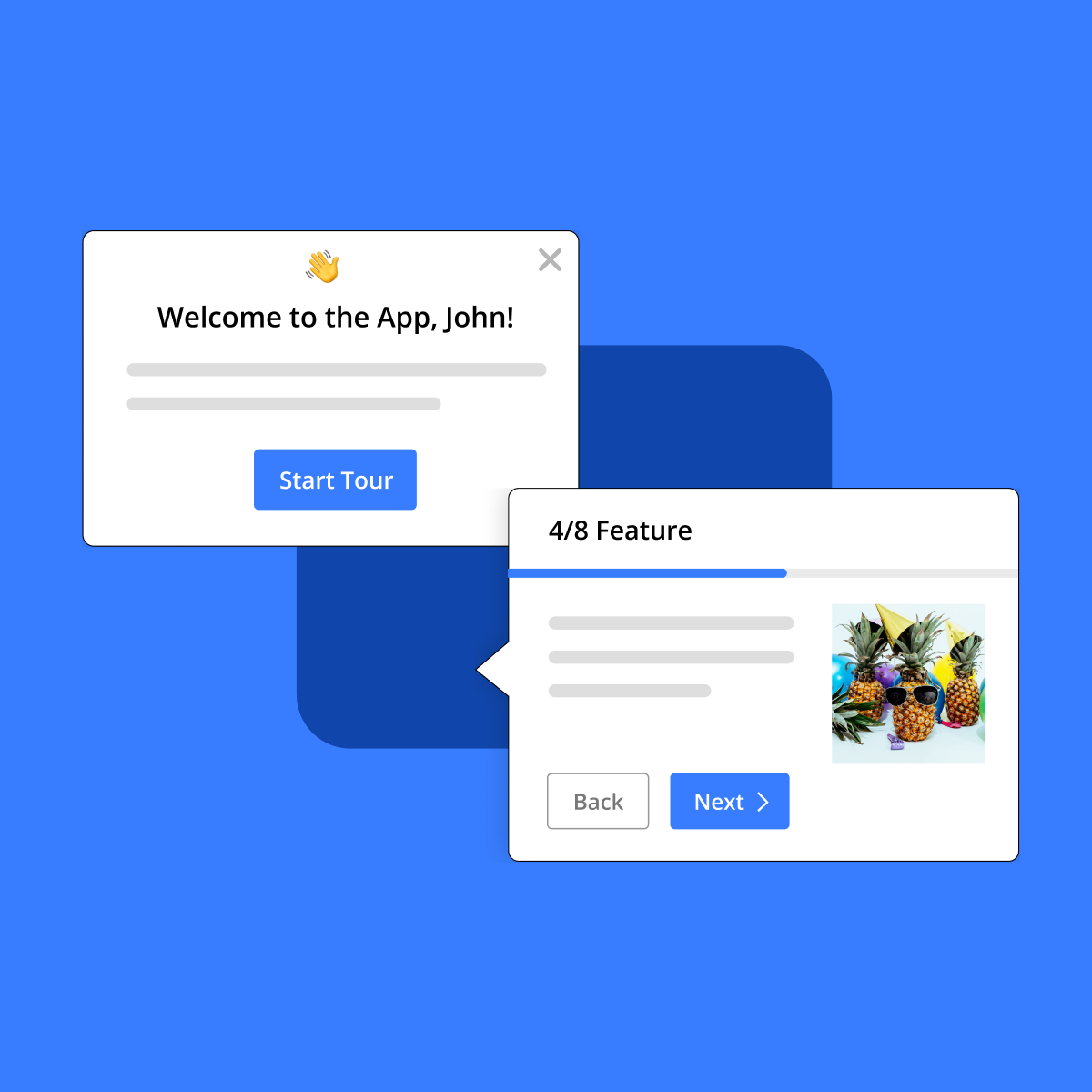
Intercom Product Tours helps you build interactive, code-free product tours that guide users through your app. Create step-by-step walkthroughs with tooltips, modals, and highlights to improve user onboarding and feature adoption. Track tour completion rates and optimize based on user behavior. Seamlessly integrates with Intercom's messaging platform for personalized experiences based on user segments and actions.

Intercom Product Tours screenshot
+Easy no-code tour builder
+Integrates seamlessly with Intercom
+Tracks user progress and completion
Requires Intercom subscription
Can be expensive for small teams

Value 45/100. Intercom's Product Tours, bundled within 'Proactive Support Plus' at $99/month, is expensive given it requires an existing Intercom subscription ($29-132/seat/month).

Watch out: Requires separate Intercom subscription

06
Figma logo

The collaborative design platform

Freemium4.2/53,126 ratings

Figma is a cloud-based design platform for teams building digital products. It combines interface design, prototyping, design systems, and developer handoff in a single browser-based tool with real-time multiplayer collaboration. Designers, developers, and product managers work simultaneously on the same file without version conflicts. Figma supports vector editing, auto layout, component variants, interactive prototyping with animations, and a built-in developer mode that generates code snippets and redlines. Its plugin ecosystem and community file library extend functionality for wireframing, accessibility checks, and asset management. Acquired by Adobe in a deal that was later abandoned, Figma operates independently and serves teams from startups to enterprises like Microsoft, Airbnb, and Spotify.

Figma screenshot
+Best-in-class real-time collaboration eliminates file versioning headaches
+Browser-based with no installation required, works on any OS
+Generous free tier supports up to 3 projects with full editing features
Requires stable internet connection; limited offline functionality
Performance degrades on very large files with hundreds of frames

Value 70/100. Figma's March 2025 pricing overhaul replaced per-product seats with unified seat types (Full/Dev/Collab/View), bundling FigJam and Slides into every paid seat.

Watch out: AI credit overages at $0.03/credit, heavy Figma Make users can burn 100+ credits per task, adding $50-200+/month for power users

07
Codesign logo

Tencent's self-developed design collaboration platform.

Paid4.4/51,805 ratings

CoDesign is a design collaboration platform developed by Tencent. While the provided content is minimal, indicating a loading state, the title clearly positions it as a tool for design collaboration. This suggests it aims to streamline the design process, facilitate teamwork among designers, and potentially integrate with other design tools or workflows. It is likely targeted at design teams, product teams, and organizations looking to improve efficiency and communication in their design projects. The key benefit of such a platform would be to centralize design assets, feedback, and version control, reducing friction and errors in the design lifecycle. It would likely offer features for sharing designs, gathering comments, tracking changes, and ensuring all stakeholders are aligned on the design direction.

+Design collaboration
+Good for feedback
+Version control
Less known
Limited features vs Figma

Value 75/100. Codesign's pricing seems fair for specialized code signing needs, with the Standard tier at $216/year offering essential Apple signing.

Watch out: No monthly billing option, annual commitment required.

08
Webflow logo

Visual web development platform

Freemium4.5/5265 ratings

Webflow is a professional visual web development platform built for designers, agencies, and in-house teams. It pairs a designer-grade visual canvas with a production-ready code engine, generating clean semantic HTML, CSS, and JavaScript without writing it by hand. Its built-in CMS handles dynamic content (blog posts, case studies, product catalogs) with custom collection schemas; the Logic feature ships rules-based form workflows; and a recent release adds Webflow AI for site generation and AEO agents on higher-tier plans for answer-engine optimization. Hosting is included via a global CDN with automatic SSL, staging environments, and version history. Webflow is positioned as the alternative to Wix and Squarespace for design teams that need precise control over markup and animations, and as the alternative to WordPress for teams that want managed hosting plus a visual editor without plugin maintenance.

+Production-quality clean code output without manual coding
+CMS, e-commerce, and hosting included in one platform
+AEO agents and Webflow AI baked in for the AI-search era
Steep learning curve, especially for non-designers unfamiliar with CSS box model
Pricing jumps sharply: a mid-tier plan to a high-tier plan is a big leap

Value 60/100. Webflow charges separately for Workspace plans (per-seat, for team collaboration) and Site plans (per-site, for hosting).

Watch out: Workspace + Site plans are separate bills. A Core workspace ($19/seat/month) with 3 seats plus one CMS site ($23/month) costs $80/month, easy to underestimate when evaluating pricing.

09
Adobe XD logo

Design, prototype, and share websites and mobile apps

Paid4.4/51,585 ratings

Adobe XD is a UI/UX design tool for websites and mobile apps. Design, prototype, and share in one application. Components and design systems enable consistency. Auto-animate creates smooth transitions. Integration with Adobe Creative Cloud. Collaborate with developers through design specs. Adobe's answer to Figma and Sketch.

+Adobe integration
+Good prototyping
+Voice prototyping
Adobe subscription
Being deprecated

Value 70/100. Adobe XD's pricing is fair for its target audience, especially considering its integration within the Creative Cloud ecosystem.

Watch out: Annual commitment for listed price

10
Affinity Designer logo

Vector and raster design for branding, UI, and illustration

Paid4.7/5690 ratings

Affinity Designer is a vector graphics editor for illustrations, branding, and UI design. Combines vector and raster tools in one app. One-time purchase instead of subscriptions. Pixel-perfect precision for interface design. Export to multiple formats and artboards. The Illustrator alternative that designers actually prefer.

+One-time purchase
+Fast performance
+Cross-platform
Smaller ecosystem
Fewer tutorials

Value 95/100. Affinity Designer's pricing is incredibly generous compared to the market.

Watch out: No subscription means no cloud storage

Why these UI/UX design tools didn't make our top 10.

We evaluated 417 UI/UX design tools and these 19 ranked 11 through 29. They're solid options that fell short on one or two axes (review depth, pricing transparency, feature parity), but worth a look if the leaders don't fit your stack or budget.

Popular ui/ux design comparisons

See how the leading ui/ux design tools stack up head-to-head.

UI/UX Design pricing, compared

Real plans and the hidden costs for each tool.

Browse all UI/UX design tools

417 tools
Adobe Photoshop logo
Adobe Photoshop
The industry-standard image editing and graphic design software for creative professionals.
paid· Web, macOS, Windows
Adobe Color logo
Adobe Color
Create and explore color palettes for design projects
free· Web
Adobe Illustrator logo
Adobe Illustrator
Create stunning vector graphics and illustrations with precision and AI-powered tools.
paid· Web
Figma MCP logo
Figma MCP
Figma's official MCP server, expose live design structure to AI for accurate code generation
freemium· Web
Float UI logo
Float UI
Build and ship fast with free, open-source Tailwind CSS UI components and website templates.
free· Web
Framer Motion logo
Framer Motion
Build production-ready animations for web with a simple, powerful JavaScript and React animation library.
freemium· Web
Elegant Themes logo
Elegant Themes
The most popular WordPress themes and the ultimate visual page builder.
paid· Web
CorelDRAW logo
CorelDRAW
Professional graphic design software for vector illustration, layout, image editing, and typography.
paid· Windows, macOS, Web
Sketch logo
Sketch
Mac UI/UX design with real-time collaboration
paid· macOS
Syncfusion logo
Syncfusion
Accelerate enterprise app development with UI components, document solutions, and AI-assisted coding.
freemium
Adobe XD logo
Adobe XD
Design wireframes, interactive prototypes, and screen designs
paid
Clayzo logo
Clayzo
Prototype and review directly on your live codebase, bridging the gap between design and development.
freemium· Web
Inkscape logo
Inkscape
Professional vector graphics editor for illustrations, icons, and logos
free
Nicepage logo
Nicepage
Create stunning, mobile-friendly websites and themes with a freehand drag-and-drop builder.
freemium· Windows, macOS, Web
Git Cola logo
Git Cola
A sleek and powerful graphical user interface for Git, powered by Python and PyQt.
free· Web, Windows, macOS, Linux
InVision logo
InVision
Digital product design platform
freemium· Web
Frontify logo
Frontify
Centralize brand assets, guidelines, and templates to empower teams and ensure consistent brand experiences globally.
paid· Web
BugHerd logo
BugHerd
Effortless visual feedback and bug tracking for websites, Figma designs, and PDFs.
paid· Web
Procreate logo
Procreate
Digital illustration app for iPad
paid· iOS
Shapr3D logo
Shapr3D
Design manufacturing-ready 3D models with powerful CAD tools across all your devices.
paid· Windows, macOS
Usetiful logo
Usetiful
Empower users with interactive product tours and in-app guidance for seamless digital adoption.
paid· Web
Social Tables Layout logo
Social Tables Layout
Collaborative event design platform for planners and venues to bring events to life.
freemium· Web
Zeplin logo
Zeplin
Automate design handoff and bridge the gap between designers and developers
freemium· Web
FlowMapp logo
FlowMapp
Plan, design, and visualize website structures, user flows, and content with ease.
freemium· Web

Showing the top 24 of 417. Filter to narrow down.

In-depth: why these tools made the cut

Figma logo

Figma won UI/UX design by being browser-native, real-time collaborative, and developer-friendly via Dev Mode. The plugin ecosystem covers virtually any need. For 2026, Figma is the rational default for nearly any team.

Adobe's failed Figma acquisition cemented Figma's independence. The remaining open questions are pricing creep on Organization tiers and AI features keeping pace with the category.

How to choose UI/UX design software

  1. Default to Figma

    For UI/UX design in 2026, Figma is the default unless you have a strong reason. Real-time collaboration, dev mode, FigJam for whiteboarding, broad plugin ecosystem — no competitor matches the combination.

  2. Add specialized tools as needed

    Marketing site design with code export: Framer. Advanced prototyping with code-like interactions: ProtoPie. Open-source / on-prem requirement: Penpot. 3D design for web: Spline. These complement Figma rather than replace it.

  3. Plan for AI integration

    AI-first design tools (Galileo AI, v0 by Vercel) generate working UI from prompts. Still emerging; not full Figma replacements yet. Watch the category; don't commit to AI-first tools as primary yet.

Honorable mentions

Tools that didn't crack the headline list but deserve a look depending on what you optimize for.

  • Spline logo
    SplineBest for 3D design on the web

    Spline complements Figma for 3D hero animations and product visualization. Browser-native, collaborative.

Best UI/UX Design for

How we ranked these UI/UX design tools

We rank by real-world signal: verified user ratings aggregated from G2, Capterra, and our own community, the volume and recency of media coverage, and hands-on editorial review for the tools we cover in depth. Pricing is re-checked and the ranking refreshed monthly. We do not sell placement in this list.

Tools reviewed
417
With free tier
80%
Last updated
August 2026

Toolradar Research

The data behind ui/ux design

First-party analyses built from our full catalog, methodology published.

All Toolradar research

Frequently Asked Questions

What is the best UI/UX design tool in 2026?

Based on our analysis of 417 UI/UX design tools, Canva ranks #1 on Toolradar's assessment. The runners-up are Lucide, Jotai, Visio. Our rankings are based on features, pricing, user reviews, and real-world testing across 417 products.

What are the top 3 UI/UX design tools?

The top 3 UI/UX design tools in 2026, ranked by Toolradar, are: 1) Canva, Design anything, for anyone, with millions of templates. 2) Lucide, Beautiful and consistent open-source icons. 3) Jotai, Primitive and flexible state management for React with an atomic approach..

Are there free UI/UX design tools?

Yes: 5 out of our top 10 UI/UX design tools offer free or freemium plans. The top free options are Canva, Lucide, Jotai. Free plans typically include core features with usage limits.

How do I choose the right UI/UX design tool?

Start by defining your team size, budget, and must-have features. Canva is the top-rated option overall. For budget-conscious teams, Canva offers strong value. Compare all 417 options side-by-side on Toolradar, where we evaluate features, pricing, ease of use, and user reviews.
UI/UX Design statisticscatalog size, ratings and pricing data, updated monthly

For UI/UX design vendors

Selling a UI/UX design product? Reach 720K+ buyers through Toolradar & Dupple.

Newsletter ads and directory listings: the same surfaces buyers use to shortlist. Max 2 sponsors per issue, done-for-you creative.