Skip to content

Best Calendar Tools in 2026

Calendar and scheduling tools

82 tools evaluated · 10 top picks · Updated July 2026

Key Takeaways
  • Google Calendar is our #1 pick for calendar in 2026.
  • We analyzed 82 calendar tools to create this ranking.
  • 6 tools offer free plans, perfect for getting started.

Calendar apps converge on three players (Google Calendar, Outlook, Apple Calendar) at the foundation, with a layer of productivity-enhancing wrappers (Notion Calendar/Cron, Fantastical, Reclaim) on top. The choice is usually about which wrapper, not which underlying calendar — most users don't actually switch providers.

7 top calendar tools compared

Starting price, average user rating, and our pick for each category.

ToolOur takeStarting priceRating
Google Calendar logo
Google Calendar
Best overallFree4.8
Notion Calendar logo
Notion Calendar
Solid pickFree + paid4.7
Acuity Scheduling logo
Acuity Scheduling
Solid pickContact sales4.8
Fellow logo
Fellow
Solid pickFree + paid4.8
Akiflow logo
Akiflow
Solid pickContact sales4.7
Any.do logo
Any.do
Solid pickFree + paid4.4
Waitwhile logo
Waitwhile
Solid pickFree + paid4.8

How the Top Calendar Tools Compare

The calendar category is highly competitive in 2026, with Google Calendar and Notion Calendar both ranking among the top choices on Toolradar's assessment, followed closely by Acuity Scheduling. The tight competition reflects how mature this market has become.

Pricing varies significantly among the top picks: Google Calendar (free), Notion Calendar (freemium (free tier available)), Fellow (freemium (free tier available)) offer free access, while Acuity Scheduling requires a paid subscription. Teams on a budget should start with Google Calendar, which delivers strong value despite its free tier.

Computed from live tool ratings, review counts, and editorial scores.Editorial policy
01
Google Calendar logo

Organize your time with smart scheduling and seamless syncing

Free4.8/53,961 ratings

Google Calendar helps individuals and teams organize their time with smart scheduling features. It syncs across devices, suggests meeting times based on availability, and integrates with Gmail to automatically create events from emails. The tool has become essential for coordinating meetings, deadlines, and personal appointments.

02
Notion Calendar logo

Unify work and personal schedules with integrated deadlines and scheduling links

Freemium4.7/58,197 ratings

Notion Calendar is a beautifully designed calendar app that unifies work and personal schedules. Integrated with Notion, it shows project deadlines alongside events, offers built-in scheduling links, and supports multi-timezone collaboration-all with a fast, keyboard-driven interface.

03
Acuity Scheduling logo

Appointment scheduling by Squarespace

Paid4.8/56,154 ratings

Acuity Scheduling is an appointment scheduling tool now part of Squarespace. Let clients book appointments 24/7 from your website. Automated reminders reduce no-shows. Accept payments at booking. Sync with Google, Outlook, and iCloud calendars. Customizable booking pages match your brand. Features include intake forms, packages, and group scheduling. Take the back-and-forth out of scheduling forever.

04
Fellow logo

Transform meetings into productive sessions with clear outcomes

Freemium4.8/52,420 ratings

Fellow is meeting management software that helps teams have more productive meetings. AI-generated meeting agendas from past discussions. Collaborative note-taking during meetings. Action items automatically tracked and followed up. Integrates with Google Calendar, Zoom, and Slack. Meeting analytics show how you spend your time. Transform meetings from time-wasters into productive sessions with clear outcomes.

05
Akiflow logo

Productivity hub for professionals

Paid4.7/5200 ratings

Akiflow is a time blocking app that unifies tasks, calendars, and scheduling in one place. Import tasks from Notion, Asana, Todoist, and other tools. Drag tasks onto your calendar to protect time for deep work. Scheduling links let others book available slots. Command bar enables keyboard-driven workflows. The command center for professionals who want to control their time, not react to it.

06
Any.do logo

Simple to-do list and daily planner app

Freemium4.4/5692 ratings

Any.do is a to-do list for people who don't want complicated productivity systems. Add tasks, set dates, check them off. The daily planner shows what needs attention today. Calendar integration puts everything in one view. Location-based reminders trigger when you arrive somewhere. The interface stays clean even as tasks accumulate. For straightforward task management without the overhead of project management software, Any.do provides structure that helps without getting in the way.

07
Waitwhile logo

Streamline customer flow and enhance experiences with virtual queues and appointment scheduling.

Freemium4.8/5392 ratings

Waitwhile is a comprehensive queue management and appointment scheduling system designed for modern enterprises. It helps businesses eliminate long lines, reduce wait times, and minimize no-shows by offering virtual queuing, real-time updates, and automated reminders. The platform aims to transform the waiting experience into a positive one, improving customer satisfaction and retention. This solution is ideal for a wide range of industries, including luxury retail, government, education, and healthcare, seeking to optimize their operations and provide personalized service. By centralizing walk-ins and appointments into a single dashboard, providing AI-powered wait time predictions, and offering extensive customization options, Waitwhile empowers businesses to manage customer flow efficiently, capture sales opportunities, and enhance staff productivity. It integrates seamlessly with existing tech stacks through its API, ensuring a flexible and scalable solution for managing customer interactions across multiple locations.

08
Phorest logo

All-in-one software for salons, spas, and aesthetic clinics to manage, market, and grow.

Paid4.7/5441 ratings

Phorest is a comprehensive, all-in-one software solution designed specifically for salons, spas, and aesthetic clinics. It provides a suite of tools to streamline operations, enhance client experience, and drive revenue growth. The platform covers everything from intelligent scheduling and online booking to integrated marketing campaigns, client management, and detailed reporting. Phorest is ideal for businesses in the beauty and wellness industry, including hair salons, barber shops, beauty salons, spas, and aesthetic clinics, whether they operate a single location or multiple branches. It empowers owners and staff to manage appointments, client relationships, staff rosters, and marketing efforts efficiently, ultimately leading to reduced no-shows, increased rebookings, and improved profitability. The software focuses on providing a seamless experience for both businesses and their clients, offering features like branded booking apps, automated reminders, and online reputation management. It also includes advanced tools such as Phorest Ads Manager for social media advertising and Premium Consultations with face-mapping for aesthetic clinics, ensuring businesses can offer professional services and effectively market themselves.

09
Jane App logo

All-in-one practice management software for health and wellness practitioners.

Paid4.5/5574 ratings

Jane App is a comprehensive practice management software designed for health and wellness practitioners and clinics. It offers a secure, beautifully designed, and web-based system that streamlines various administrative tasks, allowing practitioners to focus more on patient care. The platform integrates online booking, scheduling, charting, secure video appointments, invoicing, and payment processing into a single system. Jane App is built to support clinics of all types and sizes, from solo practitioners to interdisciplinary clinics, including physios, massage therapists, counsellors, and midwives. It aims to simplify clinic operations by automating tasks like appointment reminders, insurance billing, and data management. The software is accessible from any device and ensures data security and compliance with regional privacy legislation like HIPAA, PIPEDA, and GDPR.

10
SuperSaaS logo

Flexible online scheduling and booking system for any business type.

Free4.5/5411 ratings

SuperSaaS is a comprehensive online appointment scheduling software designed to accommodate a wide range of booking needs, from personal meetings and services to complex resource reservations and event registrations. It offers extensive customization options, allowing businesses to adapt the system to their specific workflows, branding, and pricing structures. The platform supports various scheduling scenarios, including individual appointments, group classes, recurring bookings, and waiting lists, ensuring optimal utilization of resources. This robust solution integrates seamlessly with existing websites and popular third-party applications like Google Calendar, Zoom, PayPal, and WordPress, providing a cohesive experience for both businesses and their clients. SuperSaaS prioritizes security and reliability, offering high uptime and data protection. It is suitable for small users with a free tier and scales up to large organizations, supporting multiple languages and time zones to cater to a global audience. Businesses can manage their schedules, accept online payments, send automated confirmations and reminders, and gain insights through reporting features.

SuperSaaS UI screenshot

Why these calendar tools didn't make our top 10.

We evaluated 82 calendar tools and these 20 ranked 11 through 30. They're solid options that fell short on one or two axes (review depth, pricing transparency, feature parity), but worth a look if the leaders don't fit your stack or budget.

rivva logo
rivva
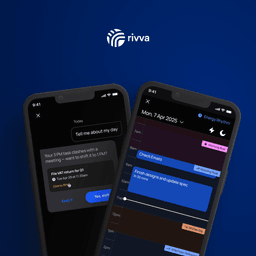
AI Productivity Assistant Syncing Work & Energy, planning your day around your focus level.
TickTick logo
TickTick
Task manager, calendar, habits, and Pomo timer in one app
Cal.com logo
Cal.com
Open-source scheduling infrastructure you can customize and own
Reclaim logo
Reclaim
AI scheduling for busy professionals
SkedPal logo
SkedPal
The AI Calendar That Helps You Master Your Day by turning your to-do list into a smart, time-blocked schedule.
Koalendar logo
Koalendar
The smartest way to schedule appointments, forever free.
Teachworks logo
Teachworks
Organize and automate your tutoring or teaching business with comprehensive management tools.
Kolab Now logo
Kolab Now
Secure and private email, calendar, and file storage for individuals and teams.
Clockwise logo
Clockwise
Automatically creates focus time by intelligently rescheduling meetings
Structured logo
Structured
Organize your day with a visual timeline and AI planning
Meety 2.0 logo
Meety 2.0
A macOS menu bar app for Google Calendar, offering quick meeting joins and smart alerts.
Pike13 logo
Pike13
Revolutionize operations with smart scheduling, billing, and client management for service-based businesses.
Motion logo
Motion
AI calendar and productivity assistant
TidyCal logo
TidyCal
Simple scheduling for professionals
Kalendar.work logo
Kalendar.work
A free and open-source scheduling tool offering premium features without the cost.
Launch27 logo
Launch27
Streamline operations and grow your cleaning business with automated scheduling and payments.
CourtReserve logo
CourtReserve
Comprehensive club management software for racquet and paddle sports facilities.
Lunacal logo
Lunacal
Streamline your scheduling with an intuitive online booking system for individuals and teams.
PTminder logo
PTminder
Manage your fitness business with ease: scheduling, clients, and payments in one platform.
SavvyCal logo
SavvyCal
Schedule meetings by overlaying calendars and collecting payments

Browse all calendar tools

17 tools match your filters
Phorest logo
Phorest
All-in-one software for salons, spas, and aesthetic clinics to manage, market, and grow.
paid· Web, iOS, Android
rivva logo
rivva
AI Productivity Assistant Syncing Work & Energy, planning your day around your focus level.
paid· Web, iOS, Android, macOS, Windows
SkedPal logo
SkedPal
The AI Calendar That Helps You Master Your Day by turning your to-do list into a smart, time-blocked schedule.
paid· Web, iOS, Android
CourtReserve logo
CourtReserve
Comprehensive club management software for racquet and paddle sports facilities.
paid· Web, iOS, Android
Fantastical logo
Fantastical
Calendar app for Apple devices with natural language
paid· macOS, Windows, iOS
Schedulista logo
Schedulista
Online appointment scheduling that empowers clients to book themselves 24/7, reducing no-shows and administrative...
paid· Web, iOS, Android
Mayday logo
Mayday
Your AI-powered co-pilot for intelligent scheduling, task management, and calendar organization.
paid· macOS, iOS
OneCal logo
OneCal
Sync multiple calendars in real-time, avoid double bookings, and manage all events in one place.
paid· Web, iOS, Android
Sunsama logo
Sunsama
The only task manager, calendar, and daily planner for modern professionals to achieve work-life balance.
paid· Web, iOS, Android, macOS, Windows, Linux
StudioBookings logo
StudioBookings
Easiest and most reliable booking software for fitness and wellness studios.
paid· Web, iOS, Android
BusyCal logo
BusyCal
The professional calendar app for Mac and iOS that works so you don't have to.
paid· macOS, iOS
Layered logo
Layered
Display your daily schedule directly on your phone's wallpaper for instant access.
paid· iOS
CapyPlan logo
CapyPlan
The daily planner that forgives you, helping you flow through your day without the panic.
paid· iOS
Morgen logo
Morgen
Calendar and scheduling assistant
paid· Windows, macOS, Linux, Web, iOS, Android
NotePlan logo
NotePlan
Blend tasks, notes, and calendar into one powerful hub for tech-savvy professionals.
paid· macOS, iOS, Web
GoodTask logo
GoodTask
Enhance Apple's Reminders and Calendars into a powerful, customizable task manager and planner.
paid· iOS, macOS
Posteo logo
Posteo
Green, secure, and ad-free email, calendar, and address book for maximum privacy.
paid· Web, iOS, Android

In-depth: why these tools made the cut

Google Calendar logo

Google Calendar is free with Google accounts, integrates with virtually every tool that has scheduling, and works across devices. For most users, it's the right default. The Appointment Schedules feature also covers light booking needs without a separate Calendly subscription.

For power users with chronic over-commitment or multi-account complexity, wrappers (Notion Calendar, Reclaim, Motion) layer on real productivity. Most users overestimate their need for these.

Notion Calendar logo

Notion Calendar (formerly Cron) is the keyboard-first, multi-account calendar wrapper. Native Notion integration, multi-account merging, and a clean Mac/iOS design make it the best layer on top of Google Calendar for productivity-focused users.

Notion Calendar doesn't try to be a task manager; pair it with Notion or another task tool. For users who live in calendar-time-blocking workflows, it's worth the switch.

How to choose calendar software

  1. Match wrapper to base calendar

    Google Calendar power user: Notion Calendar, Cron, Reclaim. Apple ecosystem: Fantastical. Outlook user: stick with Outlook or use a cross-platform tool. The wrappers don't replace your calendar; they sit on top of it.

  2. Identify if scheduling automation matters

    Reclaim and Motion auto-block calendar time for habits, focus blocks, and tasks. Useful for people who chronically over-commit; overkill for casual schedulers. Try the free tier before subscribing.

  3. Plan for multi-account view

    Cross-account viewing (personal + work calendars in one timeline) is the single biggest productivity win for many users. Notion Calendar handles this well; most native calendar apps still show accounts separately.

Honorable mentions

Tools that didn't crack the headline list but deserve a look depending on what you optimize for.

  • Fantastical logo
    FantasticalBest for Apple-ecosystem users

    Fantastical's natural language input, deep iCal integration, and Mac/iOS design make it the best calendar UI for Apple users who want to layer on top of Apple Calendar.

Best Calendar for

How we ranked these calendar tools

We rank by real-world signal: verified user ratings aggregated from G2, Capterra, and our own community, the volume and recency of media coverage, and hands-on editorial review for the tools we cover in depth. Pricing is re-checked and the ranking refreshed monthly. We do not sell placement in this list.

Tools reviewed
82
With free tier
57%
Last updated
July 2026

Frequently Asked Questions

What is the best calendar tool in 2026?

Based on our analysis of 82 calendar tools, Google Calendar ranks #1 on Toolradar's assessment. The runners-up are Notion Calendar, Acuity Scheduling, Fellow. Our rankings are based on features, pricing, user reviews, and real-world testing across 82 products.

What are the top 3 calendar tools?

The top 3 calendar tools in 2026, ranked by Toolradar, are: 1) Google Calendar, Organize your time with smart scheduling and seamless syncing. 2) Notion Calendar, Unify work and personal schedules with integrated deadlines and scheduling links. 3) Acuity Scheduling, Appointment scheduling by Squarespace.

Are there free calendar tools?

Yes: 6 out of our top 10 calendar tools offer free or freemium plans. The top free options are Google Calendar, Notion Calendar, Fellow. Free plans typically include core features with usage limits.

How do I choose the right calendar tool?

Start by defining your team size, budget, and must-have features. Google Calendar is the top-rated option overall. For budget-conscious teams, Google Calendar offers strong value. Compare all 82 options side-by-side on Toolradar, where we evaluate features, pricing, ease of use, and user reviews.

For calendar vendors

Selling a calendar product? Reach 550K+ buyers through Toolradar & Dupple.

Newsletter ads and directory listings: the same surfaces buyers use to shortlist. Max 2 sponsors per issue, done-for-you creative.