






Skip to content

Ranked list

Best Resource Planning Tools in 2026

Resource allocation and capacity planning

Ranked by public review volume and rating, plus media mentions: a tool with many more reviews can rank above one with a higher rating. Tools whose main product is in another category are listed after the ranking. How we rank

Key Takeaways
  • BigTime is our overall pick for resource planning in 2026. Teamwork is our free pick. Overall pick: Cheapest paid plan Essentials, $20/mo per user. Rated 4.5/5 on G2 (1,923 ratings, Sep 2026). Watch out: Potential DCAA compliance add-on cost. Free pick: Free plan; cheapest paid plan Basics, $9.99/mo per user on the annual plan. Rated 4.4/5 across SourceForge and G2 (1,281 ratings, Sep 2026). Watch out: Minimum paid seat counts apply.
  • We evaluated 50 resource planning tools to create this ranking.
  • 1 of the 10 tools listed here has a free plan.
  • 50 tools evaluated
  • 10 top picks
  • 1 with a free plan

Resource planning tools (Float, Resource Guru, Runn, Forecast, Mosaic, Tempus Resource) help agencies and services firms plan team capacity across projects. Overlaps with PSA (professional services automation); for many teams, time tracking + a Gantt view is enough.

Top 3 resource planning tools

  1. BigTime logo

    BigTime

    #1 Top pick

    AI-powered professional services automation to drive revenue, maximize utilization, and accelerate payments.

    Starting price

    From $20 /mo per user

    Cheapest paid plan, as of November 2026

    4.5 /5 on G2 · 1,923 ratings, Sep 2026

    Our take

    Best overall

  2. Float logo

    Float

    #2

    Optimize resource allocation, plan projects profitably, and gain financial insights for your team.

    Starting price

    From $700 /mo

    Cheapest paid plan, as of November 2026

    4.1 /5 across G2, Capterra and SourceForge · 2,976 ratings, Nov 2026

  3. Resource Guru logo

    Smarter scheduling, profitable projects, and happy teams through clear resource management.

    Starting price

    From $5 /mo per user

    Cheapest paid plan, as of November 2026

    4.7 /5 across G2 and Capterra · 1,035 ratings, Sep 2026

    Our take

    Highest rated

10 top resource planning tools compared

Resource planning tools compared on starting price (cheapest paid plan with its commitment term, as of November 2026) and average user rating with its number of reviews and each review site's own score.
BigTime logo
BigTime
Best overall
Price: $20/mo per user 4.5 (1,923 reviews) out of 5 on G2 G2 4.5
Float logo
Float
Price: $700/mo 4.1 (2,976 reviews) out of 5 across G2, Capterra and SourceForge G2 4.8 · Capterra 4.6
Resource Guru logo
Resource Guru
Highest rated
Price: $5/mo per user 4.7 (1,035 reviews) out of 5 across G2 and Capterra Capterra 4.7 · G2 4.6
Teamwork logo
Teamwork
Best free tier
Price: $9.99/mo per user on the annual plan 4.4 (1,281 reviews) out of 5 across SourceForge and G2 G2 4.4 · SourceForge 4.3
Humanity logo
Humanity
Price: Not published 4.0 (1,223 reviews) out of 5 across G2, SourceForge, Capterra and more G2 4.3 · Capterra 4.3
Certinia logo
Certinia
Price: Not published 4.3 (741 reviews) out of 5 across SourceForge and G2 G2 4.3 · SourceForge 4.3
Shiftboard logo
Shiftboard
Price: Contact sales 4.5 (287 reviews) out of 5 across G2 and Capterra Capterra 4.4 · G2 4.6
Skedulo logo
Skedulo
Price: Contact sales 4.1 (405 reviews) out of 5 on G2 G2 4.1
MRPeasy logo
MRPeasy
Price: $49/mo per user 4.5 (228 reviews) out of 5 across G2 and Capterra Capterra 4.5 · G2 4.6
Kadence logo
Kadence
Price: Contact sales 4.5 (172 reviews) out of 5 across G2 and Capterra G2 4.5 · Capterra 4.6

These entry prices are not on the same basis: some are per user and some are not and some need a longer commitment than others. Each one is shown as its vendor sells it, and none is ranked against the others.

Resource Planning pricing compared

Resource Planning pricing, as of November 2026
BigTime Cheapest paid plan: Essentials, $20/mo per user Free plan: No Billing: Per user, monthly plan
Float Cheapest paid plan: Starter, $700/mo Free plan: No Billing: Monthly plan
Resource Guru Cheapest paid plan: Grasshopper, $5/mo per user Free plan: No Billing: Per user, monthly plan
Teamwork Cheapest paid plan: Basics, $9.99/mo per user on the annual plan Free plan: Yes Billing: Per user, annual plan
Humanity Cheapest paid plan: Not published Free plan: No Billing: Not published
Certinia Cheapest paid plan: Not published Free plan: No Billing: Not published
Shiftboard Cheapest paid plan: Not published Free plan: No Billing: Not published
Skedulo Cheapest paid plan: Not published Free plan: No Billing: Not published
MRPeasy Cheapest paid plan: Starter, $49/mo per user Free plan: No Billing: Per user, monthly plan
Kadence Cheapest paid plan: Not published Free plan: No Billing: Not published

Toolradar pricing data, last verified November 2026. Each price is the cheapest paid plan as its vendor sells it, written per month, with the commitment it needs. "Not published" means the vendor publishes no price for a self-serve paid plan. 5 of the 10 tools in this table publish a paid plan price. These entry prices are not on the same basis: some are per user and some are not and some need a longer commitment than others. Each one is shown as its vendor sells it, and none is ranked against the others.

Top resource planning tools

Order: Toolradar ranking score, which is the public review volume times the average rating on G2, Capterra, Trustpilot and other review sites, plus media mentions (recent ones count more). A paid placement sits at the position sold and never changes the score. How we rank.

1
BigTime logo

BigTime

Paid

AI-powered professional services automation to drive revenue, maximize utilization, and accelerate payments.

Best for: Professional services firms managing projects, resourcing, and finances

4.5 /5 on G2 · 1,923 ratings, Sep 2026

From $20/mo per user

BigTime is a comprehensive professional services automation (PSA) platform designed for service-based organizations. It integrates critical business functions from project inception to financial close, helping firms streamline operations, improve profitability, and enhance client satisfaction. The platform leverages AI to automate tasks, provide insights, and optimize resource allocation. BigTime is built for professional services firms across various industries, including consulting, engineering, and IT services. It helps these organizations manage their entire project lifecycle, from initial scoping and pricing to resource management, time and expense tracking, invoicing, and complex revenue recognition. By centralizing these functions, BigTime aims to boost productivity, shorten sales cycles, and improve cash flow. The core benefit of BigTime is its ability to provide real-time visibility into project financials and resource utilization, enabling better decision-making and proactive risk management. It automates manual processes, reduces administrative overhead, and ensures compliance, allowing firms to focus on delivering value to their clients and growing their business.

Used BigTime? Rate it
  • Pro: Boosts productivity by 52% through automated time tracking and resource planning.
  • Pro: Shortens sales cycles by 88% with automated scoping and pricing.
  • Pro: Reduces days sales outstanding by accelerating invoice generation and payments.
  • Con: Requires integration with existing financial systems for full functionality, which may involve setup time.
  • Con: The extensive feature set might have a learning curve for new users.
Good value

BigTime's Essentials tier at $20 per user/month offers a fair starting point for core PSA functionalities, especially with the inclusion of an AI Assistant.

Watch out

Potential DCAA compliance add-on cost

2
Float logo

Float

Paid

Optimize resource allocation, plan projects profitably, and gain financial insights for your team.

Best for: Professional services firms planning resources, projects, capacity, and delivery performance

4.1 /5 across G2, Capterra and SourceForge · 2,976 ratings, Nov 2026

From $700/mo

Float is a resource management, planning, and scheduling software designed for professional services firms and in-house creative teams. It helps organizations build winning teams for client projects by providing a centralized resourcing plan that adapts in real-time, matching work with the right skills, availability, and capacity within their global talent pool. The platform enables users to scope projects with profitability in mind from day one, setting budgets and margins, and tracking actuals against estimates. It also offers financial insights to improve performance and the bottom line by understanding how resourcing decisions impact utilization and profitability. Float integrates with existing people, project, and financial systems to ensure data accuracy and provides tools for live capacity tracking, time off management, and customized team setups.

Used Float? Rate it
Float screenshot
  • Pro: Increases resourcing efficiency and on-time delivery
  • Pro: Provides clear visibility into team availability and project profitability
  • Pro: Helps prevent double-booking and overworking team members
  • Con: Float's built-in reporting is thin, so teams that need in-depth project budget or financial analysis often end up exporting data to CSV and rebuilding the numbers in a spreadsheet.
  • Con: Float is a pure resource scheduler with no real project or task management, lacking task dependencies and hierarchies, so it usually has to be paired with a separate PM tool for the actual execution work.
Weak value

Float's pricing is on the expensive side, especially for smaller teams.

3
Resource Guru logo

Smarter scheduling, profitable projects, and happy teams through clear resource management.

Best for: Teams scheduling people, equipment, and meeting rooms against project availability

Not for: Teams wanting reports on the Grasshopper plan

4.7 /5 across G2 and Capterra · 1,035 ratings, Sep 2026

From $5/mo per user

Resource Guru is a comprehensive resource management and scheduling software designed to help teams clarify capacity, forecast accurately, and manage projects effectively. It provides tools to visualize team availability, workloads, and utilization, enabling businesses to identify and solve resource gaps, prevent overstretching teams, and ensure productivity. The platform moves teams away from chaotic spreadsheets and bloated tools, offering a focused, speedy, and transparent way to manage resources. The software allows for flexible scheduling of people, equipment, vehicles, and meeting rooms, with features like color-coding, heatmaps, and proactive clash management to avoid conflicts. It also supports project management by outlining timelines, creating milestones, tracking budgets, and monitoring utilization metrics. Additionally, Resource Guru includes timesheets for tracking scheduled vs. actual hours, with auto-fill and approval workflows, and offers customizable reports for data-driven business decisions, including profit analysis and billable utilization goals. It integrates with existing tools like calendars, task managers, and financial software to streamline workflows.

Used Resource Guru? Rate it
Resource Guru screenshot
  • Pro: Low learning curve and quick to set up.
  • Pro: Provides real-time visibility into team capacity and availability.
  • Pro: Flexible scheduling with drag-and-drop functionality and conflict prevention.
  • Con: No free tier mentioned, only a free trial.
Good value

Resource Guru's pricing is fair for its comprehensive resource management features.

4
Teamwork logo

Teamwork

Free plan

Project and resource management software for busy teams, integrating client management and automated forms.

Best for: Client services firms that track project margin, billable utilization and resourcing

4.4 /5 across SourceForge and G2 · 1,281 ratings, Sep 2026

From $9.99/mo per user on the annual plan (free plan available)

Teamwork.com is a comprehensive project and resource management software designed for busy teams. It offers robust tools for planning projects, managing resources, and leveraging AI-powered productivity. The platform emphasizes security, being SOC 2 Type 2 certified, and ensures private data is never used to train third-party models. It also boasts extensive integrations with various apps and platforms, from Asana to Zendesk, and provides ready-made templates to kickstart projects. One of Teamwork.com's core strengths is its client management capabilities, providing a central hub to oversee all client projects. Users can track profitability, budget usage, time splits, and project health, and even add unlimited client users for enhanced collaboration without extra cost. The platform also includes features like proofs for streamlined client approvals and visual milestones to track progress. Additionally, Teamwork.com offers a Forms feature that automates data collection by turning form submissions into tasks, supporting conditional logic, custom branding, and task field mapping to streamline workflows and ensure all necessary information is gathered efficiently.

Used Teamwork? Rate it
  • Pro: Good project management
  • Pro: Client portal
  • Pro: Time tracking
  • Con: UI dated
  • Con: Less modern than competitors
Good value

Teamwork Free supports up to 5 users and 5 projects.

Watch out

Minimum paid seat counts apply.

5
Humanity logo

Humanity

Paid

Automate employee scheduling, optimize labor costs, and manage compliance for your entire team.

Best for: Frontline workforce managers planning compliant employee shifts

4.0 /5 across G2, SourceForge, Capterra and more · 1,223 ratings, Sep 2026

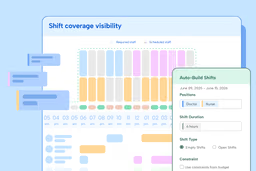
Humanity Schedule is a dynamic employee scheduling software designed to automate shift planning, close coverage gaps, and ensure compliance. It leverages AI capabilities to forecast demand, auto-build compliant schedules, and match available, qualified staff to shifts, eliminating staffing errors and optimizing labor costs. The platform aims to create a stress-free experience for both managers and employees by simplifying schedule building and communication. The software provides tools for confident demand prediction, detailed labor cost and budget management, and robust compliance monitoring against labor laws, internal policies, and collective bargaining agreements. It also offers a mobile app for employees to access schedules, request time off, trade shifts, and adjust availability, promoting visibility and engagement. Humanity Schedule integrates with major payroll providers, ERP/HCM vendors, and offers an open API for seamless integration with existing workforce systems.

Used Humanity? Rate it
Humanity screenshot
  • Pro: Reduces time spent on employee shift scheduling significantly.
  • Pro: Minimizes staffing errors and optimizes labor costs.
  • Pro: Enhances employee satisfaction and engagement through mobile access and self-service options.
  • Con: Time-off management is limited, with reviewers noting the system cannot build complex PTO policies such as tiered accrual rules based on tenure or employee classification.
  • Con: Customers repeatedly report slow, hard-to-reach support with unresolved billing and training issues, a real risk for a platform sold on scheduling compliance.
6
Certinia logo

Certinia

Paid

AI-powered cloud platform for professional services automation, financial management, and customer success.

Best for: Services and technology organizations managing complex operations

4.3 /5 across SourceForge and G2 · 741 ratings, Sep 2026

Certinia is a Salesforce-native cloud platform that unifies sales, services delivery, finance, and customer success into a single connected system. It offers Professional Services Cloud (PS Cloud) for streamlining project delivery, optimizing resources, and boosting profit margins with AI-powered staffing and forecasting. The Financial Management Cloud (FM Cloud) provides real-time financial analysis, audit trails, and profitability management from sales through delivery, eliminating disconnected systems. Additionally, Certinia includes a Customer Success Cloud (CS Cloud) built directly on Salesforce to ensure proactive, outcome-led customer engagement. This allows businesses to operationalize best practices, personalize customer experiences with AI, and automatically identify at-risk customers. The platform is designed for services organizations across various industries like IT Services, Consulting & Advisory, Software, IT Hardware, and Tax & Audit, aiming to provide unified data, smarter decision-making, and superior customer outcomes.

Used Certinia? Rate it
Certinia screenshot
  • Pro: Built natively on Salesforce, leveraging existing investments and integrations.
  • Pro: Eliminates data silos by unifying sales, services, finance, and customer success.
  • Pro: Provides real-time visibility and insights for better decision-making.
  • Con: Requires a Salesforce ecosystem, which might not be suitable for all businesses.
  • Con: No explicit mention of a free trial or transparent pricing on the website.
7
Shiftboard logo

Intelligent employee scheduling software for mission-critical industries to optimize workforce management.

4.5 /5 across G2 and Capterra · 287 ratings, Sep 2026

Price: Contact sales

Shiftboard is an employee scheduling software designed for mission-critical, shift-based industries like manufacturing, energy, and corrections. It leverages robust data intelligence and tailor-fit automation to create adaptive, worker-friendly schedules that maximize shift coverage and optimize workforce capacity. The platform helps organizations attract and retain employees by offering transparent, fair, and flexible schedules, while also turbocharging scheduling efficiency by matching specific operational needs. The software provides comprehensive capabilities including schedule automation, worker engagement tools, agile change management, continuous coverage optimization, labor demand planning, and integrated leave and timesheet management. It is highly configurable to meet unique industry requirements, union agreements, and internal policies, ensuring compliance and reducing labor costs. Shiftboard aims to improve worker satisfaction, reduce turnover, increase shift coverage, and accelerate schedule creation for complex, high-volume scheduling environments.

Used Shiftboard? Rate it
Shiftboard screenshot
  • Pro: Highly configurable to match specific industry and operational needs
  • Pro: Significant ROI reported by customers (e.g., 88% higher shift coverage, 16% reduction in turnover)
  • Pro: Robust automation engine for compliance with laws, regulations, and union agreements
  • Con: No free tier or trial explicitly mentioned
  • Con: Primarily focused on mission-critical, shift-based industries, potentially less suitable for other business types
Fair value

However, the comprehensive feature sets suggest a premium offering tailored for organizations with complex scheduling needs.

Watch out

Potential for minimum seat count requirements

8
Skedulo logo

Skedulo

Paid

Intelligent scheduling and real-time tracking for mobile workforces

Best for: Frontline operations scheduling field visits, shifts, and mobile teams

4.1 /5 on G2 · 405 ratings, Jul 2026

Price: Contact sales

Skedulo is a cloud-based platform designed to manage and optimize mobile workforces. It provides intelligent scheduling, dispatching, and real-time tracking of field workers, connecting the office with the field. The platform helps organizations improve resource utilization, reduce travel time, and increase customer satisfaction by automating the assignment of jobs based on skills, location, and availability. Skedulo is used by industries such as healthcare, field service, retail, and logistics to coordinate large, distributed teams.

Used Skedulo? Rate it
Skedulo screenshot
  • Pro: Significantly improves operational efficiency and reduces costs
  • Pro: Scalable platform that grows with your organization
  • Pro: Provides real-time visibility into field worker locations and activities
  • Con: No transparent pricing, requires contacting sales for a quote
  • Con: Does not support monthly billing; only annual contracts
Fair value

Skedulo's pricing is opaque and likely expensive for small teams, as both tiers require contacting sales and only offer yearly billing.

Watch out

Annual-only billing with no monthly option

9
MRPeasy logo

MRPeasy

Paid

AI-powered MRP software for small manufacturers to manage production and distribution.

Best for: Small manufacturers with 10 to 200 employees

4.5 /5 across G2 and Capterra · 228 ratings, Sep 2026

From $49/mo per user

MRPeasy is an AI-powered Manufacturing Resource Planning (MRP) software designed for small manufacturers, typically those with 10-200 employees. It provides a comprehensive suite of tools to manage all aspects of manufacturing and distribution, aiming to replace disparate systems like spreadsheets. The software helps manufacturers with accurate production planning, real-time inventory management, and precise, on-time deliveries. It integrates various business functions including sales, production, warehousing, procurement, administration, and finance to ensure seamless communication and operational efficiency. Key benefits include improved equipment utilization, reduced lead times, prevention of stock-outs, and better financial decision-making. MRPeasy offers features like detailed production planning, BOM management, lot and serial number tracking, sales order processing, workforce management, procurement forecasting, and financial tracking. It also integrates with popular accounting and e-commerce platforms, making it a robust solution for streamlining manufacturing operations and supporting business growth.

Used MRPeasy? Rate it
MRPeasy screenshot
  • Pro: Seriously powerful yet easy-to-use for small manufacturers.
  • Pro: Eliminates the need for multiple systems and spreadsheets.
  • Pro: Integrates seamlessly with popular platforms like Xero and Shopify.
  • Con: Pricing is per user, which can add up for larger teams.
  • Con: No free tier, only a limited-time free trial.
Good value

MRPeasy's pricing is fair, especially for small manufacturers needing comprehensive MRP.

10
Kadence logo

Kadence

Paid

The #1 AI-powered platform for unifying people and spaces in hybrid workplaces.

Best for: Corporate real estate and facilities teams managing workplaces and portfolios

4.5 /5 across G2 and Capterra · 172 ratings, Sep 2026

Price: Contact sales

Kadence is a comprehensive workplace operations platform designed to bring order to the complexities of hybrid work environments. It unifies space management, employee experience, and workplace analytics into a single, intelligent system. The platform helps organizations optimize their real estate, foster in-person collaboration, and make data-backed decisions about office usage, replacing disconnected tools and guesswork. Kadence is ideal for forward-thinking organizations, from small teams to global enterprises, looking to maximize the efficiency of their office spaces and enhance employee engagement. It enables companies to transition from fixed desks to flexible models, reduce real estate costs, and create a more attractive and productive office experience that encourages voluntary in-office attendance. By coordinating people, spaces, and strategy, Kadence ensures every office day builds connection and impact. The platform offers features like real-time space visibility, AI-powered coordination for team collaboration, and detailed analytics on usage patterns. It integrates seamlessly with existing tech stacks, including Microsoft Teams, Slack, and calendars, to streamline workflows without adding complexity. Kadence aims to make hybrid working frictionless by eliminating the need for sensors, spreadsheets, or scheduling headaches.

Used Kadence? Rate it
Kadence screenshot
  • Pro: Unifies multiple workplace tools into a single platform.
  • Pro: Provides data-backed insights for strategic real estate decisions.
  • Pro: Enhances employee experience and collaboration in hybrid settings.
  • Con: Requires a minimum 1-year contract, billed annually.
  • Con: Floor plan setup incurs an additional cost per floor.

Fair value

Without transparent pricing, it's impossible to compare against market rates.

Watch out

Potential for high minimum user counts.

Why other resource planning tools didn't make our top 10

We evaluated 50 tools in this category and these 16 ranked 11 through 26. They're solid options that fell short on one or two axes (review depth, pricing transparency, feature parity), but worth a look if the leaders don't fit your stack or budget.

How to choose resource planning software

  1. Decide if you need it

    Small teams (under 20 people) often run resource planning in spreadsheets or in their PM tool. Dedicated resource planning earns value at 20+ billable people across multiple concurrent projects.

  2. Agency vs internal teams

    Agency / services firms (utilization, billable hours): Float, Resource Guru, Runn. Internal product/IT teams (capacity, priorities): Mosaic, Tempus Resource. Same problem, different lenses.

  3. Plan for the data feed

    Resource plans only work if they reflect actual project workload. Tools that integrate with PM tools (Jira, Asana, Monday) and time tracking deliver accurate capacity views; standalone planning drifts from reality fast.

Toolradar data

The resource planning tools market in numbers

Toolradar data: Toolradar tracks 50 resource planning tools as of November 27, 2026. 20% of the resource planning tools on Toolradar are free, freemium or open source. Toolradar re-checked the pricing of 66% of resource planning tools in the last 90 days. Toolradar aggregates 14,541 public user reviews (G2, Capterra, Trustpilot and other review sites) across 35 rated resource planning tools. The most cross-shopped resource planning tool is Productive, listed as an alternative to 27 other tools on Toolradar. The most compared resource planning tool on Toolradar over the last 90 days is Productive, with 100 side-by-side comparisons. Computed from the Toolradar catalog and on-site activity.


  • 50 resource planning tools tracked
  • 20% are free, freemium or open source
  • 66% of prices re-checked in the last 90 days
  • 14,541 public user reviews aggregated across 35 rated tools
Most cross-shopped resource planning tools on Toolradar, as of November 2026 Listed as an alternative to the most other tools on Toolradar
Rank Tool Listed as an alternative to
1 Productive 27 tools
2 Teamwork 26 tools
3 7shifts 17 tools
Most compared resource planning tools on Toolradar, last 90 days to November 2026 Side-by-side comparisons by visitors, last 90 days
Rank Tool Comparisons
1 Productive 100
2 7shifts 64
3 Teamwork 62

Source and method: live resource planning tools statistics

Resource Planning leaderboards from Toolradar data

Toolradar ranks Resource Planning tools on one measure at a time, only where at least 8 tools have data. As of Nov 2026.

CSV download of these Resource Planning leaderboards, licensed CC BY 4.0

Lowest entry price, per-user plans

Cheapest standard paid plan per month (annual prices divided by 12), read on vendor pages and compared only with tools priced on the same basis.

Counted among 10 tools priced per user, verified price.

Lowest entry price, per-user plans, Resource Planning tools on Toolradar, as of Nov 2026
# Tool Entry plan
1 PepperPlanner $3/mo per user
2 Resource Guru $5/mo per user
3 Teamwork $9.99/mo per user on the annual plan
4 Productive $10/mo per user
5 Awork $15/mo per user

A position exists only when at least 8 tools have data for that metric. 10 Resource Planning tools have a price we verified on the vendor's page; the others publish none we could read (often "contact sales"). Advertising and placement fees are not inputs to any position. How we compute this. Cite this: Toolradar, “Resource Planning leaderboards”, Nov 2026. Data licensed CC BY 4.0. All Resource Planning statistics.

How the top resource planning tools compare

1 of the 10 resource planning tools listed here have a free plan (Teamwork); the other 9 (BigTime, Float, Resource Guru, Humanity, Certinia, Shiftboard, Skedulo, MRPeasy, Kadence) are paid only. Teams on a budget should start with Teamwork, our free pick.

Order: public review volume and rating (G2, Capterra, Trustpilot and the app stores) plus media mentions. Editorial policy

Popular resource planning comparisons

See how the leading resource planning tools stack up head-to-head.

Compare all 50 resource planning tools side by side

Pricing breakdowns for resource planning tools

Real plans and the hidden costs for each tool.

Browse all resource planning tools

50 tools

Best Resource Planning for

Which one should you pick?

Each line is the product's Best for note on its Toolradar listing; Why is the first strength listed there.

Best for: Professional services firms managing projects, resourcing, and financesPick: BigTimeWhy: Boosts productivity by 52% through automated time tracking and resource planning.
Best for: Professional services firms planning resources, projects, capacity, and delivery performancePick: FloatWhy: Increases resourcing efficiency and on-time delivery
Best for: Teams scheduling people, equipment, and meeting rooms against project availabilityPick: Resource GuruWhy: Low learning curve and quick to set up.
Best for: Client services firms that track project margin, billable utilization and resourcingPick: TeamworkWhy: Good project management
Best for: Frontline workforce managers planning compliant employee shiftsPick: HumanityWhy: Reduces time spent on employee shift scheduling significantly.
Best for: Services and technology organizations managing complex operationsPick: CertiniaWhy: Built natively on Salesforce, leveraging existing investments and integrations.

How we ranked these resource planning tools

This list is ordered by our ranking score: public review volume and rating (G2, Capterra, Trustpilot and the app stores) plus media mentions, recent ones counting more. A paid placement sits at the position sold and never changes the score.

Tools evaluated
50
With free plan
18%
Last updated
November 2026

Toolradar research

First-party analyses built from our full catalog, methodology published.

All Toolradar research

Frequently Asked Questions

What is the best resource planning tool in 2026?

Based on our analysis of 50 resource planning tools, BigTime is our overall resource planning pick. The next tools on the list are Float, Resource Guru, Teamwork. Rankings use public review volume and rating (G2, Capterra, Trustpilot and the app stores), and media mentions.

What are the top 3 resource planning tools?

The top 3 resource planning tools in 2026, ranked by Toolradar, are: 1) BigTime, AI-powered professional services automation to drive revenue, maximize utilization, and accelerate payments. 2) Float, Optimize resource allocation, plan projects profitably, and gain financial insights for your team. 3) Resource Guru, Smarter scheduling, profitable projects, and happy teams through clear resource management.

Are there free resource planning tools?

Yes. Teamwork is our free resource planning pick (free plan alongside paid plans). 1 of the 10 tools on this page has a free plan. Among the 50 resource planning tools we rank, 9 have a free plan.

How do I choose the right resource planning tool?

Start by defining your team size, budget, and must-have features. BigTime is our overall resource planning pick. Teamwork is our free resource planning pick. Compare all 50 options side by side on Toolradar.

Cite this page: Toolradar, "Best Resource Planning Tools in 2026", updated November 2026, https://toolradar.com/best/resource-planning

Resource Planning statistics catalog size, ratings and pricing data, updated monthly

Same topic on Toolradar

For resource planning vendors

Selling a resource planning product? Reach 990K+ buyers through Toolradar & Dupple.

Newsletter ads and directory listings: the same surfaces buyers use to shortlist. Maximum 3 sponsors per issue, native layout, no ad design needed.

Some offers on this page may be paid placements or contain affiliate links.