Skip to content

Best Workflow Automation Tools in 2026

No-code workflow automation platforms

  • 1,020 tools evaluated
  • 10 top picks
  • 3 with a free plan
Key Takeaways
  • monday.com is our overall pick for workflow automation in 2026, and our free pick. Overall and free pick: Free plan; cheapest paid plan Basic, $3/mo. Rated 4.7/5 on G2 (17,192 ratings, Sep 2026). Watch out: Seat math is buckets, not exact headcount. Minimum 3 seats, then 5, 10, 15. A team of 4 pays for 5 (monday Support, Aug 2026).
  • We evaluated 1,020 workflow automation tools to create this ranking.
  • 3 of the 10 tools listed here have a free plan, perfect for getting started.

Workflow automation tools split between no-code SaaS connectors (Zapier, Make, Pipedream) and self-hostable / developer-friendly platforms (n8n, Airbyte for data, temporal for code). Pick by who'll build and maintain the workflows.

10 top workflow automation tools compared

Workflow automation tools compared on starting price (cheapest paid plan, monthly, as of October 2026), average user rating with each review site's own score, and the hidden cost to watch for.
monday.com logo
monday.com
Price: $3/mo4.7 on G2 G2 4.7Watch out: Seat math is buckets, not exact headcount. Minimum 3 seats, then 5, 10, 15. A team of 4 pays for 5 (monday Support, Aug 2026).
HubSpot logo
HubSpot
Price: $15/mo3.9 across Trustpilot, TrustRadius, PeerSpot and more G2 4.4 · Capterra 4.5Watch out: Contact pricing is the biggest trap: Marketing Hub Pro includes only 2,000 marketing contacts.
UiPath logo
UiPath
Price: $25/mo4.5 across G2, Capterra and Trustpilot G2 4.6 · Capterra 4.6
ServiceNow logo
ServiceNow
Price: Contact sales4.5 across G2 and Capterra G2 4.5 · Capterra 4.5Watch out: Annual uplift of 5-10% on renewals
Zip logo
Zip
Price: Not published4.6 across Trustpilot, G2 and Capterra Trustpilot 4.6 · G2 4.6
Rippling logo
Rippling
Price: Usage-based4.8 across G2 and Capterra G2 4.8 · Capterra 4.9Watch out: Annual contracts are mandatory. There is no monthly billing option, so you are locked in for 12 months minimum even if the product does not fit your needs
Creatio logo
Creatio
Price: $15/mo4.6 across G2 and Capterra G2 4.6 · Capterra 4.7
Monday Sales CRM logo
Monday Sales CRM
Price: $12/mo4.6 on G2 G2 4.6Watch out: Higher tiers often require annual billing for listed prices.
BILL logo
BILL
Price: $49/mo4.4 on G2 G2 4.4
Jotform logo
Jotform
Price: $39/mo4.7 across G2 and Capterra G2 4.7 · Capterra 4.7Watch out: Overage fees for submissions beyond tier limits

Workflow Automation pricing compared

Workflow Automation pricing, as of October 2026
monday.comCheapest paid plan: Basic, $3/moFree plan: YesBilling: Billing term not published
HubSpotCheapest paid plan: Starter, $15/moFree plan: Yes (Free Tools)Billing: Per user, billed monthly
UiPathCheapest paid plan: Basic, $25/moFree plan: NoBilling: Billed monthly
ServiceNowCheapest paid plan: Not publishedFree plan: NoBilling: Not published
ZipCheapest paid plan: Not publishedFree plan: NoBilling: Not published
RipplingCheapest paid plan: Not publishedFree plan: NoBilling: Not published
CreatioCheapest paid plan: Sales/Marketing/Service, $15/moFree plan: NoBilling: Per user, billed monthly
Monday Sales CRMCheapest paid plan: Basic, $12/moFree plan: NoBilling: Per user, billed monthly
BILLCheapest paid plan: Essentials, $49/moFree plan: NoBilling: Per user, billed monthly
JotformCheapest paid plan: Bronze, $39/moFree plan: YesBilling: Billed monthly

Toolradar pricing data, last verified October 2026. Prices are the cheapest paid plan converted to a monthly figure; "Not published" means the vendor publishes no price for a self-serve paid plan. 7 of 10 tools publish a paid price; median cheapest paid plan $15/mo.

Toolradar data

The workflow automation tools market in numbers

Toolradar data: Toolradar tracks 1,020 workflow automation tools as of October 12, 2026. 36% of the workflow automation tools on Toolradar are free, freemium or open source. The median cheapest paid plan for workflow automation tools is $39/mo, across the 240 that publish a price. Toolradar re-checked the pricing of 63% of workflow automation tools in the last 90 days. Toolradar aggregates 379,676 public user reviews (G2, Capterra, Trustpilot and other review sites) across 698 rated workflow automation tools. The most cross-shopped workflow automation tool is Bynder, listed as an alternative to 201 other tools on Toolradar. The most compared workflow automation tool on Toolradar over the last 90 days is LangChain, with 817 side-by-side comparisons. Computed from the Toolradar catalog and on-site activity.

  • 1,020 workflow automation tools tracked
  • 36% are free, freemium or open source
  • $39/mo median cheapest paid plan, across the 240 workflow automation tools that publish one
  • 63% of prices re-checked in the last 90 days
  • 379,676 public user reviews aggregated across 698 rated tools
Most cross-shopped workflow automation tools on Toolradar, as of October 2026 Listed as an alternative to the most other tools on Toolradar
Rank Tool Listed as an alternative to
1 Bynder 201 tools
2 LangChain 166 tools
3 HubSpot 163 tools
Most compared workflow automation tools on Toolradar, last 90 days to October 2026 Side-by-side comparisons by visitors, last 90 days
Rank Tool Comparisons
1 LangChain 817
2 Zapier 792
3 HubSpot 726

Source and method: live workflow automation tools statistics · Toolradar Research report

How the top workflow automation tools compare

3 of the 10 workflow automation tools listed here have a free plan (monday.com, HubSpot, Jotform); the other 7 (UiPath, ServiceNow, Zip, Rippling, Creatio, Monday Sales CRM, BILL) are paid only. Teams on a budget should start with monday.com, our free pick.

Rankings are computed from G2/Capterra review volume and rating, and media mentions. Editorial policy

Top workflow automation tools

1
monday.com logo

monday.com

Free plan

Organize work, automate tasks, and connect tools for team clarity

4.7 /5 on G2 · 17,192 ratings, Sep 2026

monday.com is a work operating system for managing projects, workflows, and everyday work. Visual boards organize work for any team. Automations eliminate busywork. Integrations connect to the tools you already use. Dashboards show progress across projects. The platform that brings clarity to how teams work together.

monday.com screenshot
  • Pro: Highly visual
  • Pro: Very customizable
  • Pro: Good automations
  • Con: Can be expensive
  • Con: Minimum 3 seats
Fair value

monday.com does not publish a single static dollar on its support docs.

Watch out

Seat math is buckets, not exact headcount. Minimum 3 seats, then 5, 10, 15. A team of 4 pays for 5 (monday Support, Aug 2026).


2
HubSpot logo

HubSpot

Free plan

CRM platform for scaling businesses

3.9 /5 across Trustpilot, TrustRadius, PeerSpot and more · 19,150 ratings, Sep 2026

HubSpot is an AI-powered customer platform that unifies marketing, sales, customer service, content management, and operations software in a single system. Built around a free CRM, it provides tools for email marketing, lead management, pipeline tracking, live chat, ticketing, website building, and workflow automation. HubSpot organizes its products into five Hubs, Marketing, Sales, Service, Content, and Operations, that share a common contact database and reporting layer. The platform serves a large number of customers across many countries, from startups using the free tools to enterprises running complex multi-touch attribution. Its App Marketplace offers numerous integrations with tools like Salesforce, Slack, and Shopify.

HubSpot screenshot
  • Pro: Generous free tier with CRM, forms, email, live chat, and basic reporting at no cost
  • Pro: Unified platform eliminates data silos between marketing, sales, and service teams
  • Pro: Intuitive interface with short learning curve compared to Salesforce
  • Con: Pricing escalates quickly, Professional and Enterprise tiers are expensive for SMBs
  • Con: Marketing contacts model means you pay more as your database grows
Fair value

HubSpot's pricing is the most complex in SaaS, 7 Hubs, 4 tiers each, per-seat AND per-contact charges, plus mandatory onboarding fees.

Watch out

Contact pricing is the biggest trap: Marketing Hub Pro includes only 2,000 marketing contacts.

3
UiPath logo

UiPath

Paid

Drive AI transformation with agentic automation for end-to-end process orchestration.

4.5 /5 across G2, Capterra and Trustpilot · 8,494 ratings, Sep 2026

UiPath provides an automation platform that leverages agentic AI to orchestrate complex workflows across an enterprise. It combines agents that "think" with robots that "do" to automate a wide range of business processes, freeing human teams to focus on higher-impact tasks. The platform is designed for rapid prototyping and deployment, enabling business owners, low-code users, developers, and IT teams to collaborate on creating automated solutions. This platform is ideal for large enterprises across various industries, including financial services, healthcare, insurance, public sector, and manufacturing, seeking to streamline operations, improve efficiency, and achieve significant ROI through intelligent automation. It addresses challenges from customer onboarding and claims processing to supply chain management and HR tasks, by integrating with existing technologies and providing robust governance and compliance controls.

UiPath screenshot
  • Pro: Significantly increases productivity and operational efficiency.
  • Pro: Reduces administrative burden across various sectors.
  • Pro: Empowers both technical and non-technical users to co-create automation solutions.
  • Con: No free tier or trial information is explicitly mentioned, suggesting a paid enterprise solution.
  • Con: Requires integration with existing systems, which may involve initial setup complexity.
Fair value

The Basic tier is affordable for individuals, but the lack of public pricing for Standard and Enterprise suggests potentially high costs for businesses.

4
ServiceNow logo

Digitize and automate workflows for IT, HR, and customer service

4.5 /5 across G2 and Capterra · 2,341 ratings, Sep 2026

ServiceNow digitizes enterprise workflows across IT, HR, customer service, and security operations. The platform automates routine requests, manages incidents, and provides a single system of action for complex organizations. Fortune 500 companies rely on ServiceNow to reduce manual work and improve employee and customer experiences.

  • Pro: Enterprise IT service management
  • Pro: Comprehensive platform
  • Pro: Workflow automation
  • Con: Very expensive
  • Con: Complex implementation
Fair value

While custom quotes and volume discounts of 40-50% are available, the 5-10% annual uplift can significantly increase costs over time.

Watch out

Annual uplift of 5-10% on renewals

5
Zip logo

Zip

Paid

AI-powered procurement orchestration from intake to pay

4.6 /5 across Trustpilot, G2 and Capterra · 30,170 ratings, Sep 2026

Zip is an AI procurement orchestration platform that automates the entire procurement lifecycle, from initial employee requests through to payment. It provides a unified front door for all procurement activities, intelligently guiding employees through requests, automating purchase order and invoice management, and orchestrating contracts, sourcing, risk management, and supplier onboarding. The platform is designed for enterprises and fast-growing companies, helping procurement, finance, IT, and legal teams gain control over spend, reduce cycle times, and improve compliance. Zip leverages purpose-built AI agents to handle tasks like intake validation, price negotiation, contract review, invoice coding, and payment risk screening. It integrates with over 2,500 existing tools, including ERP and financial systems, and provides real-time spend visibility, proactive renewal management, and audit-ready reporting. The platform is trusted by leading enterprises like OpenAI, Dollar Tree, T-Mobile, Snowflake, and Canva, and has been recognized in the 2026 Gartner Magic Quadrant for Source-to-Pay Suites.

Zip screenshot
  • Pro: Comprehensive platform covering the entire procurement lifecycle from intake to pay.
  • Pro: AI agents automate complex tasks like invoice coding, contract review, and price negotiation.
  • Pro: Strong integration ecosystem with 2,500+ integrations and real-time sync with existing finance stacks.
  • Con: Pricing is not publicly disclosed, likely enterprise-focused and may be costly for small businesses.
  • Con: Implementation may require dedicated support from Zip's Enterprise Transformation Office or certified partners.
6
Rippling logo

Unify HR, IT, and finance for seamless employee management

4.8 /5 across G2 and Capterra · 18,284 ratings, Sep 2026

Rippling manages HR, IT, and finance in one platform. Employee systems unified-everything from payroll to device management. The integration is the strength. The management is unified. The automation connects systems. Companies wanting unified employee systems choose Rippling for connected HR and IT.

  • Pro: All-in-one HR/IT
  • Pro: Modern platform
  • Pro: Good automation
  • Con: Expensive at scale
  • Con: Complex pricing
Good value

The platform's strength is genuine, it unifies HR, IT, and Finance in one system with exceptional automation, but the quote-only pricing and annual contracts make it hard to budget without a sales call.

Watch out

Annual contracts are mandatory. There is no monthly billing option, so you are locked in for 12 months minimum even if the product does not fit your needs

7
Creatio logo

AI CRM built for people and AI agents to work together

4.6 /5 across G2 and Capterra · 509 ratings, Sep 2026

Creatio is an AI CRM and workflow platform built so people and AI agents work side by side across Sales, Marketing, and Service on one shared data model. A no-code layer lets business users build and adjust workflows and AI agents themselves, without a developer.

  • Pro: AI agents work inside CRM records for tasks like account enrichment, meeting prep, and forecasting, not as a bolted-on chatbot
  • Pro: A no-code workflow and agent builder lets non-technical teams customize without IT
  • Pro: Unified Sales, Marketing, and Service on one shared data model
  • Con: No free plan
  • Con: Geared more to larger businesses than small teams

Good value: AI agents are included in every plan rather than charged as a separate add-on.

8
Monday Sales CRM logo

Customizable CRM for sales teams

4.6 /5 on G2 · 19,089 ratings, Sep 2026

Monday Sales CRM is a fully customizable CRM built on the monday.com platform. Track leads, manage pipelines, automate sales processes, and collaborate with your team.

Monday Sales CRM screenshot
  • Pro: AI sales agents can source, qualify, prioritize leads, and book meetings 24/7 directly from the CRM.
  • Pro: AI automates data entry and activity logging by pulling information from calls, emails, and files, and can auto-assign reps and set alerts.
  • Pro: AI Notetaker summarizes calls, suggests next steps, and drafts follow-ups.
  • Con: The information does not specify pricing tiers or feature limitations across different plans, which is crucial for evaluating cost-effectiveness.
Good value

Monday Sales CRM offers a fair pricing structure, especially with its generous Free tier for small teams.

Watch out

Higher tiers often require annual billing for listed prices.

9
BILL logo

BILL

Paid

One platform for accounts payable, accounts receivable, and company spend

4.4 /5 on G2 · 1,811 ratings, Sep 2026

BILL brings together AP/AR automation and company cards with AI-powered expense management in a single platform. It captures and codes invoices, routes approvals, pays vendors, and gives real-time visibility and controls over employee spend, all syncing two-way with your accounting software.

  • Pro: AI auto-codes invoices and expenses and drafts memos, cutting manual data entry across both AP/AR and expense workflows.
  • Pro: Company cards (physical and virtual) with real-time limits and visibility, paired with customizable AP/AR approval workflows and a full audit trail.
  • Pro: Pays up to 2,000 bills at once via ACH, virtual card, check, or international wire, with access to millions of vendors on the BILL network.
  • Con: Card issuance depends on credit approval, which can gate onboarding speed.
  • Con: The breadth (AP + AR + cards + expense) means more setup and structure than a very small business with simple bill-pay needs may want.
10
Jotform logo

Jotform

Free plan

Build any form with 10,000+ templates and advanced features

4.7 /5 across G2 and Capterra · 8,483 ratings, Sep 2026

JotForm is one of the oldest and most feature-rich form builders on the market, founded in 2006. With over 25 million users, it offers an extensive library of 10,000+ templates for every use case imaginable - from simple contact forms to complex medical intake forms. JotForm stands out with its drag-and-drop builder, advanced form widgets, and native integrations with payment processors, CRMs, and cloud storage. The platform also offers JotForm Tables (a database-like view of submissions), JotForm PDF Editor for creating fillable PDFs, and JotForm Sign for e-signatures. For healthcare organizations, JotForm offers HIPAA-compliant plans with BAA agreements.

  • Pro: Massive template library
  • Pro: Very feature-rich platform
  • Pro: Good free tier (5 forms, 100 submissions)
  • Con: Interface can feel dated
  • Con: JotForm branding on free tier
Good value

Jotform's pricing is generally fair, offering a generous Free tier and well-defined jumps in features.

Watch out

Overage fees for submissions beyond tier limits

Why other workflow automation tools didn't make our top 10

We evaluated 1,020 tools in this category and these 20 ranked 11 through 30. They're solid options that fell short on one or two axes (review depth, pricing transparency, feature parity), but worth a look if the leaders don't fit your stack or budget.

Popular workflow automation comparisons

See how the leading workflow automation tools stack up head-to-head.

Compare all 1,020 workflow automation tools side by side

Pricing breakdowns for workflow automation tools

Real plans and the hidden costs for each tool.

Browse all workflow automation tools

1,020 tools
UpKeep logo
UpKeep
The modern platform for asset operations, bringing maintenance, safety, and asset data into one intelligent system.
Paid · Web, iOS, Android
Sprinto logo
Sprinto
AI-native GRC for fast compliance and risk management, keeping you continuously audit-ready.
Paid · Web
Workiva logo
Workiva
Streamline regulatory reporting and compliance documentation
Paid · Web
Breezy HR logo
Breezy HR
Simplify hiring and recruit faster with automated workflows
Free plan · Web, Android, iOS
EZOfficeInventory logo
EZOfficeInventory
Optimize asset utilization and maintenance with intelligent, automated workflows.
Paid · Web
Zapier Canvas logo
Zapier Canvas
AI-powered automation designer
100% free · Web
Ceipal ATS logo
Ceipal ATS
AI-powered unified talent platform for hiring, vendor management, and workforce solutions.
Paid · Web
SysAid logo
SysAid
IT service management software
Paid
SuiteDash logo
SuiteDash
The all-in-one white-label business software for client management, project collaboration, and automated workflows.
Paid · Web, iOS, Android
Five9 logo
Five9
Intelligent cloud contact center
Paid · Web
Pleo logo
Pleo
Transform business spending into success with smart company cards and automated expense management.
Free plan · Web
Quickbase logo
Quickbase
Low-code platform for dynamic work
Paid · Web, iOS, Android
SPS Commerce logo
SPS Commerce
Smarter connections for stronger supply chains, powering commerce forward with intelligent automation.
Paid · Web
BigTime logo
BigTime
AI-powered professional services automation to drive revenue, maximize utilization, and accelerate payments.
Paid · Web
Bigin logo
Bigin
The simplest CRM for small businesses to close deals faster and streamline workflows.
Free plan · Web, iOS, Android, macOS
SignRequest logo
SignRequest
Securely send and sign documents with legally binding e-signatures
Free plan · Web
Zapier Interfaces logo
Zapier Interfaces
Build no-code web forms and internal tools with 8,000+ integrations
Free plan · Web
Copper logo
Copper
CRM for Google Workspace that lives in Gmail and Calendar
Paid · Web, iOS, Android, Chrome
Ziflow logo
Ziflow
Streamline creative review and approval workflows for marketing and creative teams.
Free plan · Web
Laserfiche logo
Laserfiche
Intelligent content platform for document management, process automation, and AI-powered decision making.
Paid · Web
Celoxis logo
Celoxis
Comprehensive project and portfolio management software with AI for optimized planning, execution, and delivery.
Paid · Web
Signaturely logo
Signaturely
Send legally binding e-signatures in seconds
Free plan · Web
Entrata logo
Entrata
Unified property management software leveraging AI and automation for streamlined operations and enhanced resident...
Paid · Web
Mesh Payments logo
Mesh Payments
Unify global T&E spend with AI-driven control and real-time visibility.
Free plan · Web, iOS, Android

Showing the top 24 of 1,020. Filter to narrow down.

How to choose workflow automation software

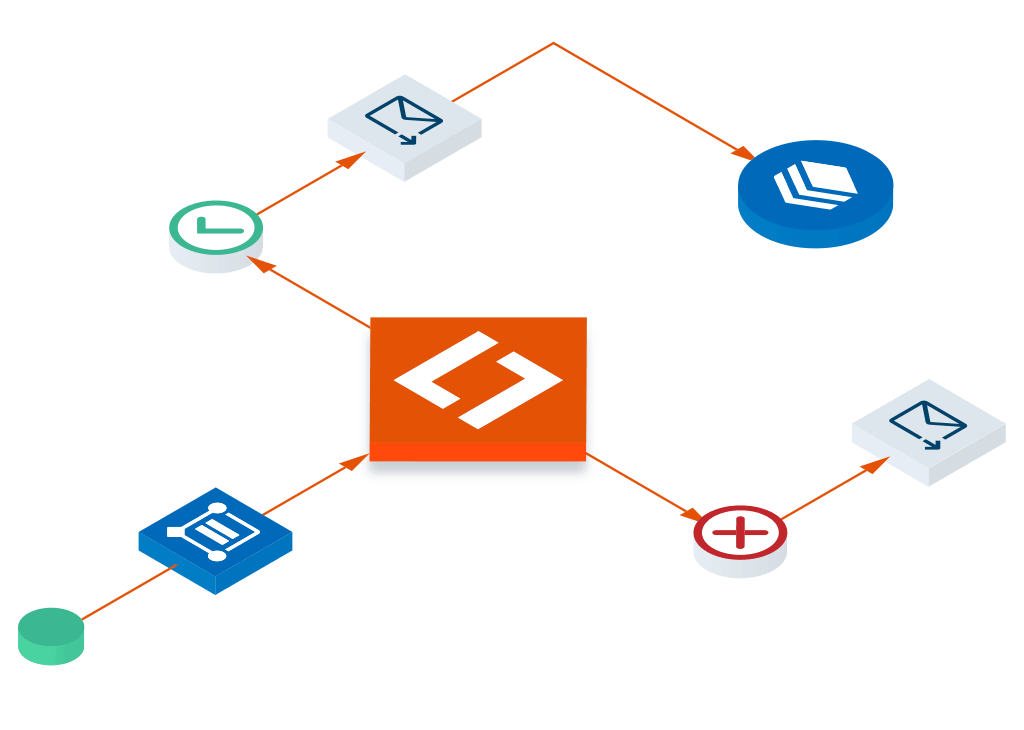
  1. Identify who builds the workflows

    Non-technical operators: Zapier (most polished), Make (more powerful, steeper learning), Workato (enterprise). Developers comfortable with code: n8n, Pipedream, custom. The build-cost-vs-flexibility trade-off is real.

  2. Audit the integration catalog

    Zapier has the broadest catalog (6000+ apps). Make and n8n cover the major apps with more flexibility per integration. For long-tail tools, verify the integration exists before committing.

  3. Plan for cost at volume

    Most platforms price by task/operation count. Heavy users hit pricing tiers fast. n8n self-hosted is essentially free for unlimited runs but adds operational overhead.

Honorable mentions

Tools that didn't crack the headline list but deserve a look depending on what you optimize for.

  • n8n MCP Server logo
    n8n MCP Server Best self-hosted open-source automation

    n8n is the open-source workflow tool that competes with Zapier on capability. Self-hostable for privacy/cost reasons; hosted cloud also available.

Best Workflow Automation for

How we ranked these workflow automation tools

We rank by real-world signal: G2/Capterra review volume and rating, and media mentions (volume and recency). Pricing is re-checked and the ranking refreshed monthly.

Tools evaluated
1,020
With free plan
29%
58 of the 200 tools we rank
Last updated
October 2026

Toolradar Research

The data behind workflow automation tools

First-party analyses built from our full catalog, methodology published.

All Toolradar research

Frequently Asked Questions

What is the best workflow automation tool in 2026?

Based on our analysis of 1,020 workflow automation tools, monday.com is our overall workflow automation pick. The next tools on the list are HubSpot, UiPath, ServiceNow. Rankings use G2/Capterra review volume and rating, and media mentions.

What are the top 3 workflow automation tools?

The top 3 workflow automation tools in 2026, ranked by Toolradar, are: 1) monday.com, Organize work, automate tasks, and connect tools for team clarity. 2) HubSpot, CRM platform for scaling businesses. 3) UiPath, Drive AI transformation with agentic automation for end-to-end process orchestration.

Are there free workflow automation tools?

Yes. monday.com is our free workflow automation pick (free plan alongside paid plans). 3 of the 10 tools on this page have a free plan. Among the 200 workflow automation tools we rank, 58 have a free plan.

How do I choose the right workflow automation tool?

Start by defining your team size, budget, and must-have features. monday.com is our overall workflow automation pick. Compare all 1,020 options side by side on Toolradar.

Cite this page: Toolradar, "Best Workflow Automation Tools in 2026", updated October 2026, https://toolradar.com/best/workflow-automation

Workflow Automation statistics catalog size, ratings and pricing data, updated monthly

What is Workflow Automation Software?

Workflow automation tools connect your apps and automate repetitive business processes without writing code. The best workflow automation tools in 2026 let you build triggers, actions, and conditions that move data between systems, send notifications, and execute multi-step processes automatically.

Think of every manual task your team does repeatedly: copying data from a form into a spreadsheet, sending a Slack message when a deal closes, creating tasks when a customer submits a support ticket. Automation tools handle these workflows so your team can focus on work that actually requires thinking.

The category has expanded beyond simple app connectors. Modern platforms offer conditional logic, error handling, AI-powered decision steps, and even database capabilities. The line between workflow automation and full application development is getting blurry.

Editor's Take

“After evaluating 1,020 workflow automation tools, monday.com stands out as our top pick, ahead of HubSpot. For budget-conscious teams, monday.com (free plan alongside paid plans) delivers strong value. The competition is fierce, the gap between top tools is narrower than ever, so the best choice comes down to your team's specific workflow and priorities.”

Key Data Points

1,020
Tools evaluated
3 of 10
Listed tools with a free plan

Toolradar data: 3 of the 10 tools listed on this page (30%) have a free plan, out of 1,020 tools tracked in this category. monday.com leads the list.

Essential Features in Workflow Automation Tools

Visual Workflow Builder

Drag-and-drop interface for building automations. The builder should be intuitive enough for non-technical users but powerful enough for complex multi-step workflows.

App Integrations

The number and depth of app connections matter. Check that your critical tools are supported with proper triggers and actions, not just basic webhooks.

Conditional Logic

If/then branching, filters, and routers that let automations make decisions. Without this, you're limited to linear sequences.

Error Handling

What happens when an automation fails? Look for retry logic, error notifications, and execution logs. Silent failures are worse than no automation.

Scheduling & Triggers

Time-based schedules, webhook triggers, and event-based triggers from connected apps. Flexible triggering determines what you can actually automate.

Data Transformation

Format dates, parse JSON, split text, calculate values. Real-world data is messy, your automation tool needs to clean it up between steps.

Who Uses Workflow Automation Tools?

Automation tools serve anyone who's tired of repetitive manual processes, from solo operators to enterprise IT:

Operations teams: Automating cross-departmental processes like lead handoffs, order processing, and approval chains.
Marketing teams: Connecting lead forms to CRMs, syncing email lists, and triggering campaigns based on user behavior.
Small business owners: Replacing manual data entry and notification tasks that eat into productive hours.
IT departments: Building internal automations for provisioning, incident routing, and data synchronization between enterprise systems.

Related Guides

Have experience with these tools?

Your review helps thousands of others make better decisions.

Write a Review

For workflow automation vendors

Selling a workflow automation product? Reach 720K+ buyers through Toolradar & Dupple.

Newsletter ads and directory listings: the same surfaces buyers use to shortlist. Max 2 sponsors per issue, done-for-you creative.

Some offers on this page may be paid placements or contain affiliate links.